
Door Does Not Open After Presentation To The Reader
Tag/Finger does not open door
Using Events to Troubleshoot (Found in Dashboard > Transactions)
The Transaction page is a great place to do basic troubleshooting. When Tags don’t work, look at the event to determine the cause.

NOTE: On busy sites the transactions page might move too fast to see the problem event. In this case, run a Transaction Report on the Tagholder to see their latest events.
Here follows a list of denied events and their meaning…
Denied Location
Tag does not have access to that door.
Resolution:
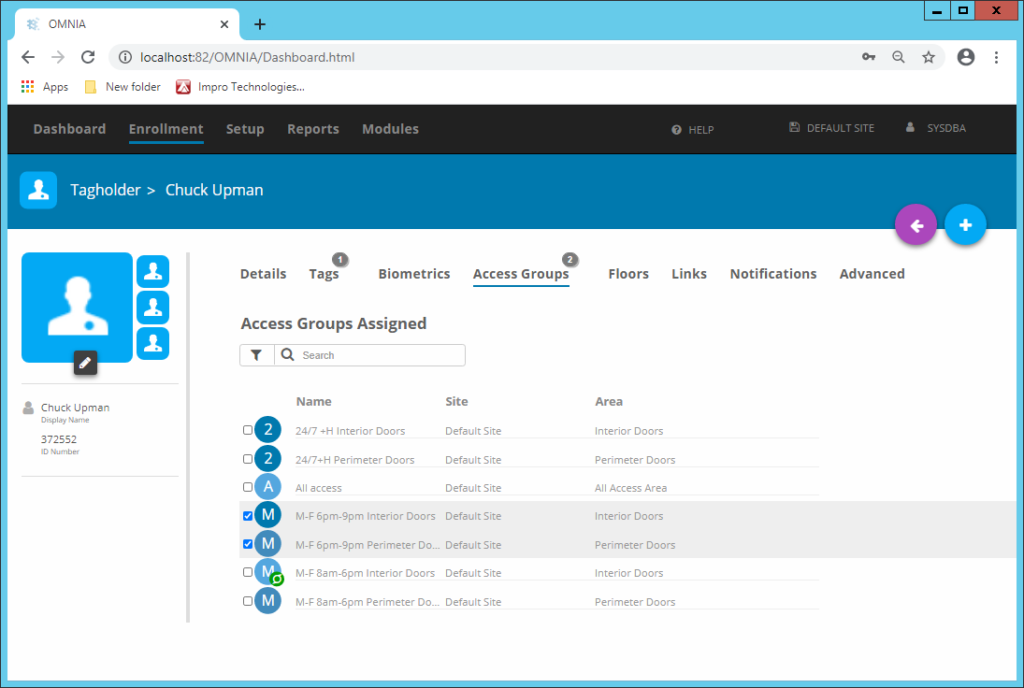
Option 1: Select an Access Group in the Tagholders’ configuration page that includes that door.

Option 2 (Caution) Modify the assigned Access Group to include the desired door.
WARNING: Making changes to the area will affect all Tagholders using it.
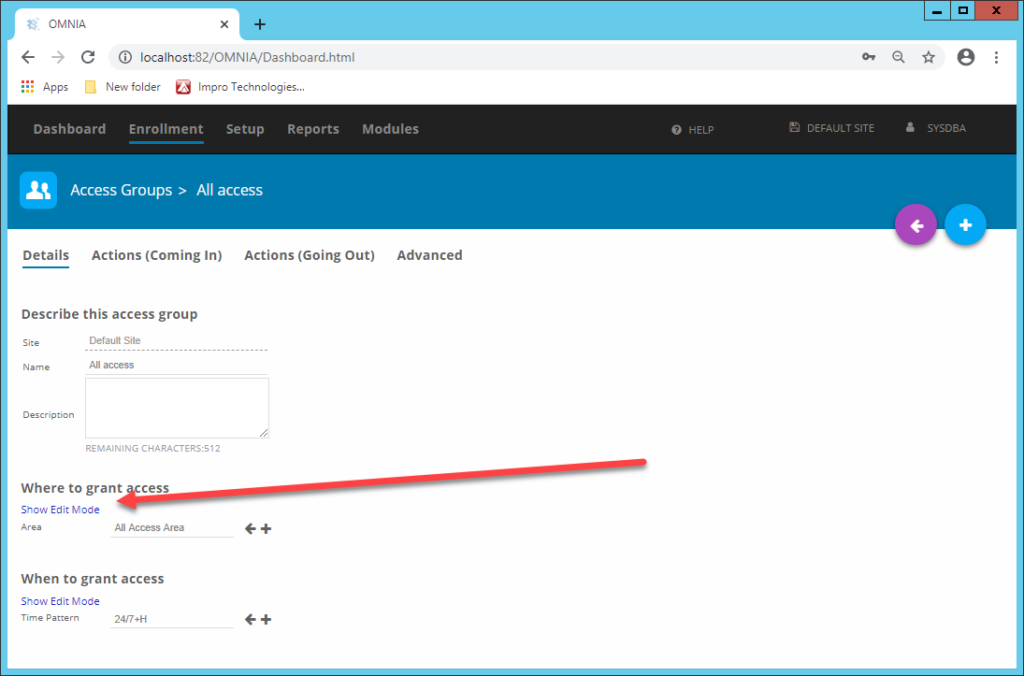
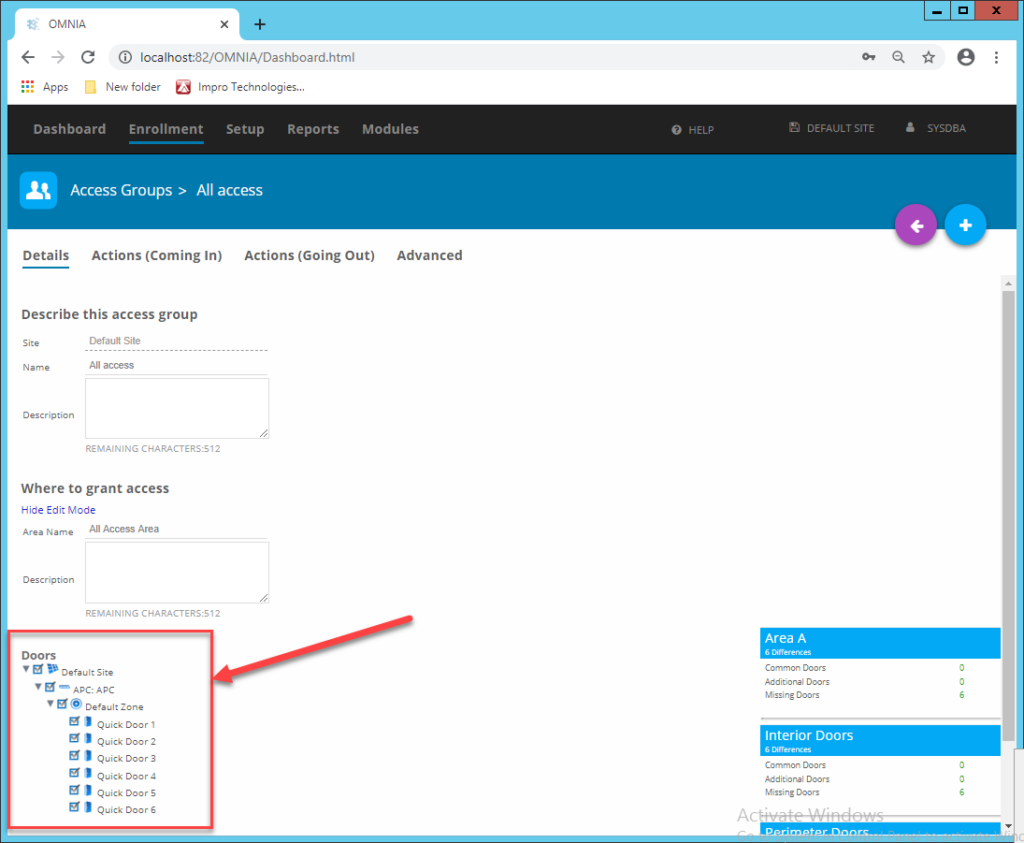
Denied Time or Day
Tagholder’s access group does not include the time or day.
Resolution:
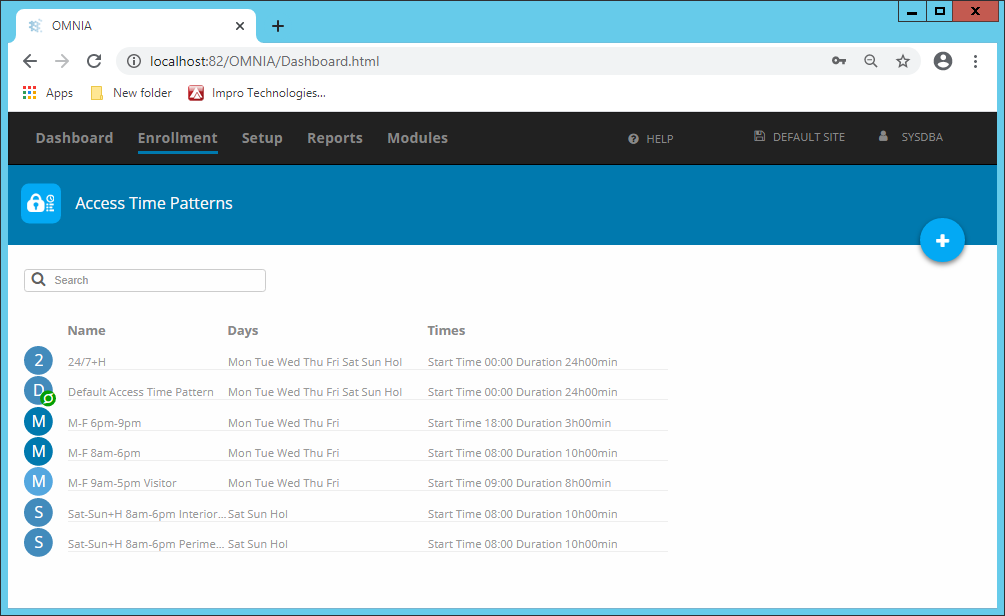
Option 1 Look at Enrollment > Access Time Patterns to adjust times/days, or grant the Tagholder an access group that contains a valid time pattern.
Option 2 Use the Show Edit Mode option found in Access Groups to see times assigned to the area, you can also make any required changes.
WARNING: Making changes to the access time pattern will affect all Tagholders using it.
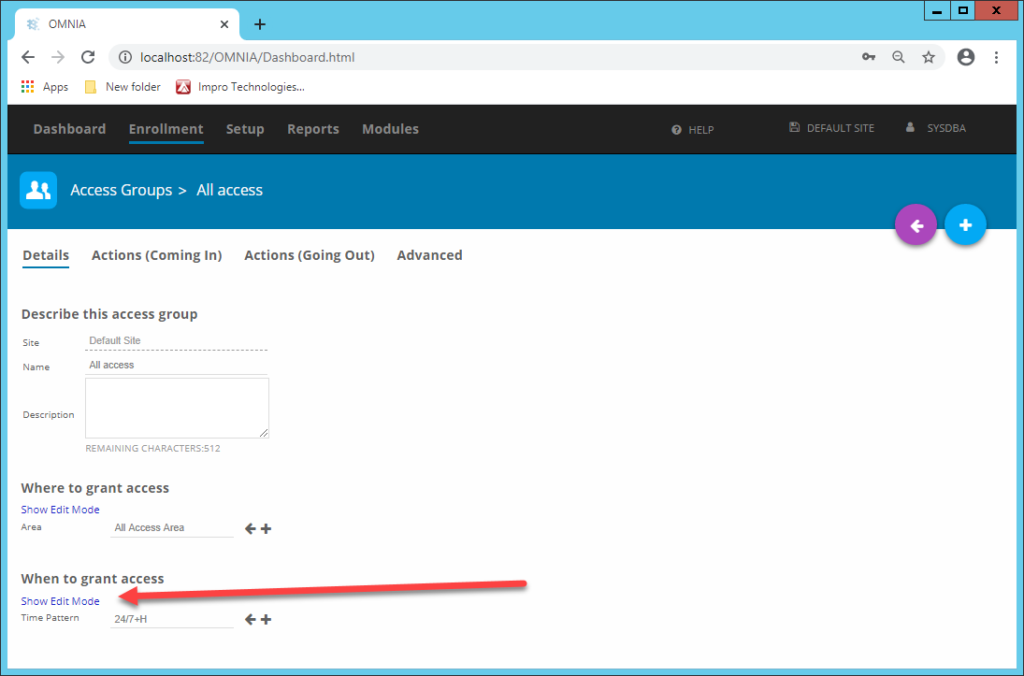
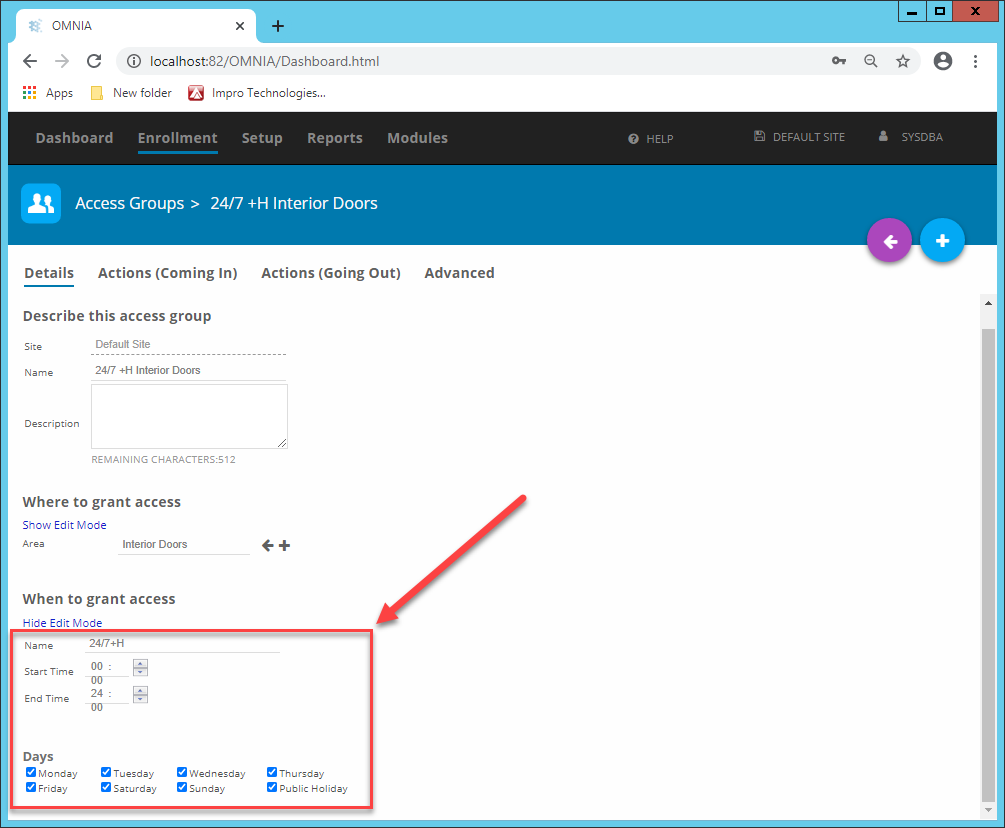
Holidays can also cause denied time or day events. See if any holidays have been entered on the day of the denied event.
Denied APB
Tagholder needs to follow the rules of anti-pass-back (APB).
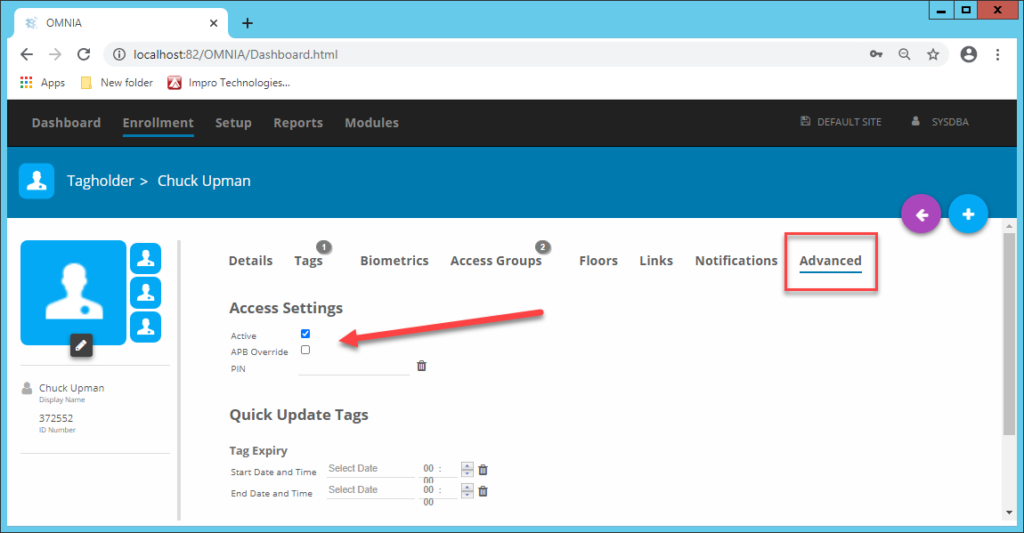
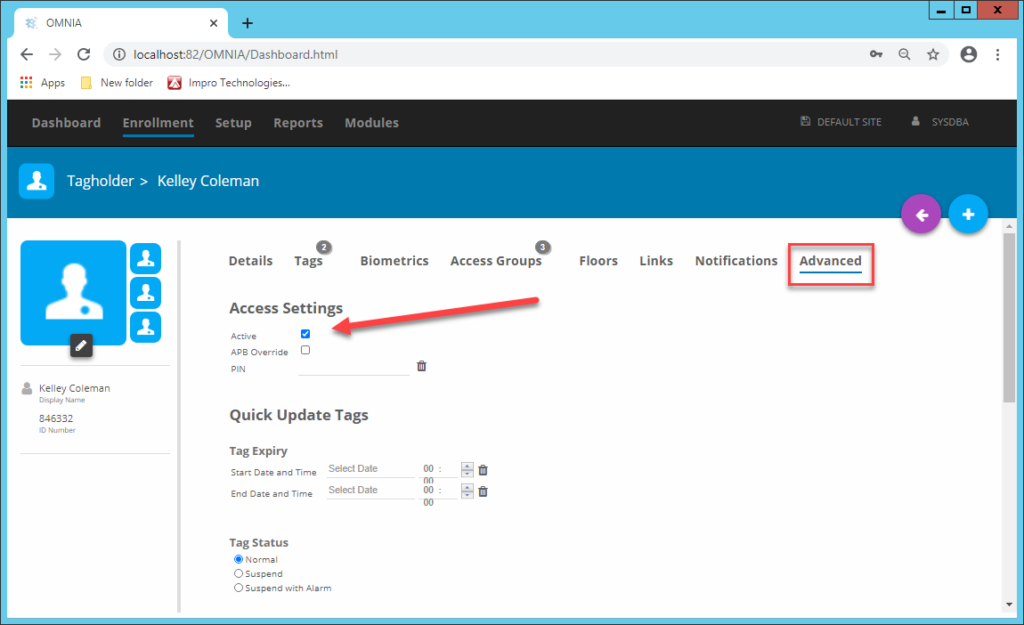
It is possible to override APB for individual Tagholders under Advanced in the Tagholder configuration. (Not Recommended)
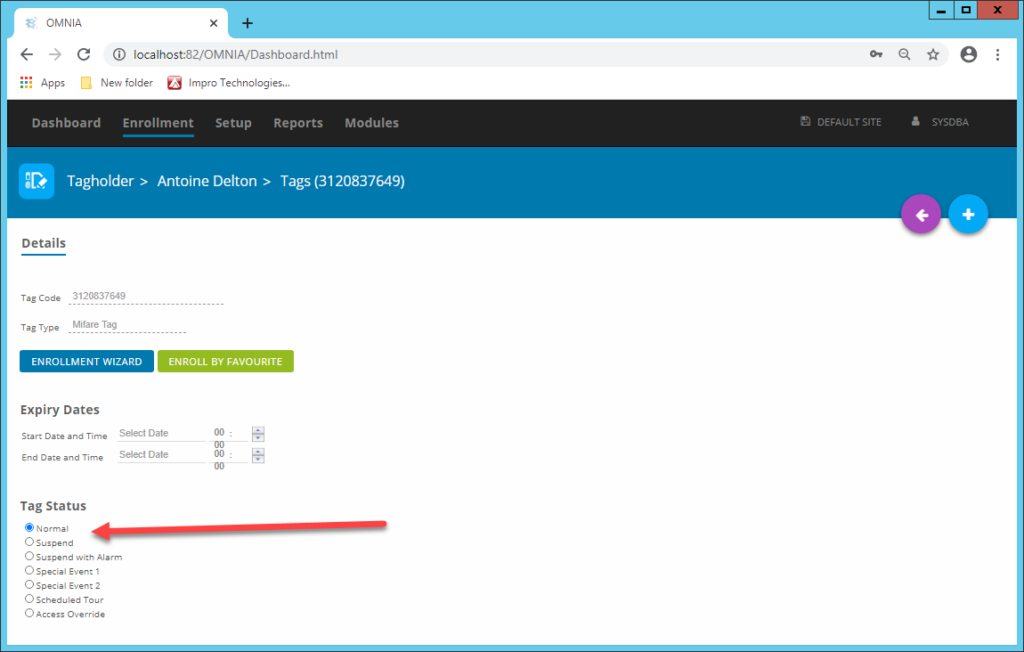
Denied Tag Suspended
Tag is suspended.
Open the Tag under the Tagholders configuration and set the Tag Status to Normal.
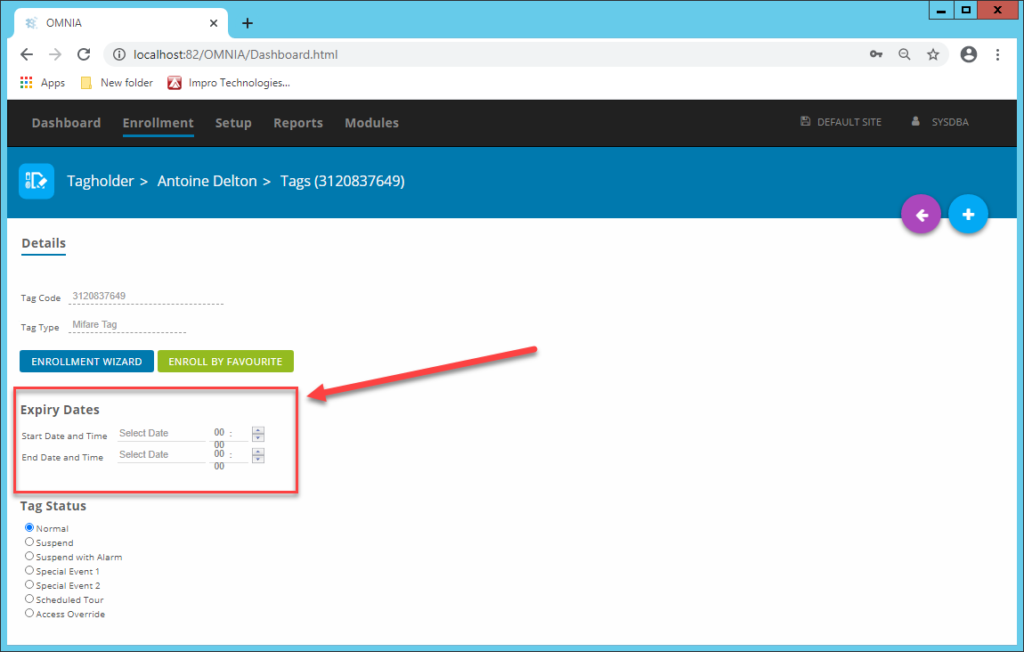
Denied Tag Expired
Tag has an expiry date entered. Configure expiry dates under the Tagholders configuration.
Denied Location Locked
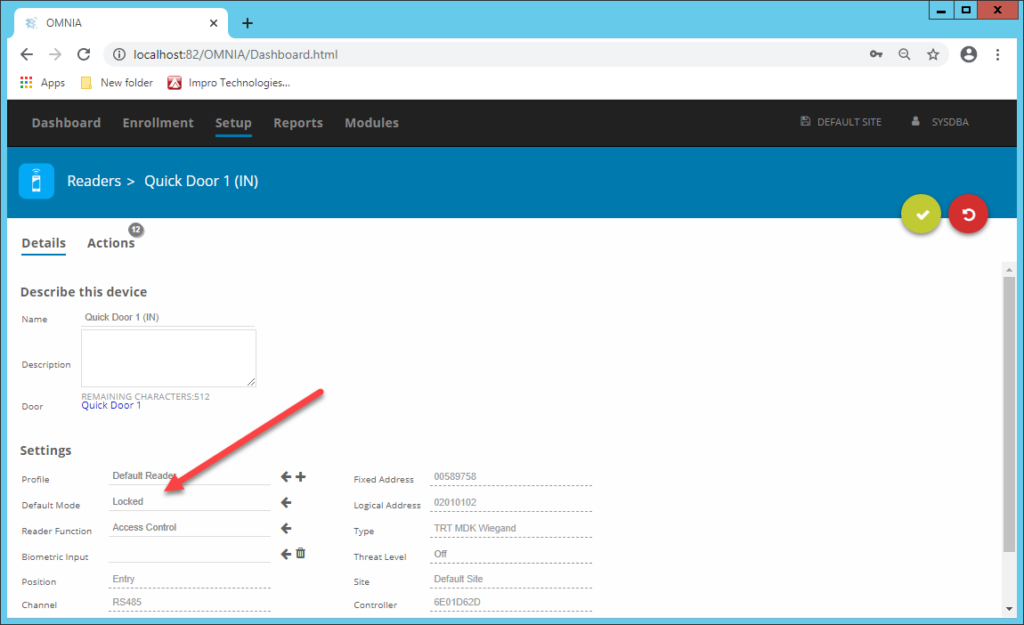
The default mode on the reader is set to Locked Or, there is a Device Time Pattern locking the reader.
Change the Default Mode on the Reader, If your log in prevents this: Contact the system administrator.
Denied Pin
The default mode on the reader is set to Card with Pin, OR, there is a Device Time Pattern enforcing Tag with Pin.
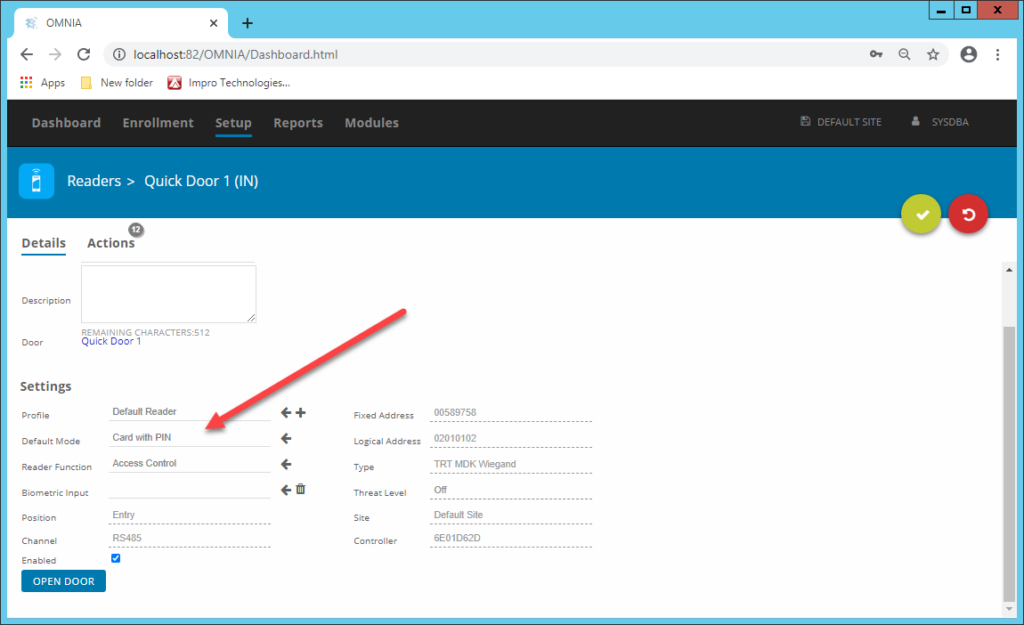
During this mode, users need to enter a pin code AFTER presenting their credentials (There will be a short beep alerting you to enter a pin)
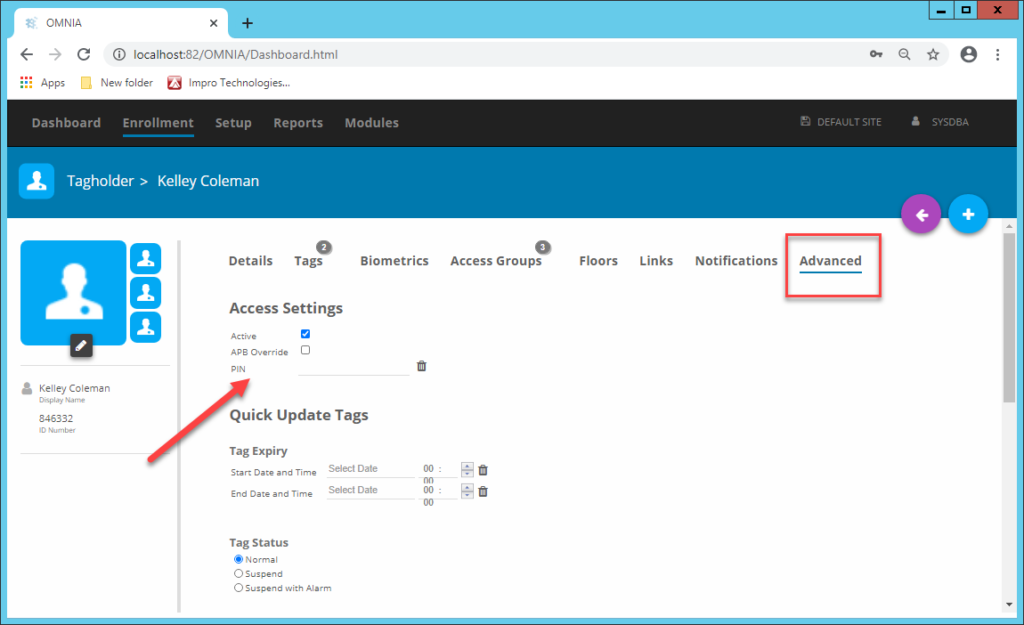
Pins can be assigned under the Advanced section in the Tagholder configuration.
Denied Unknown Tag:
Here are a few possible reasons for denied unknown tag events.
Denied unknown tag, and there is no name.

Tag has not been assigned to a Tagholder (New Tag)
Denied unknown tag, and there is a name.

The tag is assigned to the person but;
- They don’t have an access group assigned (Assign at least one access Group)
- The controller needs to sync (See Next Section)
- The Tagholder is non-current (Ensure that the current tick is active under Advanced in the Tagholders configuration page)
Need further assistance?