
• Skip to primary navigation
  • Skip to main content
PMT Security Logo

PMT Security

Advanced Access Control

  • Home
  • About Us
    • Security and Trust
    • Our Partners
    • Our Integrators
  • Solutions
    • Education
    • Retirement & Healthcare
    • Manufacturing
    • Government Facilities
    • Residential
    • Retail Businesses
    • Campgrounds & Outdoor Resorts
  • Products
    • Access Control
      • Control Features
      • Reporting & Monitoring
      • Control Module
      • Digital IO Module
      • Reader Module
      • Readers
    • Video Management
    • Visitor Management
    • Intercom
    • Live Guard Video Monitoring
    • Housings & Pedestals
  • Support
    • Knowledgebase
    • Download Center
    • License Request
    • RMA Request Form
  • Blog
  • Contact Us

Create a Reader Profile in OMNIA

Create a Reader Profile in OMNIA

How to Create a Reader Profile

How to Create a Reader Profile

Before stating make sure your new hardware is installed.

Open OMNIA in a web browser

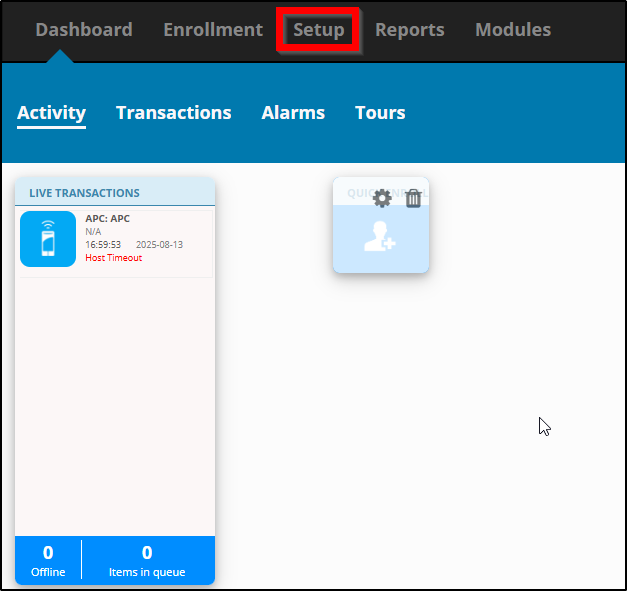
Select Setup tab to open the drop down menu.

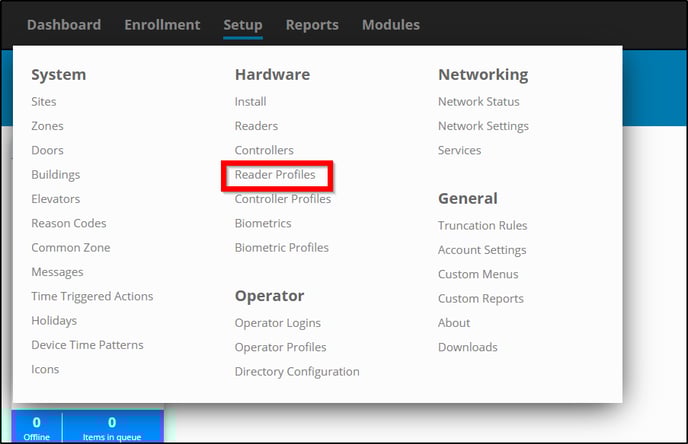
Under Hardware select Reader Profiles.

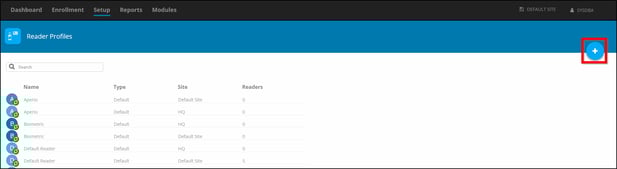
Click Add in the top right. A blue circle with a white +.


Name your new Reader Profile and Select the profile you would like to make a Copy Of.

*The Copy Of  sets the parameters for what kind of reader profile is preferred.
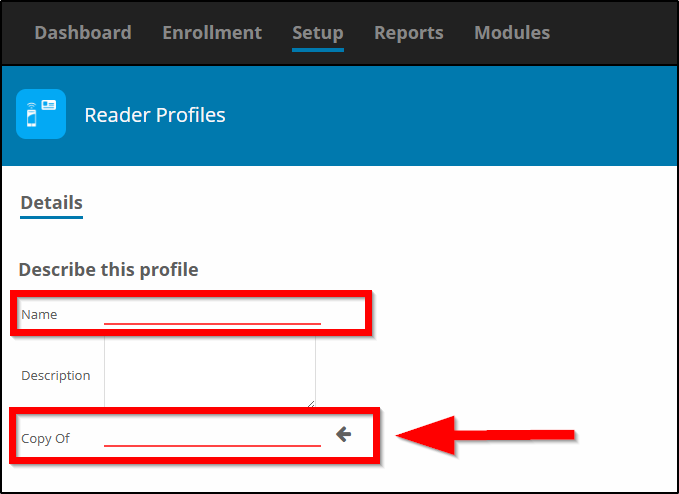


*Notice how you can select the copy from different sites* 
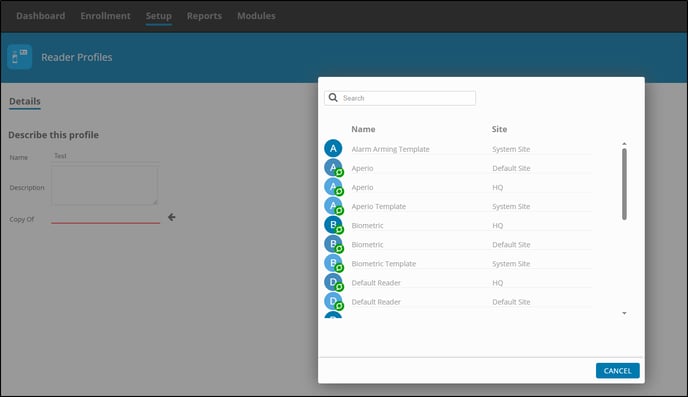


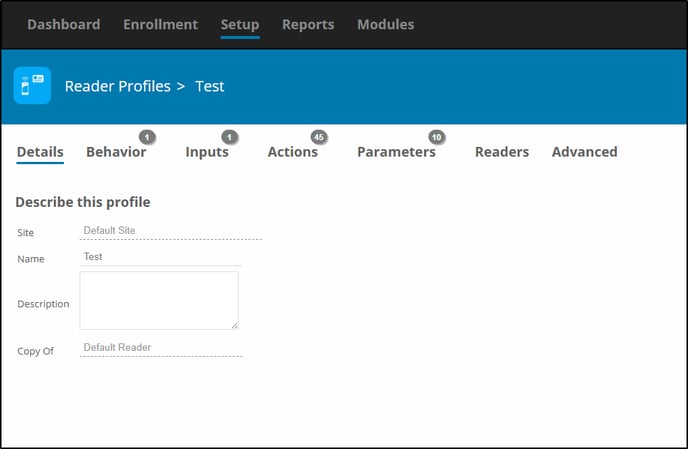
Once Created, you can verify the Details. If this is incorrect you can delete and start over by selecting reader profiles and clicking the trashcan. 

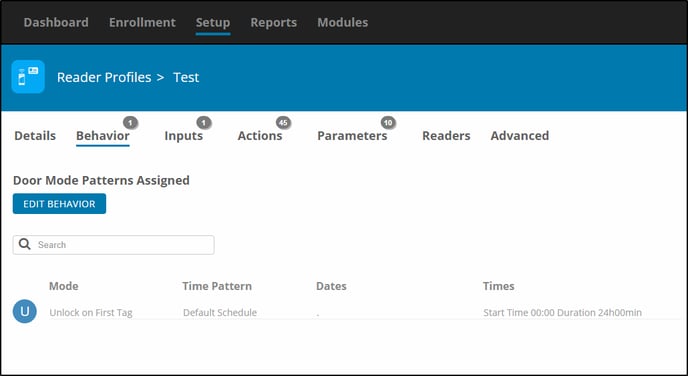
You can change or Edit Behaviors. Example- Unlock on First Tag.

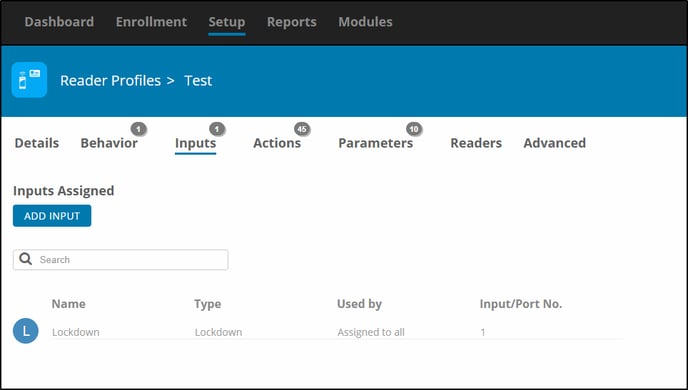
Adding or changing inputs. 

Add Actions (if required, defaults are usually fine)
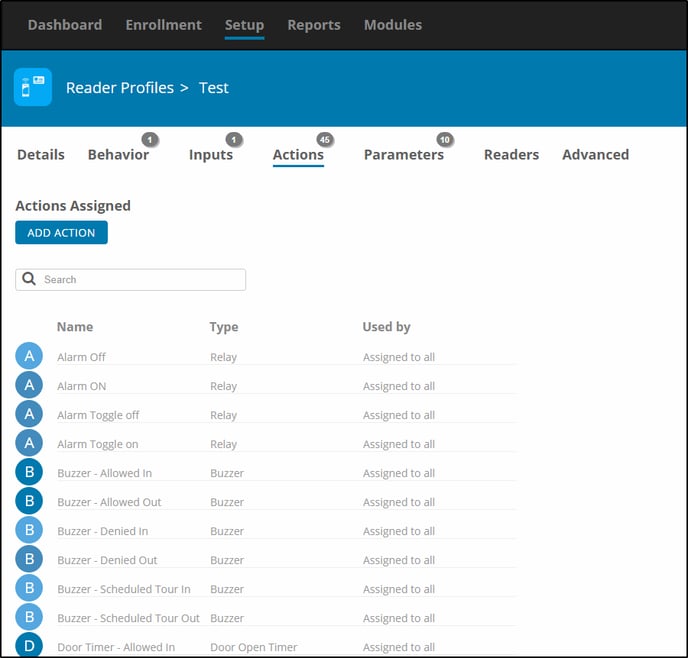


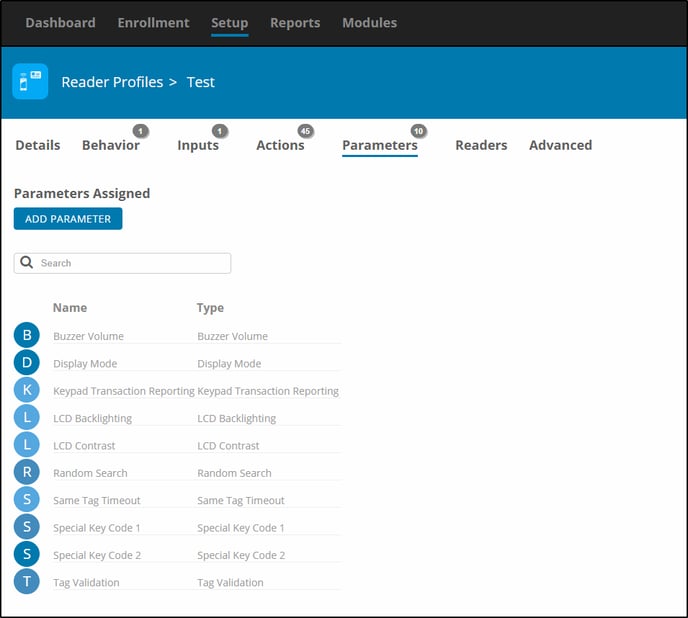
Add Parameters (if required, defaults are usually fine)


Selecting Readers for the Profile.
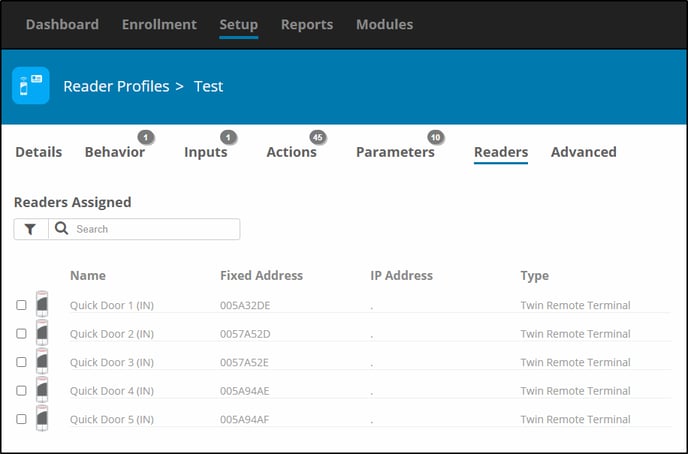
*Note: Once a reader has been assigned to a READER PROFILE, it can only be removed by adding it to another profile. It can not be removed from within its current profile.

Need further assistance?

Submit a Support Ticket

Submit a Support Ticket

FAQ

General

Technical Bulletins

Access Control

AmanoNet

Nexxus220

Omnia

Omnia Lite

PM Tronics Hardware

Amano Readers and Credentials

Legacy Hardware

Partner Products

Partner Products

Video Management Systems

Cathexis Video (Amano Vision)

AmanoDVMS

Vision

Security Best Practices & Support OMNIA, Reader Profile

  • Facebook
  • LinkedIn
  • Twitter

PMT Security

Copyright © 2026 PMT Security, Inc. | All Rights Reserved

  • Privacy Policy
  • Terms of Use
  • Cookie Policy
  • Accessibility
  • Contact Us