
• Skip to primary navigation
  • Skip to main content
PMT Security Logo

PMT Security

Advanced Access Control

  • Home
  • About Us
    • Our Partners
    • Our Integrators
  • Solutions
    • Education
    • Retirement & Healthcare
    • Manufacturing
    • Government Facilities
    • Residential
    • Retail Businesses
    • Campgrounds & Outdoor Resorts
  • Products
    • Access Control
      • Control Features
      • Reporting & Monitoring
      • Control Module
      • Digital IO Module
      • Reader Module
      • Readers
    • Video Management
      • Integration
      • Analytics
      • Search & Export
    • Visitor Management
    • Intercom
    • Live Guard Video Monitoring
    • Housings & Pedestals
  • Support
    • Knowledgebase
    • Download Center
    • License Request
    • RMA Request Form
  • Blog
  • Contact Us

Transaction reports in OMNIA

Transaction reports in OMNIA

How to create and run Transaction reports in OMNIA

Transaction reports in OMNIA

How to generate Transactions Reports.


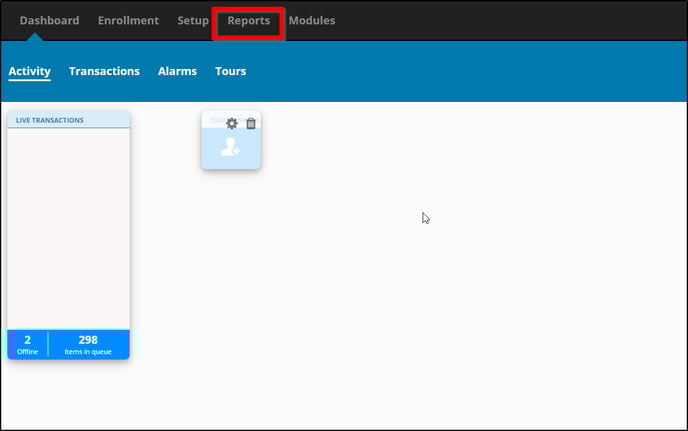
Open OMNIA and select the Reports tab.

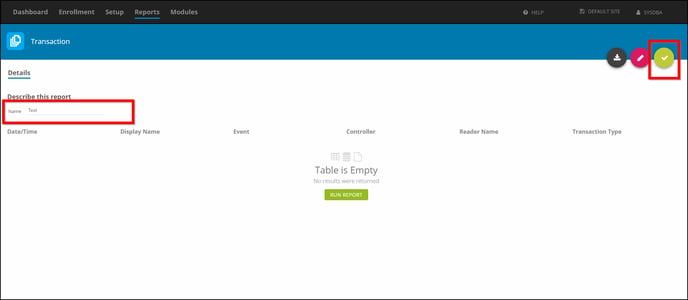
Under Audit select Transaction.


Describe this report by naming it. Then select the checkmark.

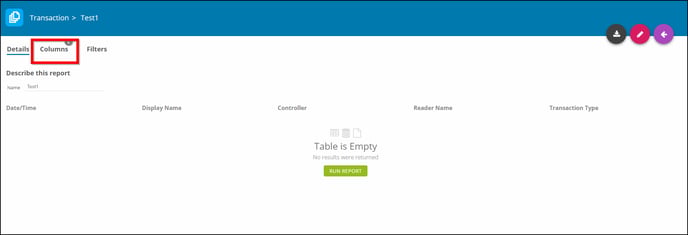
Select Columns.

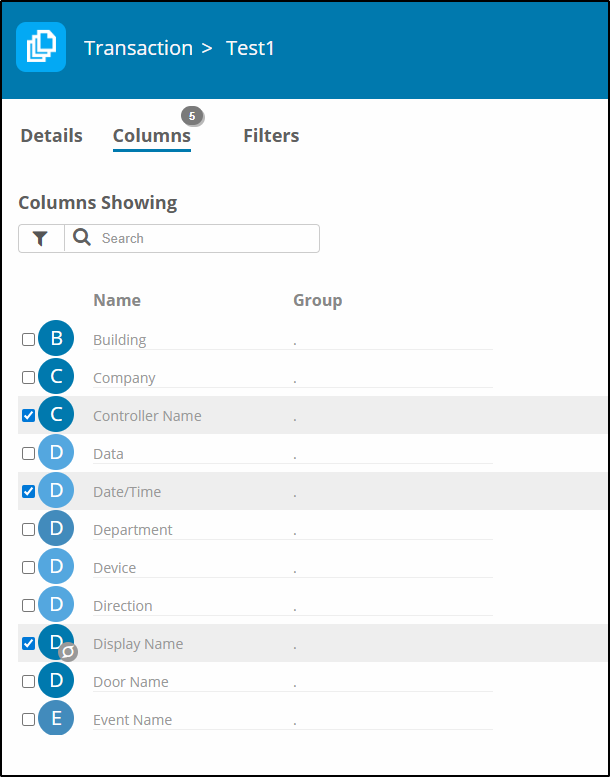
Columns Showing-Check the boxes to filter what shows up in a report. 

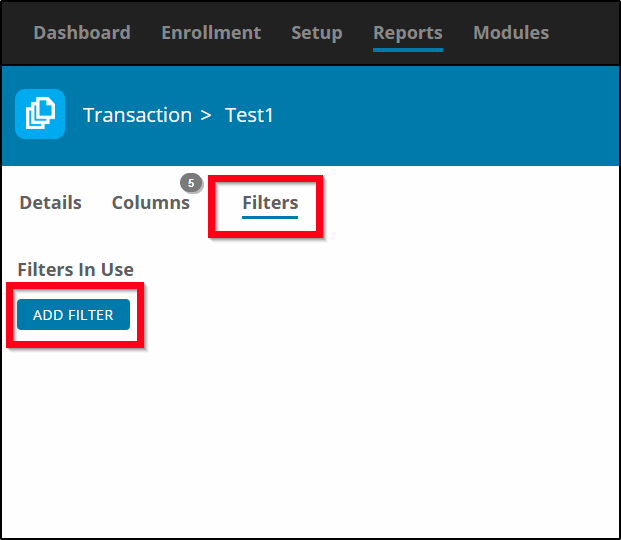
Select Filters then ADD FILTERS


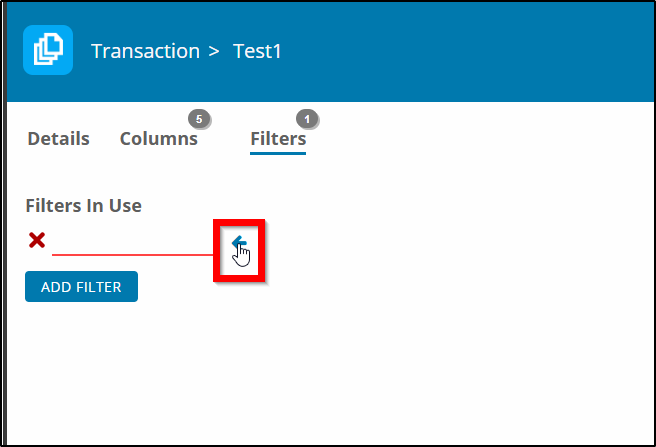
Filters In Use. Select the <- to add filters

Scroll through the available filters.Filters:
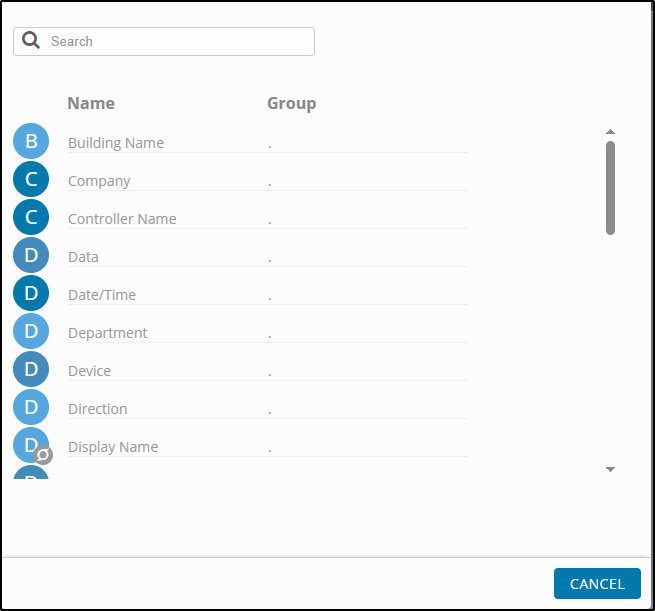
Building Name
Company
Controller Name

Data
Date/Time
Department
Device
Direction 
Display Name
Door Name
Event Name
First Name
Fixed Address

Floor Name
Gender

ID Number

Input Name
Last Name
Logical Address
Person/Asset Type (Select)
Reader Name
Reason Code
Second Name
Serial Address
Suffix
Tage Code
Tag Type (Select)
Title
Transaction Type (Select)
Type
Unit Type (Select)
Zone Name

Use Multiple filters to narrow down the search. Example Door Name, First Name, Date/Time. 
The report will show the Date/Time an individual was accessing a specific door. 


Once you have selected the filters click on the checkmark.
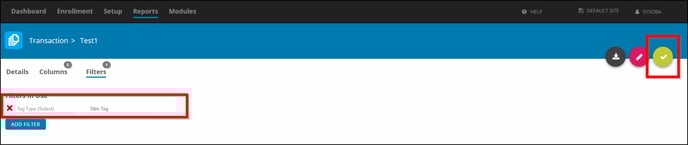

Select Details


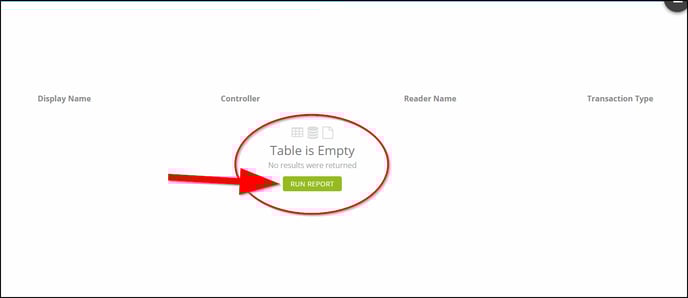
Under Table is Empty select RUN REPORT.
Need further assistance?

Submit a Support Ticket

Submit a Support Ticket

FAQ

General

Technical Bulletins

Access Control

AmanoNet

Nexxus220

Omnia

Omnia Lite

PM Tronics Hardware

Amano Readers and Credentials

Legacy Hardware

Partner Products

Partner Products

Video Management Systems

Cathexis Video (Amano Vision)

AmanoDVMS

Vision

Security Best Practices & Support OMNIA

  • Facebook
  • LinkedIn
  • Twitter

PMT Security

Copyright © 2026 PMT Security, Inc. | All Rights Reserved