• Skip to primary navigation
  • Skip to main content
PMT Security Logo

PMT Security

Advanced Access Control

  • Home
  • About Us
    • Our Partners
    • Our Integrators
  • Solutions
    • Education
    • Retirement & Healthcare
    • Manufacturing
    • Government Facilities
    • Residential
    • Retail Businesses
    • Campgrounds & Outdoor Resorts
  • Products
    • Access Control
      • Control Features
      • Reporting & Monitoring
      • Control Module
      • Digital IO Module
      • Reader Module
      • Readers
    • Video Management
      • Integration
      • Analytics
      • Search & Export
    • Visitor Management
    • Intercom
    • Live Guard Video Monitoring
    • Housings & Pedestals
  • Support
    • Knowledgebase
    • Download Center
    • License Request
    • RMA Request Form
  • Blog
  • Contact Us

Adding a New Department in OMNIA

Adding a New Department in Omnia

Adding Different Departments

Adding a New Department in Omnia

Adding Different Departments.

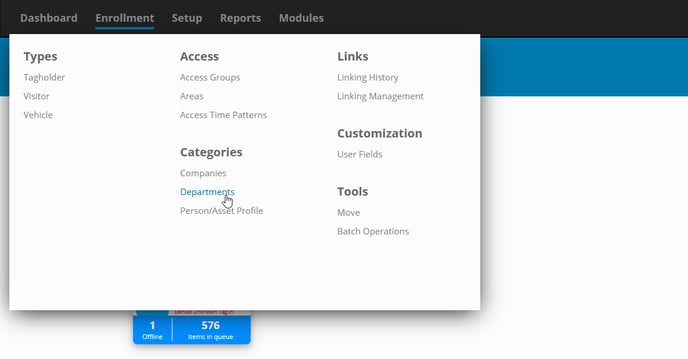
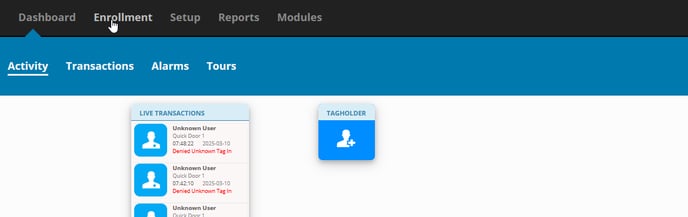
To add a Department start by selecting Enrollment to open the dropdown menu.
pic 1

Under categories select Department.

pic 2

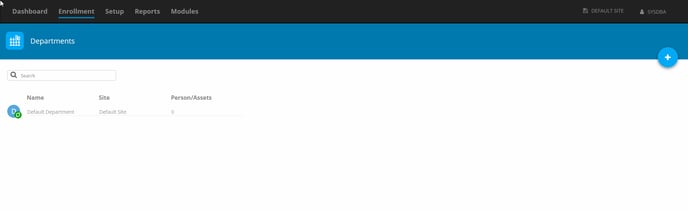
This is where you can see Departments that have already been created or to make a new one. 
pic 3

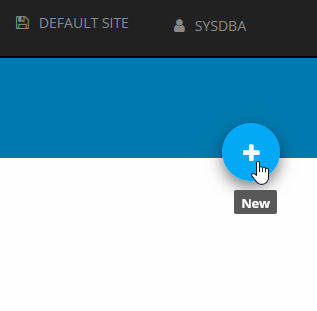
On the right of the page you will see a blue circle with a “plus” this is how you add another department. Select the Plus
pic 4

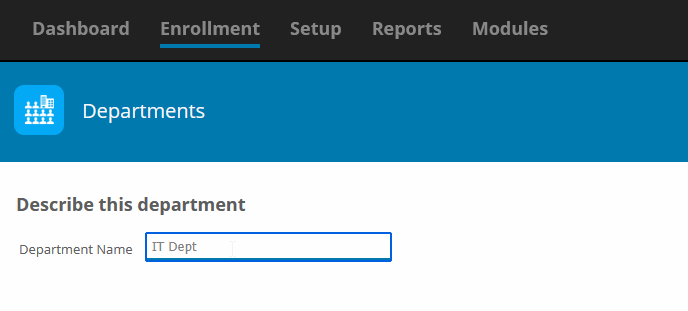
Enter the name of the Department you would like to add. For example, “I have entered IT Dept”.
pic 5

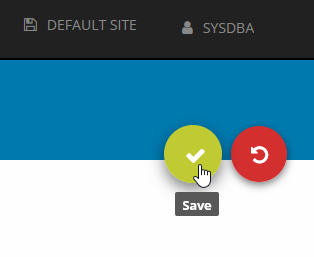
Once you have finished a green circle with a check mark will populate. To save select the check mark. If you are not ready to save select the red circle with a circle back icon.
pic 6

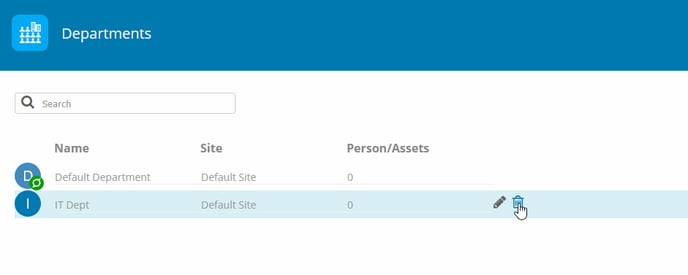
If you have made a save and are unsatisfied you can always delete it after.
pic 8

Need further assistance?

Submit a Support Ticket

Submit a Support Ticket

FAQ

General

Technical Bulletins

Access Control

AmanoNet

Nexxus220

Omnia

Omnia Lite

PM Tronics Hardware

Amano Readers and Credentials

Legacy Hardware

Partner Products

Partner Products

Video Management Systems

Cathexis Video (Amano Vision)

AmanoDVMS

Vision

author avatar
pmtronics_admin
See Full Bio

Security Best Practices & Support OMNIA

  • Facebook
  • LinkedIn
  • Twitter

PMT Security

Copyright © 2026 PMT Security, Inc. | All Rights Reserved