• Skip to primary navigation
  • Skip to main content
PMT Security Logo

PMT Security

Advanced Access Control

  • Home
  • About Us
    • Security and Trust
    • Our Partners
    • Our Integrators
  • Solutions
    • Education
    • Retirement & Healthcare
    • Manufacturing
    • Government Facilities
    • Residential
    • Retail Businesses
    • Campgrounds & Outdoor Resorts
  • Products
    • Access Control
      • Control Features
      • Reporting & Monitoring
      • Control Module
      • Digital IO Module
      • Reader Module
      • Readers
    • Video Management
    • Visitor Management
    • Intercom
    • Live Guard Video Monitoring
    • Housings & Pedestals
  • Support
    • Knowledgebase
    • Download Center
    • License Request
    • RMA Request Form
  • Blog
  • Contact Us

Nexus220 Notifications Configuration/Email Configuration

Nexus220 Notifications Configuration/Email Configuration

How to configure SMTP2GO for use in Nexus220

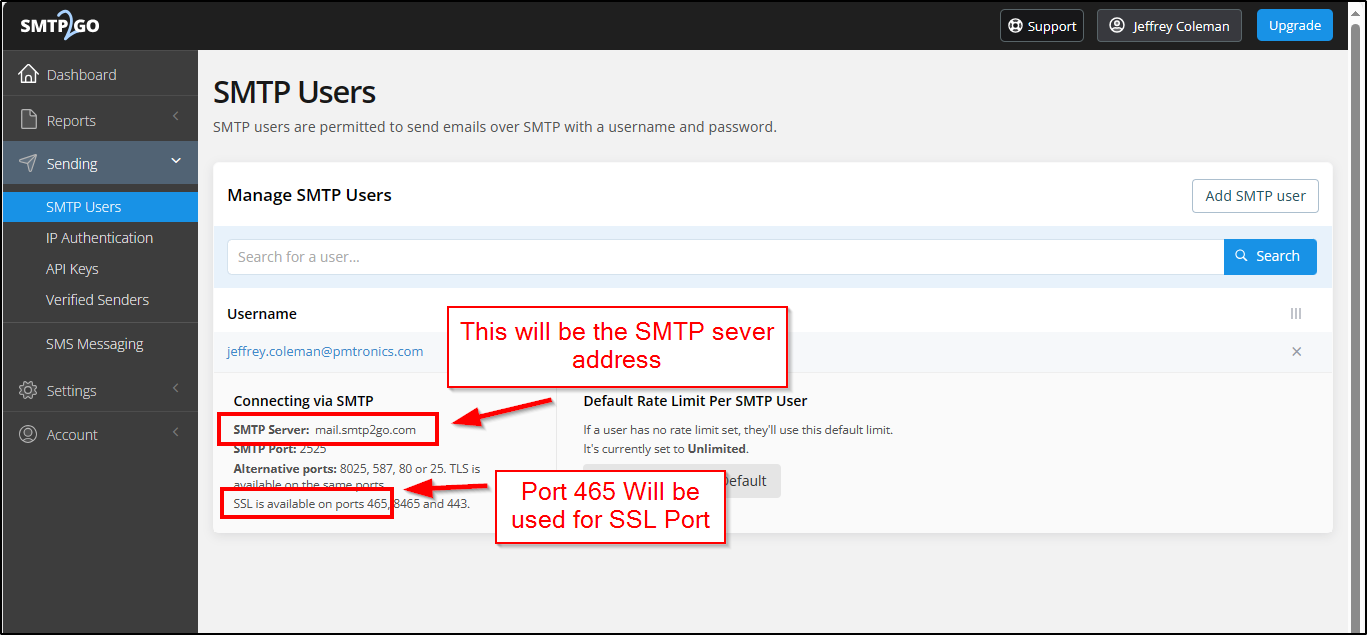
Nexus220 uses SSL security protocol for email notifications. Most email servers require TLS security protocol.
SMTP2GO will allow SSL security connections.

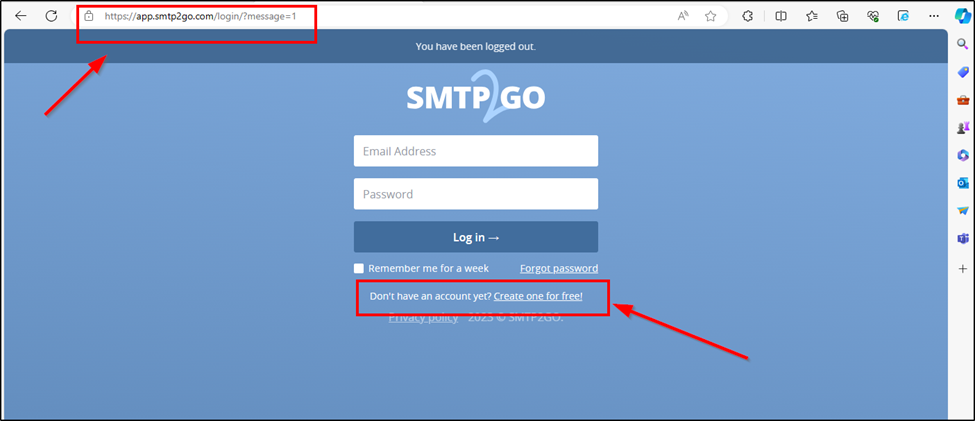
Go to https://app.smtp2go.com/, Select create free account.
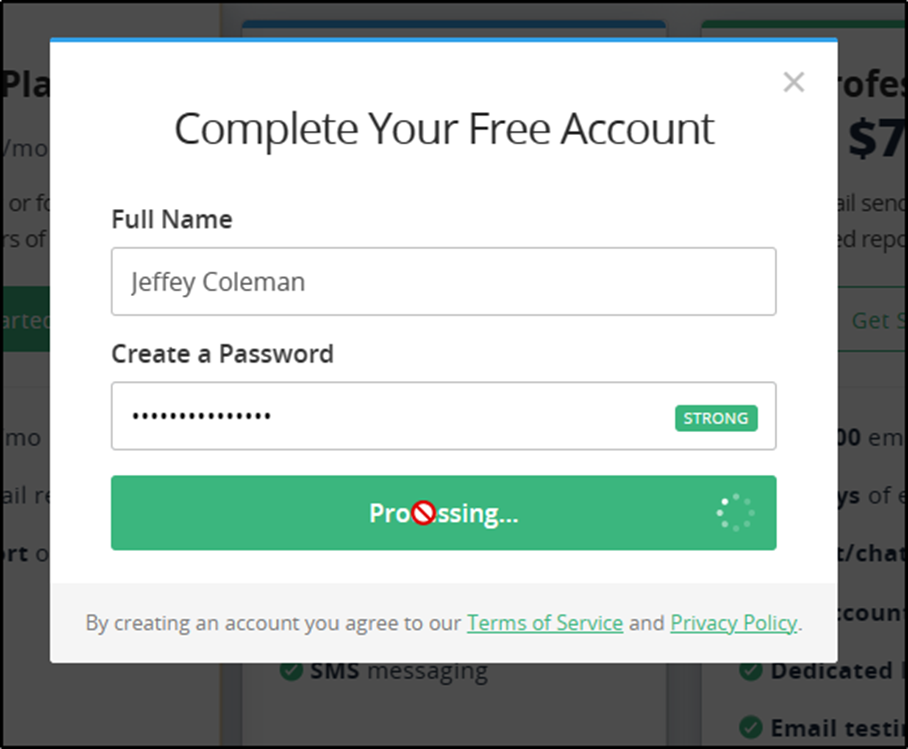
Select the Free Plan, Enter a Name and Create a Password
use an email address for the account,
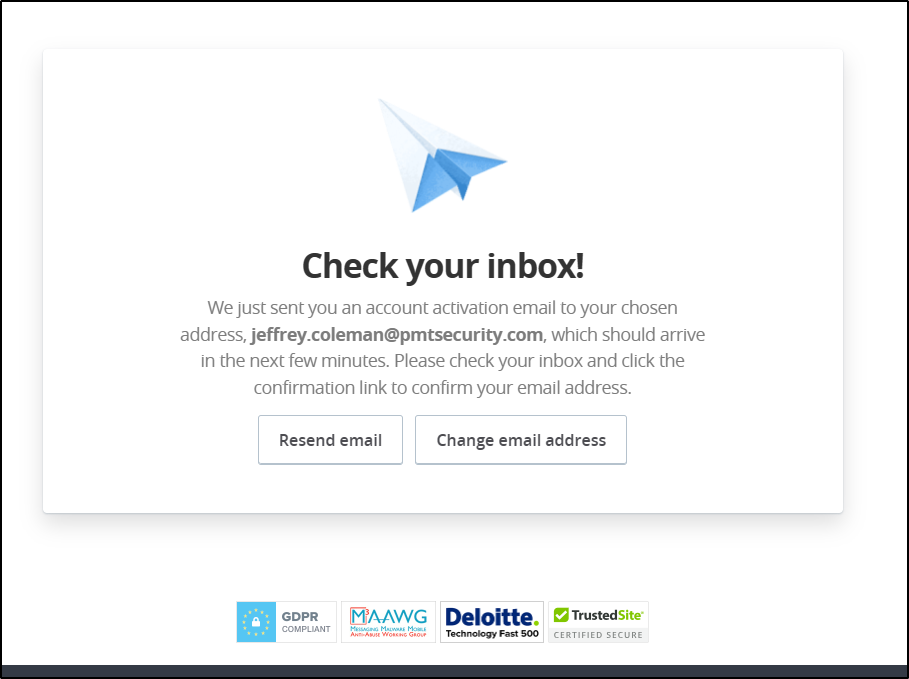
Confirm your email address and Activate your account.

After you Select Activate Account,

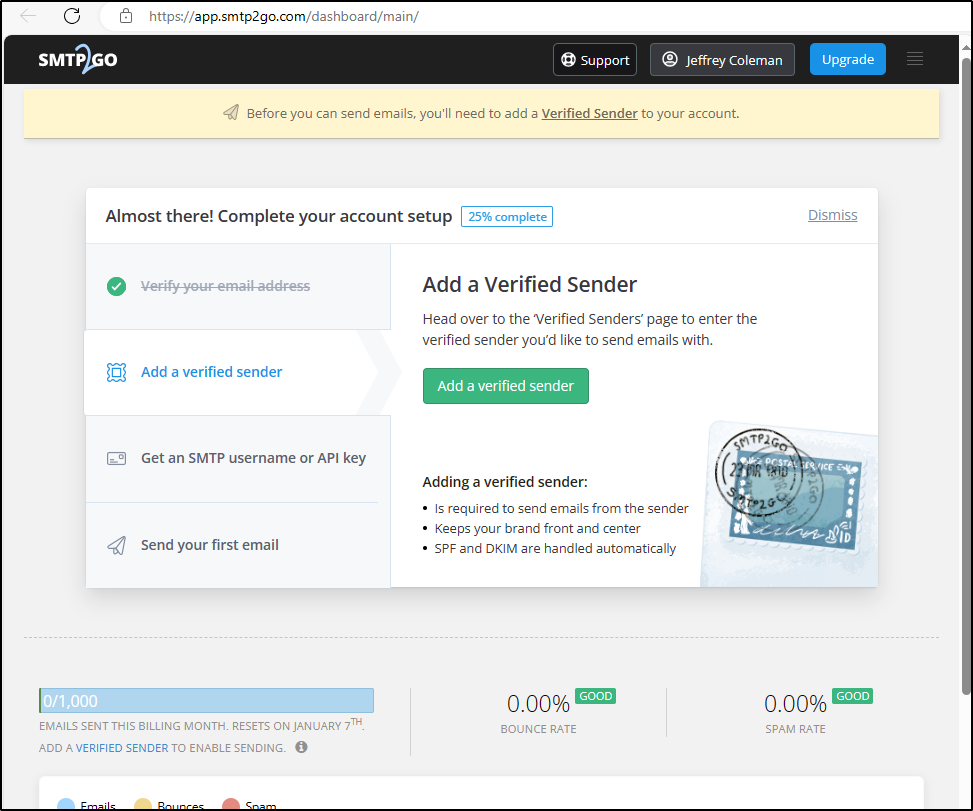
The SMTP 2 Go website will open. You will need to add a Verified Sender.

Select Add a Verified Sender
Select Add a Single User
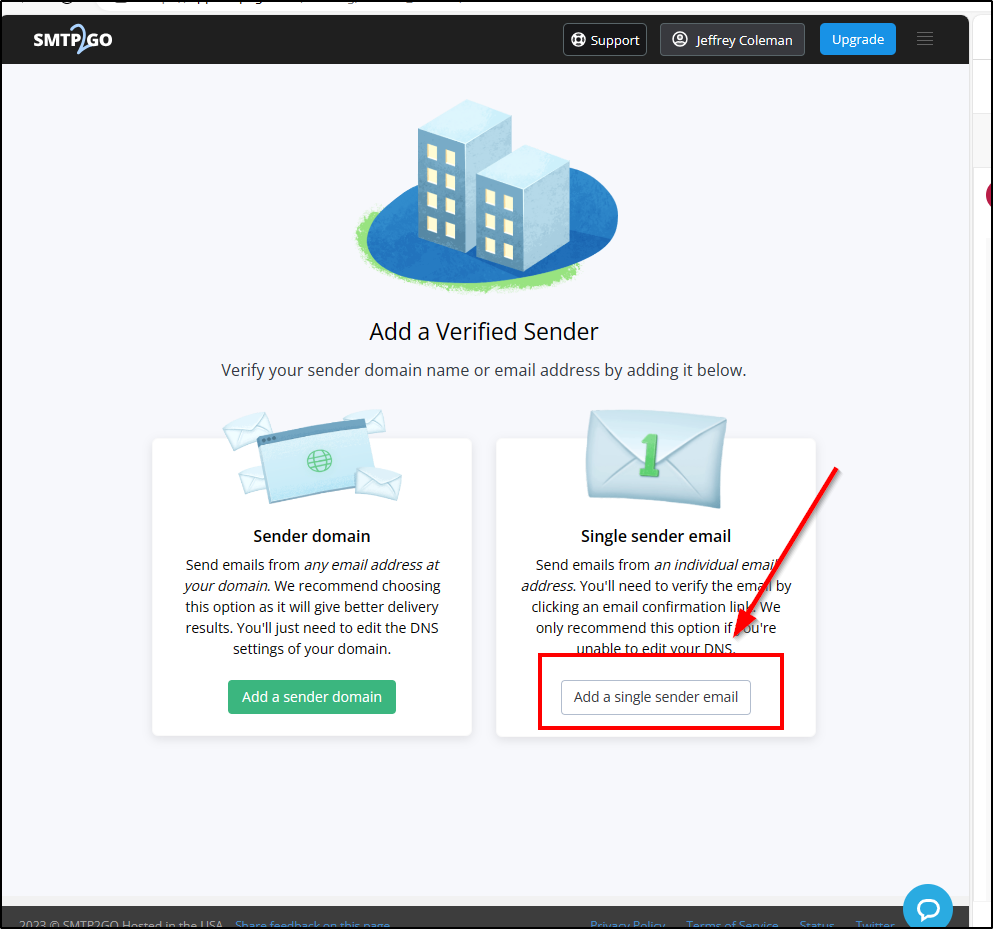
Add your own email address and select Send verification Email.

Once the Sender Email is Verified, Create an SMTP Username

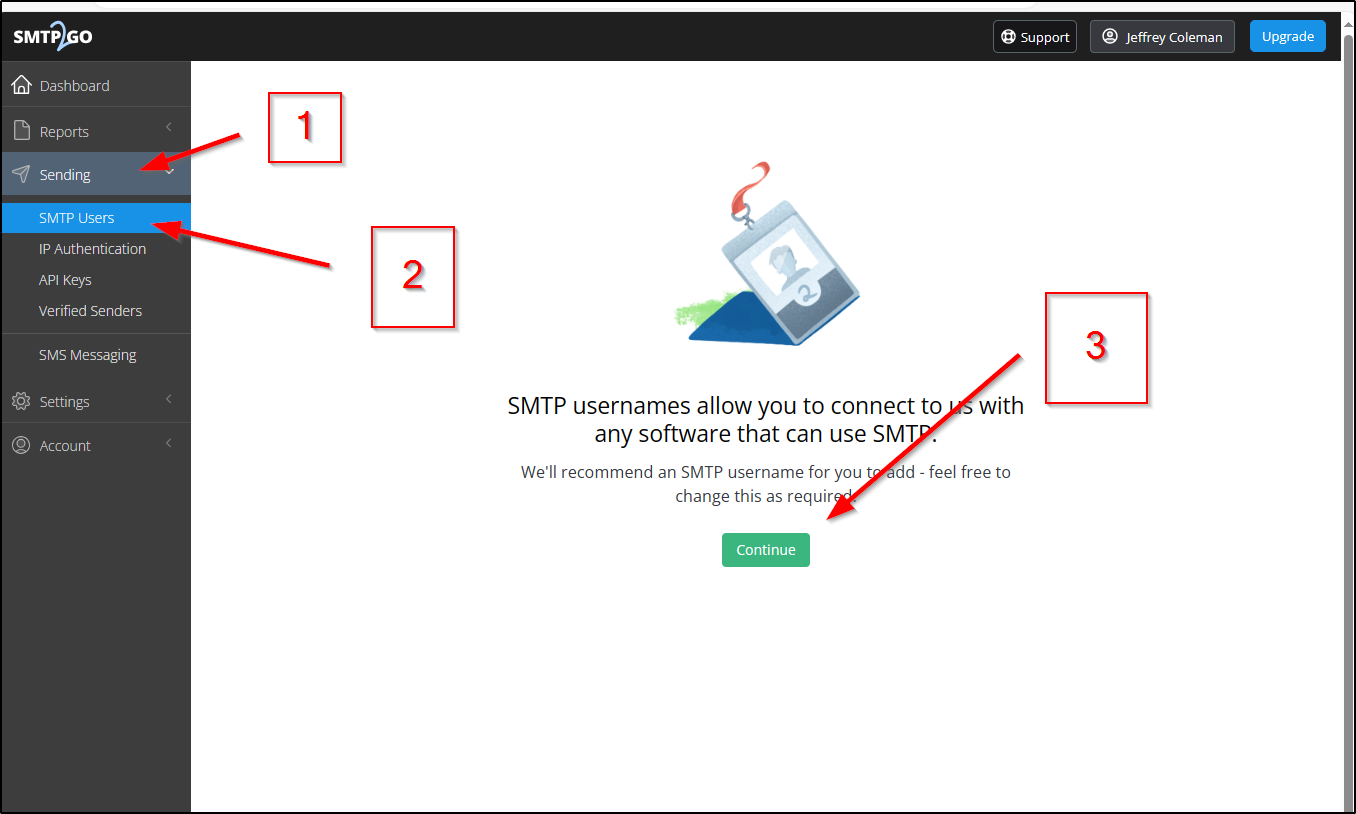
Go to Sending/SMTP Users and select continue
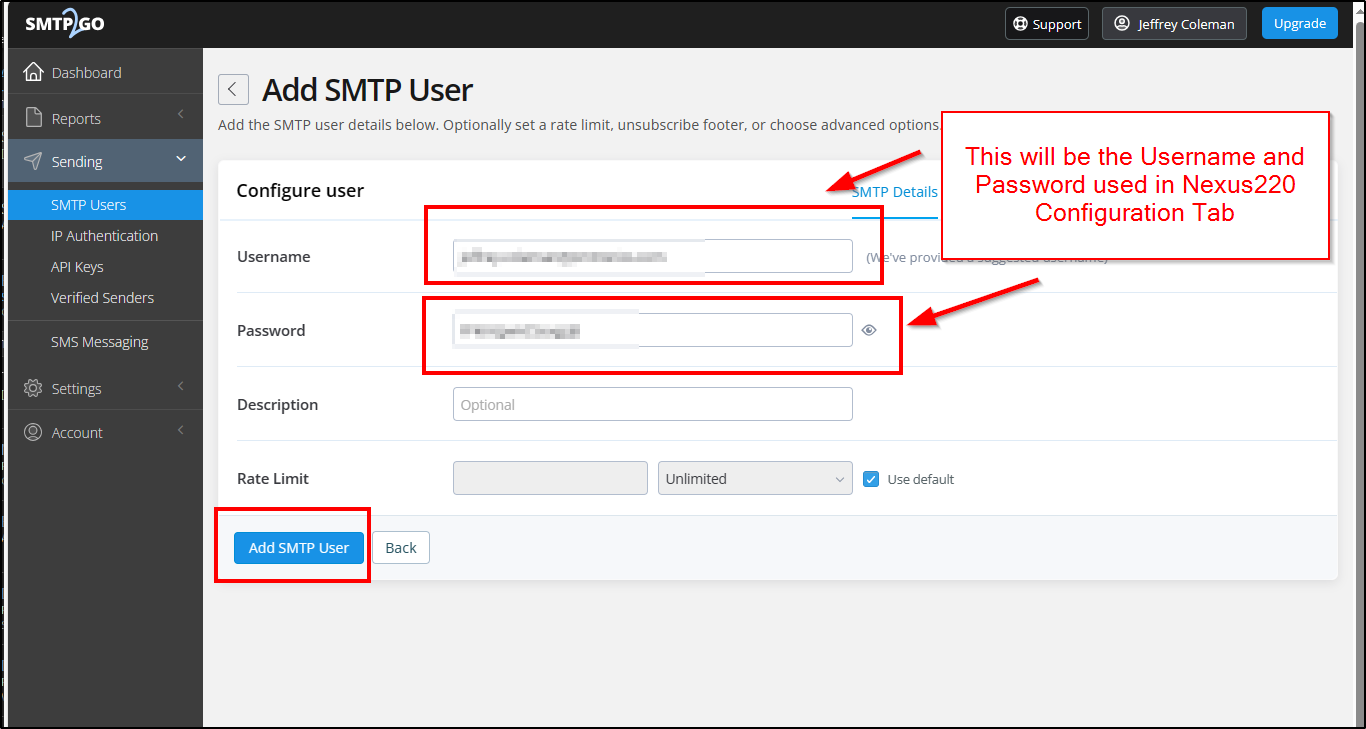
Select Add SMTP User
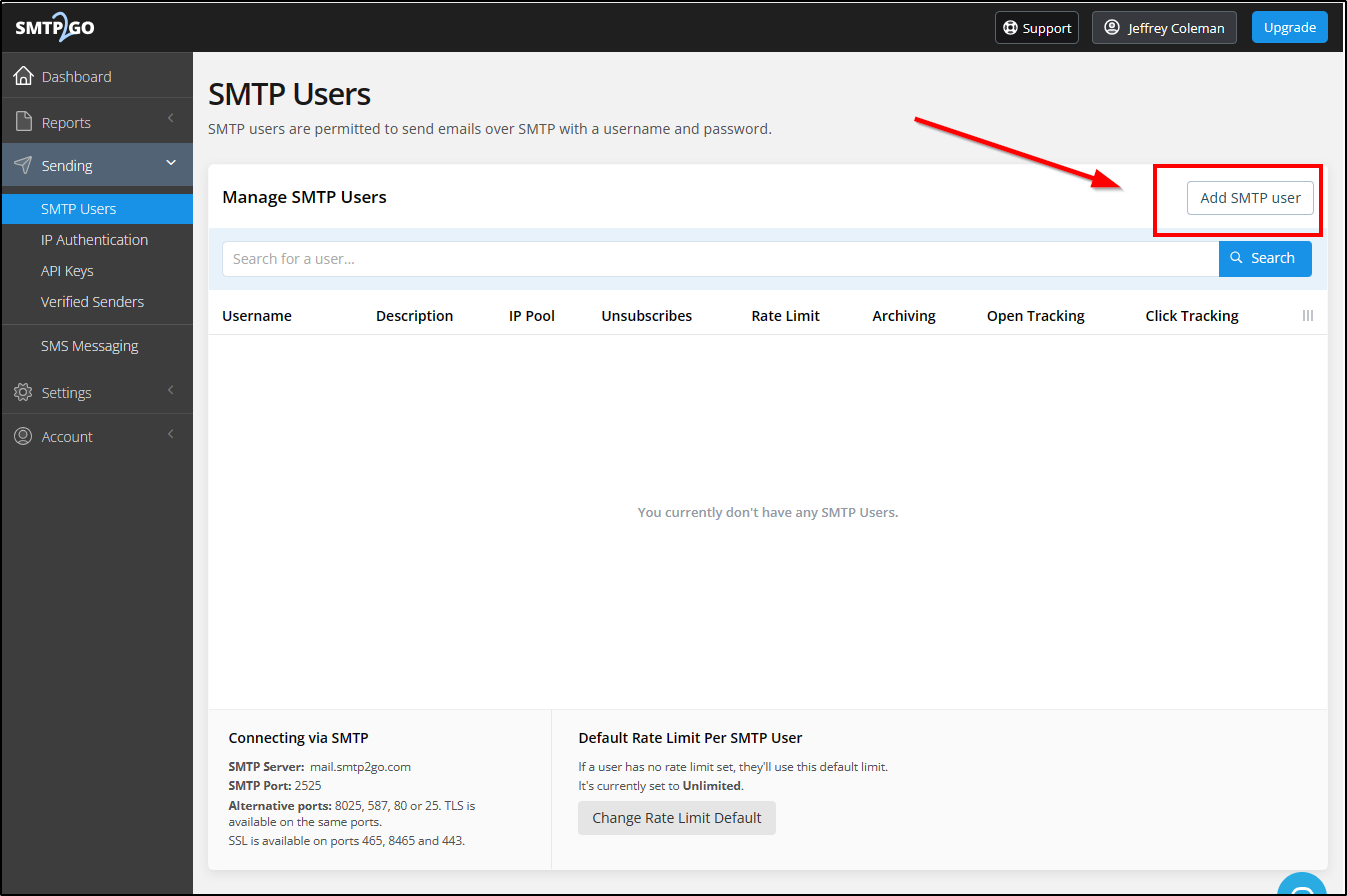
Create a Username and Password for the SMTP User.

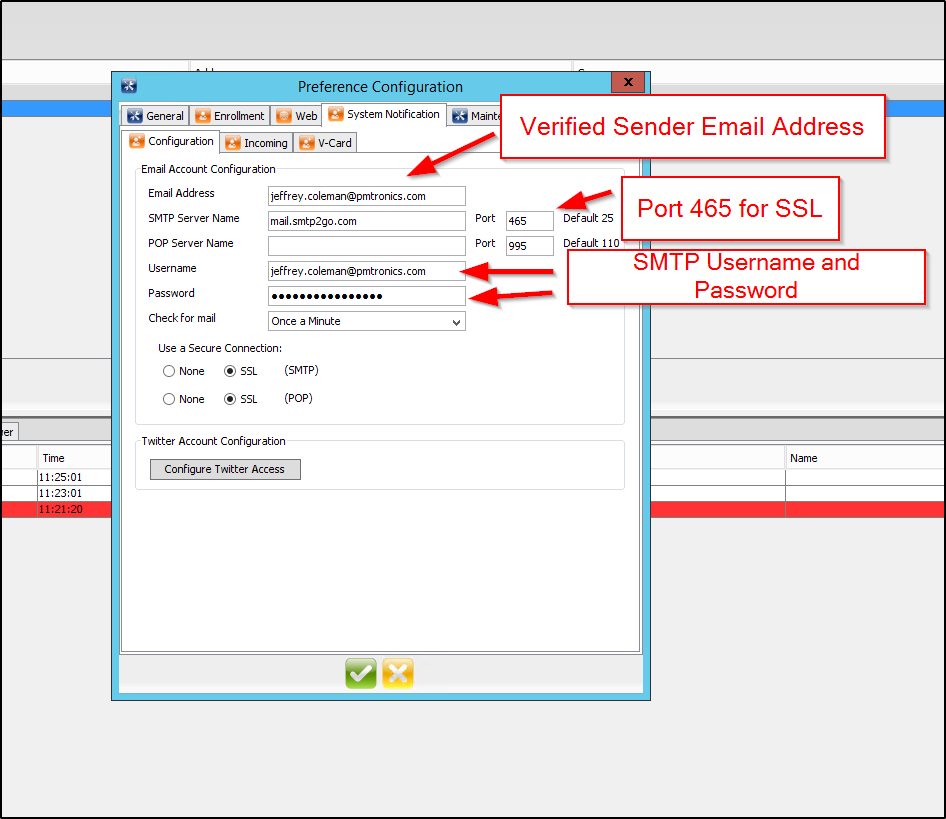
This username and password will be used in Nexus220.
In the Nexus220 Configuration Page, Enter the Information
Select Add a Single User

The SMTP to go set up is complete

Need further assistance?

Submit a Support Ticket

Submit a Support Ticket

FAQ

General

Technical Bulletins

Access Control

AmanoNet

Nexxus220

Omnia

Omnia Lite

PM Tronics Hardware

Amano Readers and Credentials

Legacy Hardware

Partner Products

Partner Products

Video Management Systems

Cathexis Video (Amano Vision)

AmanoDVMS

Vision

Security Best Practices & Support Nexus220

  • Facebook
  • LinkedIn
  • Twitter

PMT Security

Copyright © 2026 PMT Security, Inc. | All Rights Reserved

  • Privacy Policy
  • Terms of Use
  • Cookie Policy
  • Accessibility
  • Contact Us