
• Skip to primary navigation
  • Skip to main content
PMT Security Logo

PMT Security

Advanced Access Control

  • Home
  • About Us
    • Our Partners
    • Our Integrators
  • Solutions
    • Education
    • Retirement & Healthcare
    • Manufacturing
    • Government Facilities
    • Residential
    • Retail Businesses
    • Campgrounds & Outdoor Resorts
  • Products
    • Access Control
      • Control Features
      • Reporting & Monitoring
      • Control Module
      • Digital IO Module
      • Reader Module
      • Readers
    • Video Management
      • Integration
      • Analytics
      • Search & Export
    • Visitor Management
    • Intercom
    • Live Guard Video Monitoring
    • Housings & Pedestals
  • Support
    • Knowledgebase
    • Download Center
    • License Request
    • RMA Request Form
  • Blog
  • Contact Us

OMNIA Review

Unlocking Transaction Insights with OMNIA Reports

Exploring Transaction Insights with OMNIA Reports

In today’s access control environments, understanding who, when, and how your system is being used isn’t just useful — it’s essential for effective security and operations. That’s where transaction reports in OMNIA come in.

Transaction reporting gives administrators and security professionals detailed visibility into every access event recorded by your OMNIA access control system. Whether you’re auditing activity, investigating a security incident, or simply tracking patterns, transaction reporting provides the insight you need — fast.

What Are Transaction Reports in OMNIA?

Transaction reports are part of OMNIA’s Audit reporting tools. They display historical access events — such as tag swipes, door access transactions, and other system interactions — filtered by criteria you choose. These reports help you review access activity across doors, dates, people, and devices.

Highlights include the ability to:

  • See who accessed specific doors and when
  • Filter activity by tagholder name, device, date, or event type
  • Export results for analysis or archiving
  • Tailor reports to your organization’s needs

This flexibility ensures you’re not just generating data — you’re gaining actionable insights.

How to Generate a Transaction Report in OMNIA

Creating a transaction report is straightforward:

  1. Open OMNIA and go to the Reports tab.
  2. Under the Audit category, select Transaction.
  3. Give your report a clear name.
  4. Click the checkmark to continue.
  5. Go to Columns and select which data fields you want to display.
    • You can choose items like Date/Time, Door Name, Person Name, Event Name, Tag Type, and more.
  6. Click Filters and Add Filters to refine your results — for example:
    • Door name
    • First name / last name
    • Date/time range
    • Device or controller name
  7. After choosing your filters, click the checkmark.
  8. Under Table is Empty, select Run Report to view the results.

By combining multiple filters, you can target exactly the events you need for auditing, incident investigation, or compliance reporting.

Why Transaction Reports Matter

Transaction reporting isn’t just a feature — it’s a cornerstone of proactive security management. With a clear understanding of system activity, you can:

  • Produce reports that support site-specific monitoring and review
  • Audit access patterns for compliance and accountability
  • Investigate unusual or unauthorized access attempts
  • Analyze trends to improve security posture

Exporting and Using Your Report

Once your transaction report is generated, OMNIA allows you to export the data — often in formats like CSV or PDF — so that you can:

  • Integrate report data into broader facility security analytics
  • Archive reports for regulatory requirements
  • Share information with management or security partners

Need Help with OMNIA Reporting?

If you run into questions while working with transaction reports, the PMT Security support team is here to help. From setup guidance to advanced filters, submit a support ticket anytime for expert assistance.


OMNIA transaction reports help turn raw access events into meaningful security intelligence. Whether you’re running daily audits or investigating specific activities, learning how to generate, filter, and export these reports will make your access control system more transparent and easier to manage.

Want to learn more about other OMNIA reports — such as absenteeism, tag activity, or threat history? Check out our Knowledgebase for helpful guides from our technical support team.
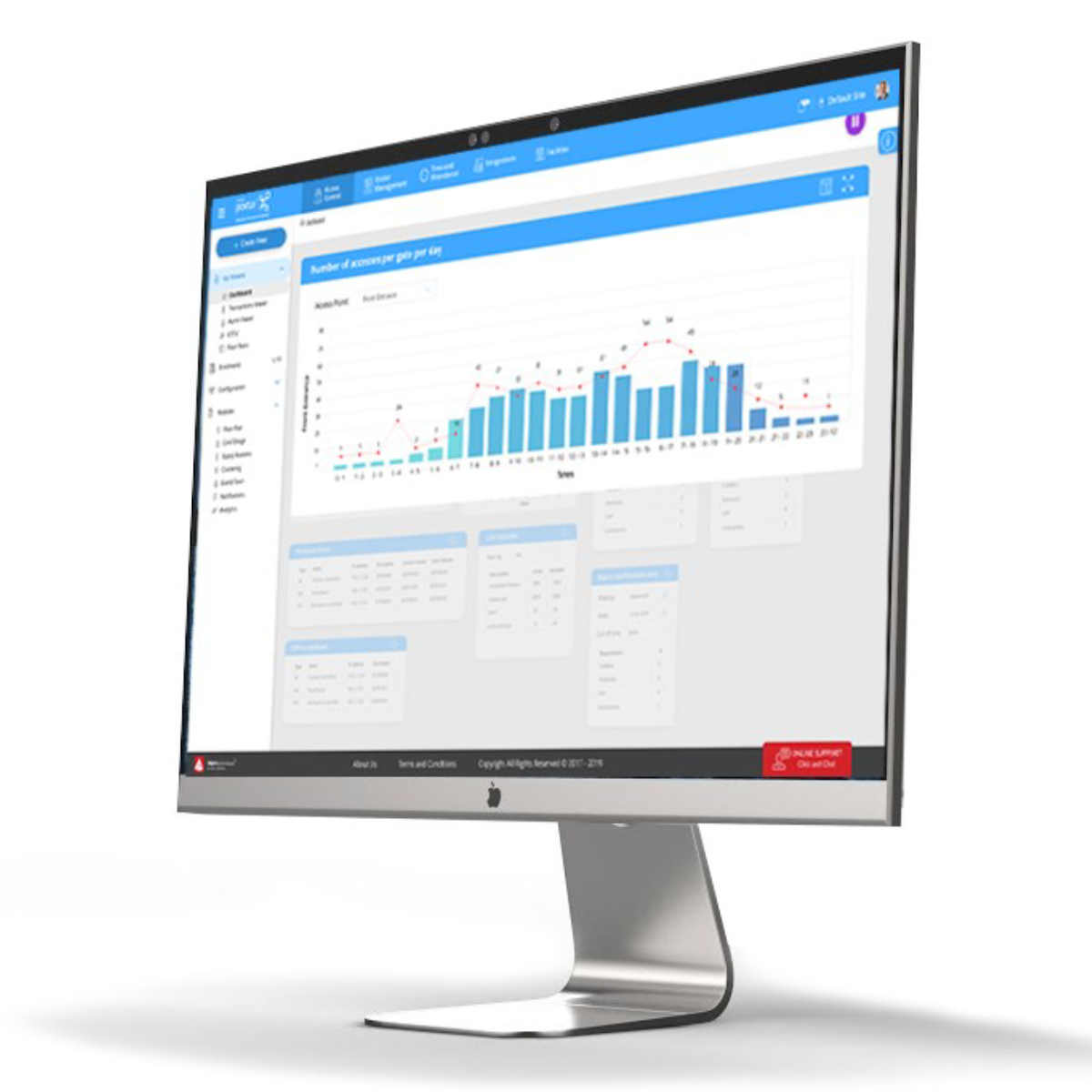
Unlocking Transaction Insights with OMNIA Reports

Share:

  • Share on Twitter Share on Twitter
  • Share on Facebook Share on Facebook
  • Share on LinkedIn Share on LinkedIn
  • Share via Email Share via Email

Contact Us

PMT Security Inc. is here to help, contact us directly by phone,

USA +1 727-786-1900
CAD +1 647-999-4644

Monday-Friday, 8am-5pm Eastern

Knowledge Database
Technical Support
Download Center

How Modern Access Control Systems Improves Safety for Businesses

How Modern Access Control Systems Improve Safety for Businesses

Keeping people, property, and information safe has always been a priority for businesses. But as workplaces evolve—becoming more connected, more mobile, and more distributed—traditional keys and basic card systems are no longer enough.

Modern access control systems offer businesses a smarter, more secure way to manage who can enter their facilities, when, and where. Beyond security, these systems also improve efficiency, visibility, and day-to-day operations.

Let’s explore the basics of access control, its key benefits, and real-world examples of how modern systems improve safety and efficiency in business environments.

What Is Access Control?

Access control is a security method used to regulate who can enter a building, room, or restricted area. Instead of relying on physical keys, access control systems use credentials—such as cards, mobile devices, PINs, or biometric data—to verify identity before granting access.

At a basic level, an access control system includes:

  • Credentials (cards, mobile credentials, PINs, biometrics)
  • Readers (installed at doors or entry points)
  • Controllers (the system’s “brain” that makes access decisions)
  • Software (used to manage users, permissions, and activity logs)

Modern platforms, such as those deployed by PMT Security, centralize all access decisions in a single interface, making it easier for businesses to manage security across one or many locations.

Why Traditional Keys Fall Short

Physical keys pose several risks:

  • Keys can be lost, stolen, or copied
  • Access cannot be easily revoked without changing locks
  • There is no record of who entered or when
  • Managing keys across multiple doors or locations becomes complex

According to guidance from the National Institute of Standards and Technology (NIST), effective access control should include identity verification, access logging, and the ability to quickly remove access when required—capabilities that keys simply don’t provide.

Key Benefits of Modern Access Control Systems

1. Improved Physical Security

Modern access control systems reduce unauthorized entry by ensuring only approved individuals can access specific areas. Permissions can be assigned based on:

  • Job role
  • Department
  • Time of day
  • Location

If an employee leaves or a credential is compromised, access can be revoked instantly—without replacing locks or reissuing keys.

2. Better Visibility and Accountability

Unlike keys, access control systems create audit trails. Businesses can see:

  • Who accessed a door
  • When access occurred
  • Whether access was granted or denied

These logs are valuable for investigations, compliance, and understanding how facilities are actually used. Organizations such as ASIS International highlight access logging as a foundational element of effective physical security programs.

3. Increased Operational Efficiency

Access control isn’t just about safety—it also streamlines operations.

Examples include:

  • Eliminating time spent issuing and tracking physical keys
  • Managing access for multiple locations from one system
  • Automating schedules for staff, contractors, or vendors

Mobile credentials further reduce administrative overhead by allowing credentials to be issued or updated digitally, without in-person card distribution.

4. Safer Emergency Response

In emergency situations, speed and control matter. Modern access control systems allow administrators to:

  • Lock or unlock doors remotely
  • Restrict access to specific zones
  • Coordinate with video surveillance for real-time visibility

This level of control supports faster, more informed responses during incidents such as lockdowns, evacuations, or after-hours breaches.

Real-World Examples of Access Control in Action

Commercial Office Buildings

Businesses use access control to separate public, employee, and restricted areas. Staff can access offices during business hours, while sensitive rooms—such as server rooms—remain restricted at all times.

Healthcare Facilities

Access control helps protect patients, staff, and regulated areas like pharmacies and labs, while still allowing healthcare professionals to move efficiently through the facility.

Educational Institutions

Schools and campuses rely on access control to manage entry points, monitor visitor access, and improve response times during emergencies—without disrupting learning environments.

Multi-Site Businesses

Organizations with multiple locations benefit from centralized management, enabling consistent security policies and easier administration across all sites.

The Future of Business Security

Modern access control systems are no longer standalone tools. They increasingly integrate with:

  • Video surveillance
  • Visitor management systems
  • Mobile credentials
  • Analytics and reporting platforms

This integrated approach gives businesses better insight, stronger protection, and greater flexibility as their security needs evolve.


Access control has moved far beyond keys and basic card readers. Today’s systems improve safety by controlling access intelligently, increase efficiency through centralized management, and provide the visibility businesses need to make informed security decisions.

For organizations looking to protect people and property while supporting modern workflows, access control is no longer optional—it’s foundational.

How Modern Access Control Systems Improves Safety for Businesses

Share:

  • Share on Twitter Share on Twitter
  • Share on Facebook Share on Facebook
  • Share on LinkedIn Share on LinkedIn
  • Share via Email Share via Email

Contact Us

PMT Security Inc. is here to help, contact us directly by phone,
USA +1 727-786-1900
CAD +1 647-999-4644

Monday-Friday, 8am-5pm Eastern

Knowledge Database
Technical Support
Download Center

Unleash the Power of Your Smartphone: STid Mobile Readers with OMNIA Access Control

Unleash the Power of Your Smartphone: STid Mobile Readers with OMNIA Access Control

In today’s mobile-first world, convenience and security should go hand in hand. From banking to building access, smartphones have become essential tools for everyday life—so why rely on outdated keys or plastic cards to secure your facility?

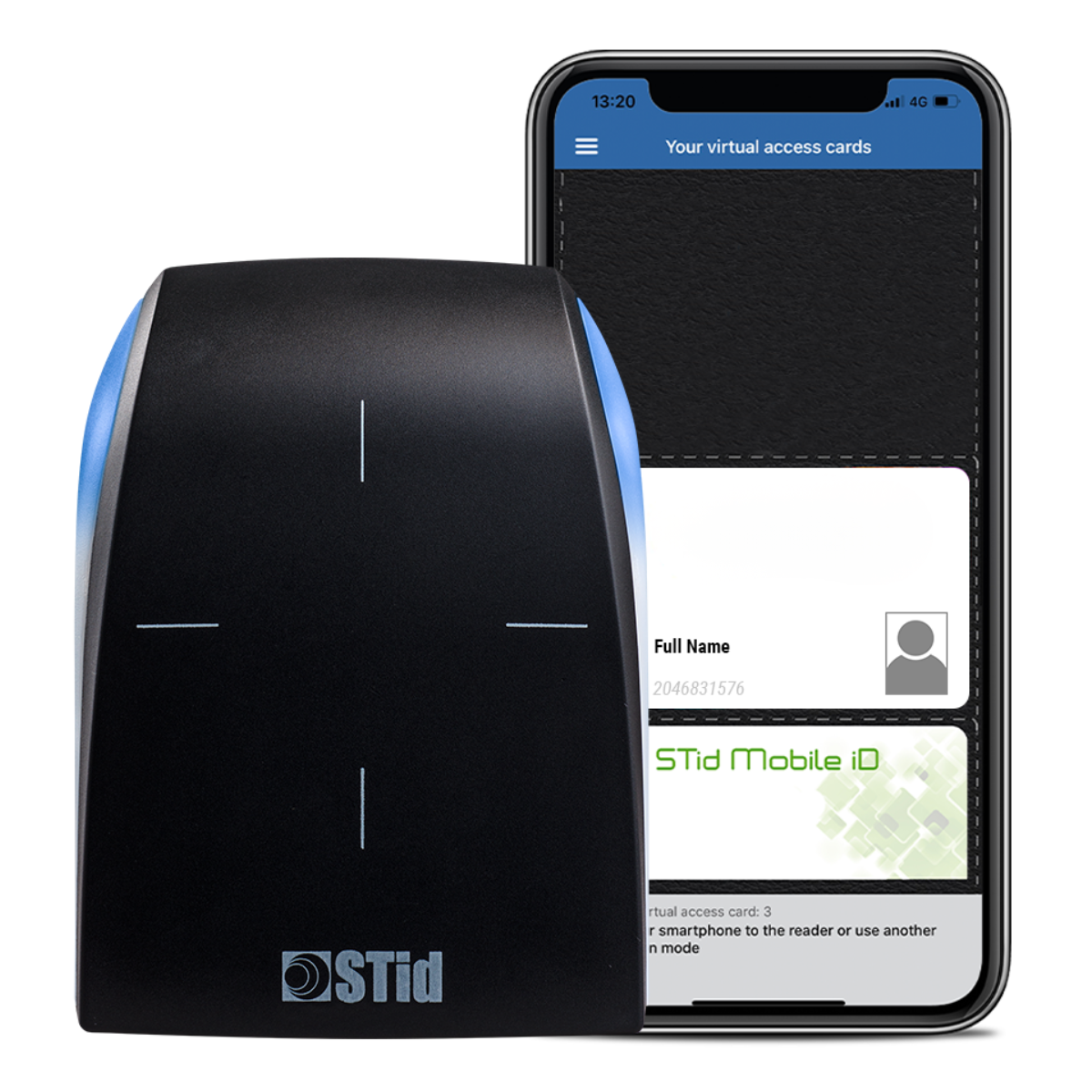
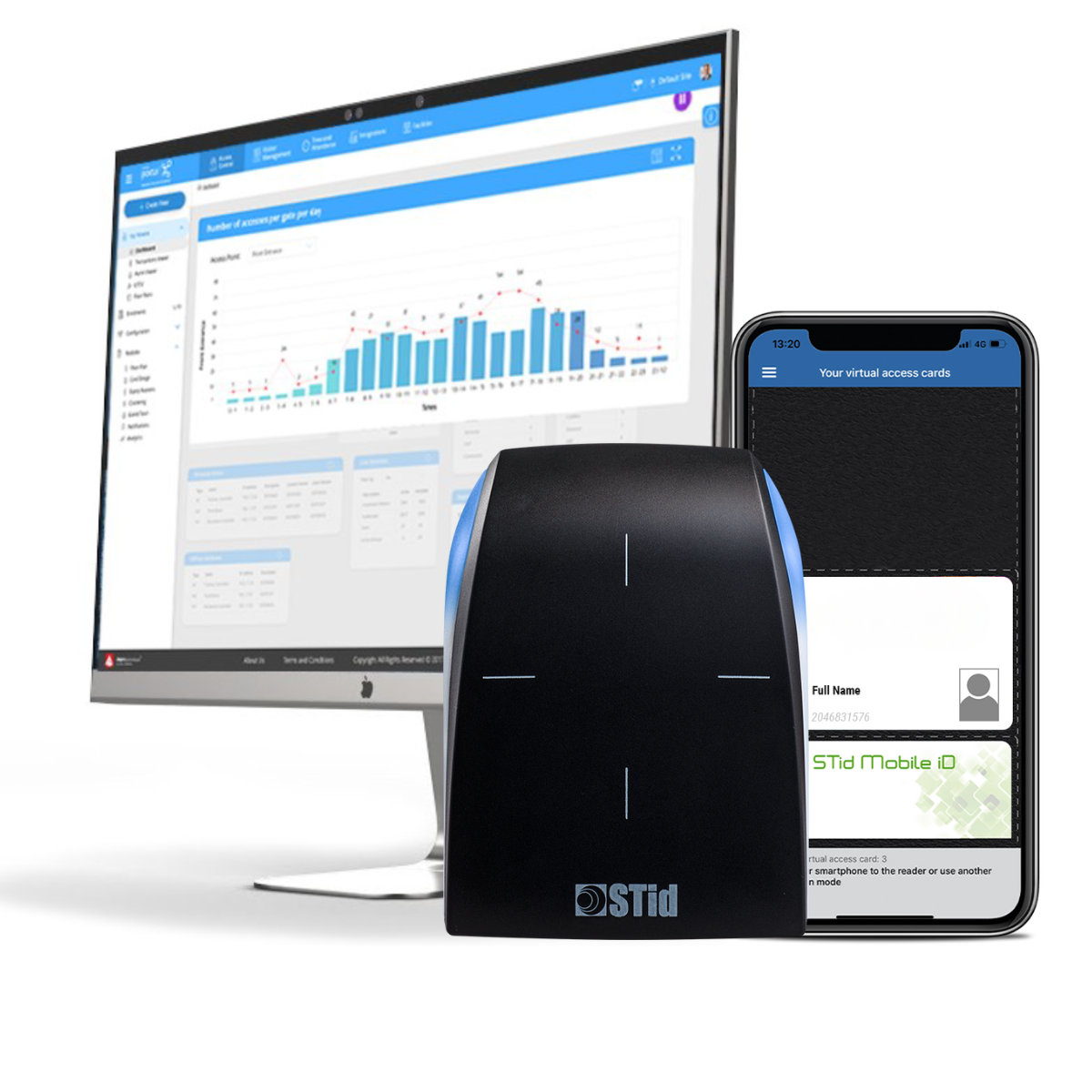
STid Mobile Readers, integrated with OMNIA Access Control, transform your smartphone into a secure digital key. This modern access control solution delivers flexibility, enhanced security, and seamless management—ideal for commercial buildings, education, healthcare, multi-residential, and enterprise environments.

Why Go Mobile? The Benefits of STid Mobile Readers

Mobile credentials are no longer a future concept—they’re a smarter way to manage access today. STid Mobile Readers offer several advantages over traditional card-based systems.

Convenience at Your Fingertips

Your smartphone is almost always with you. With STid Mobile Readers, users can unlock doors without searching for keys or access cards, creating a smoother, faster entry experience.

Enhanced Security

STid Mobile Readers use secure communication protocols and encrypted virtual credentials, making them significantly harder to clone or compromise than standard RFID cards. Credentials can be instantly revoked if a phone is lost or stolen—no re-carding required.

Cost-Effective and Sustainable

By issuing digital credentials instead of physical cards, organizations reduce printing, replacement, and administrative costs while also lowering environmental impact.

Support for Multiple Credential Types

Depending on the reader model, STid Mobile Readers can support multiple authentication methods in addition to mobile credentials, including:

  • RFID cards
  • PIN codes
  • QR codes

This flexibility allows organizations to support diverse user needs and transition to mobile access at their own pace.

Flexible Access Modes Designed for Real-World Use

STid Mobile Readers offer multiple access modes to suit different environments and user preferences:

  • Card Mode – Present your smartphone to the reader
  • TapTap Mode – Open doors by tapping your phone twice while it remains in your pocket
  • Voice Control Mode – Use voice commands on supported iOS devices
  • Remote Mode – Open doors remotely using your smartphone
  • Hands-Free Mode – Gain access simply by walking past the reader

These options improve accessibility, convenience, and user adoption—especially in high-traffic or hands-busy environments.

Seamless Integration with OMNIA Access Control

The real power of STid Mobile Readers is unlocked when paired with OMNIA Access Control, creating a unified and highly manageable security ecosystem.

Simple and Efficient Integration

1. Hardware Connection

STid Mobile Readers connect to OMNIA using standard interfaces such as Wiegand or OSDP, allowing for straightforward installation with OMNIA reader modules.

2. Centralized Credential Management

All mobile credentials are managed directly within OMNIA. Administrators can assign access rights, define schedules, and adjust permissions just as they would with physical credentials.

3. One Unified Security Platform

Once integrated, STid Mobile Readers operate seamlessly alongside traditional card readers. All access events, alarms, and user activity are centrally logged and managed within OMNIA, providing full visibility across your site.

4. Easy Enrollment and Deployment

Users receive secure mobile credentials through the STid Mobile ID app, making onboarding fast, simple, and scalable.

This integration allows organizations to adopt mobile access without replacing their existing OMNIA infrastructure—future-proofing security while maximizing return on investment.

A Smarter Way to Secure Your Facility

Imagine a world where your phone is your key—secure, convenient, and always with you. With STid Mobile Readers and OMNIA Access Control, that world is already here.

At PMT Security, we help organizations design, deploy, and support modern access control solutions that evolve with their needs. Whether you’re upgrading an existing system or planning a new installation, mobile access delivers a smarter, more secure way forward.

Ready to unlock mobile access?
Connect with PMT Security to learn how STid Mobile Readers and OMNIA can modernize your access control strategy.


Unleash the Power of Your Smartphone: STid Mobile Readers with OMNIA Access Control

Share:

  • Share on Twitter Share on Twitter
  • Share on Facebook Share on Facebook
  • Share on LinkedIn Share on LinkedIn
  • Share via Email Share via Email

Contact Us

PMT Security Inc. is here to help, contact us directly by phone,
USA +1 727-786-1900
CAD +1 647-999-4644

Monday-Friday, 8am-5pm Eastern

Knowledge Database
Technical Support
Download Center

OMNIA V5.4 Release: Elevating Access Control with Mobile Credentials and Modern Integrations

OMNIA V5.4 Release: Elevating Access Control with Mobile Credentials and Modern Integrations

We are pleased to announce the release of OMNIA V5.4, now available for download via the PMT Security Download Center. For all current OMNIA V5 customers, the upgrade is free of additional cost, and you may use your existing OMNIA licenses to benefit from the enhanced features of this version.

Upgrade to OMNIA V5.4

What’s New in OMNIA V5.4

This latest update focuses on one of the most relevant trends in physical security today: mobile credentialing. The key highlight in OMNIA V5.4 is the full integration with the STid Mobile Credential Portal:

  • Mobile Integration: OMNIA now supports complete integration with the STid Mobile Credential Portal. By simply entering your STid portal login details in OMNIA, you can enable mobile credential issuance directly from within the OMNIA software.
  • Streamlined User Onboarding: Once enrolled, mobile users receive an email with download instructions for the STid Mobile Application. After they download the app, their new credential is automatically provisioned—no need to visit a badging office or wait for physical cards.

These enhancements mean faster onboarding, fewer manual steps, improved user experience, and a path toward reducing physical credential overhead.

Why This Matters

In today’s access-control environment, mobility, speed, and flexibility are key:

  • By issuing mobile credentials quickly, you reduce the delay between hiring/enrollment and full access.
  • Users appreciate the convenience of tapping a smartphone rather than waiting for a plastic card.
  • Administrators benefit from fewer logistics around card printing, mailing, lost cards, and replacement workflows.
  • With OMNIA’s other strong features (such as video integration, wireless locks, scheduled reporting, database encryption), OMNIA V5.4 means you’re combining mobile credentialing with a platform built for modern security architecture.

Practical Benefits & Use Cases

Here are some real-world scenarios enabled by OMNIA V5.4’s mobile credential feature:

Multi-site Operations: A mobile credential means a user can be credentialed remotely and activated as soon as they arrive onsite—great for satellite campuses, remote facilities and contractors.

Corporate Offices: New staff or contractors receive credentials immediately via email; they walk in onsite on Day One with mobile access.

Educational Institutions: Students, faculty and guests can be enrolled and issued mobile credentials in bulk rather than dealing with card queues.

Healthcare Facilities: Mobile credentials help minimize physical contact (no card handing) and provide rapid access provisioning for temporary staff.

Why Choose OMNIA (and why V5.4 is important)

OMNIA has always been an access-control platform built with scalability, cybersecurity and integration in mind. With V5 and now V5.4, you get:

  • A browser-based interface — manage from anywhere without installing thick clients.
  • Modular architecture — deploy from small single-door systems to large campus networks with ease.
  • Robust integrations with video, wireless locks, I/O modules, biometric systems, and more.
  • Data-privacy and security features — including database encryption and automatic credential clean-up.
  • With version 5.4, the added mobile credentialing becomes the missing piece for many organizations shifting to mobile-first access strategies.
Upgrade to OMNIA V5.3

With OMNIA V5.4, PMT Security reinforces its commitment to aiding integrators and end-users alike—delivering a platform that evolves with the access-control landscape rather than staying static. The shift toward mobile credentials is more than trend-driven—it’s about operational efficiency, user experience, and future-ready security.

If your organization is already on OMNIA V5, we strongly encourage you to download version 5.4, plan your rollout, and begin issuing mobile credentials today. If you are evaluating an access-control upgrade, consider how OMNIA and the new mobile credentialing options align with your strategic goals.

For more information, please contact your local sales representative or contact PMT Security.  

.

OMNIA V5.4 Release: Elevating Access Control with Mobile Credentials and Modern Integrations

Share:

  • Share on Twitter Share on Twitter
  • Share on Facebook Share on Facebook
  • Share on LinkedIn Share on LinkedIn
  • Share via Email Share via Email

Contact Us

PMT Security Inc. is here to help, contact us directly by phone,

USA +1 727-786-1900
CAD +1 647-999-4644

Monday-Friday, 8am-5pm Eastern

Knowledge Database
Technical Support
Download Center

Introducing OMNIA V5

Trusted Technology for Access Control: Elevating Security and Efficiency.

Proudly announcing the official release of OMNIA V5 with new hardware support, third-party integrations and new features like database encryption.

Upgrade to OMNIA V5
Download OMNIA V5 Brochure

CathexisVision / OMNIA Integration Enhancements

The integration with Cathexis Video Management System has been updated to provide more granular control of the Omnia access hardware from within Cathexis itself. The integration optimizes control room operations by streamlining the management of both access control and video surveillance systems, improving response times and security management. 

  1. Automated Actions: Access events can drive the following actions:
    • Recording and controlling cameras
    • Sending event information to local or off-site control rooms
    • Sending email or SMS notifications
    • Playing audio clips for alarms
    • Controlling the access control device itself 
  2. I/O Module Compatibility: The integration monitors all inputs and outputs on the IO4 / IO8 panels, ensuring these modules can be used to monitor doors and provide notification when they are left open etc. 
  3. Database and Event Filtering: Access control events are stored in a meta database in Cathexis, allowing an operator to go back and review the video associated with each event. 
  4. Advanced filters allow for easy search and retrieval of event data and associated video footage. 

Aperio Lock Integration

An integration with Aperio Wireless Locks is now supported using the Omnia Enterprise Controllers (HCA930-0-0-AC). Each Enterprise Controller can manage up to 64 Aperio Locks (via the Aperio IP hubs). A single site can support up to 250 Enterprise Controllers, allowing for a virtually unlimited deployment.

Scheduled Reports

A much-anticipated feature is the ability to schedule and send access control reports via email. Reports can be configured/customized as required, then scheduled for distribution to the desired recipients daily, weekly, monthly, or custom frequency. Provide greater visibility in the status of the system with automated scheduled reports.

Additional Features

  • iTRT2 System Controller Support: The iTRT2 Module (HCD900 / HCD905) is supported in “System Controller” mode, providing full offline redundancy at the connected doors. This module supports both OSDP and Wiegand Readers for added security and flexibility.  
  • Support for Abloy’s EL Series Locks: The iTRT2 Controller (EL Lock Version) supports integration with the EL Lock (e.g. Assa Abloy EL560 or EL561) and leverage all the locks’ outputs. 
  • Data-Privacy Enhancements: Unused or expired credentials can be automatically deleted/suspended after a selectable period of days.  
  • Security Enhancements: Microsoft SQL Server TDE Database Encryption is supported in Omnia V5.  
  • Visitor Hosting: A host employee can be required to escort a visitor throughout the facility. With this feature enabled, the host must present their credential at the door before the visitor credential will be accepted.   
  • Idemia Matcher Support: Duplicate fingers will now be rejected if they already exist in the system.  
Upgrade to OMNIA V5
Download OMNIA V5 Brochure

For more information, please contact your local sales representative or contact PMT Security.  

.

Introducing OMNIA V5

Share:

  • Share on Twitter Share on Twitter
  • Share on Facebook Share on Facebook
  • Share on LinkedIn Share on LinkedIn
  • Share via Email Share via Email

Contact Us

PMT Security Inc. is here to help, contact us directly by phone,

USA
1810 S. Pinellas Ave,Suite N
Tarpon Springs, FL 34689

CANADA
16 Tamarack Way
Wasaga Beach, ON L9Z 3B4

USA +1 727-786-1900
CAD +1 647-999-4644

Monday-Friday, 8am-5pm Eastern

Knowledge Database
Technical Support
Download Center
  • Page 1
  • Page 2
  • Go to Next Page »
  • Facebook
  • LinkedIn
  • Twitter

PMT Security

Copyright © 2026 PMT Security, Inc. | All Rights Reserved