
Cloud-Managed Networking for CCTV and Access Control
Modern security systems are no longer made up of isolated devices.
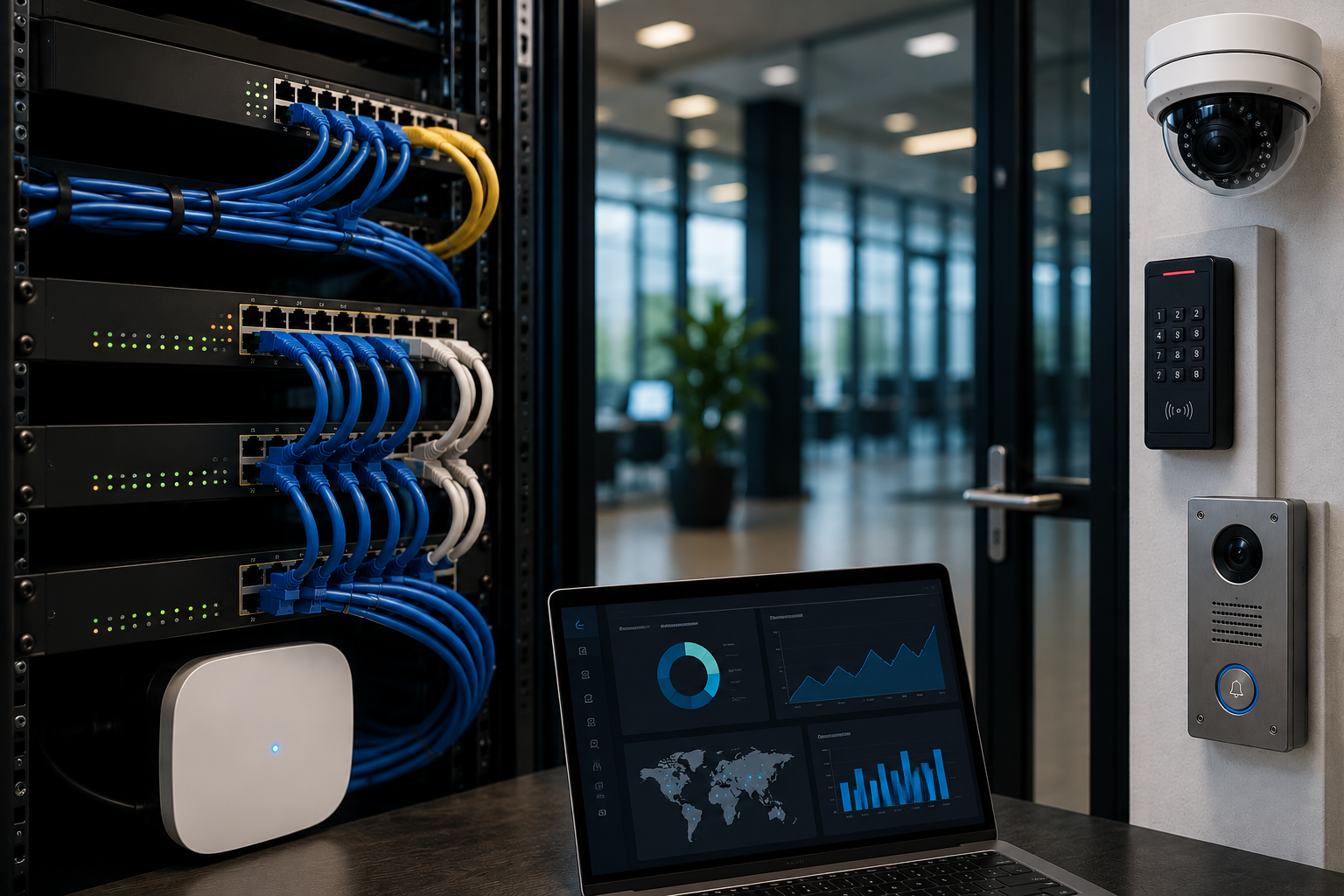
A facility may include IP cameras, access control panels, card readers, smart intercoms, visitor management stations, wireless access points, PoE switches, servers, cloud-connected tools, and remote monitoring platforms.
All of these systems depend on one critical layer.
The network.
When the network is stable, visible, and easier to manage, security systems are easier to support. When the network is poorly planned or difficult to troubleshoot, even strong security technology can become harder to rely on.
That is why cloud-managed networking is becoming an important part of CCTV and access control planning.
For PMT Security, the message is simple: the network is not background infrastructure.
The network is part of the security system.
What Is Cloud-Managed Networking?
Cloud-managed networking allows routers, switches, wireless access points, bridges, and related network devices to be monitored and managed through a cloud-based platform.
Instead of relying only on local access to each device, administrators and support teams can often view network health, device status, connection issues, configuration details, and alerts from a centralized dashboard.
For CCTV and access control environments, this can help support:
- IP cameras
- Network video recorders or VMS servers
- Access control controllers
- Door hardware communication
- Smart intercoms
- Visitor management kiosks
- Wireless bridges
- Remote buildings
- PoE switches
- Live video monitoring
- Multi-site security systems
- Remote technical support
PMT Security offers Lysora cloud-managed networking products designed for security, CCTV, business, and multi-site environments. These solutions are intended to help simplify deployment, improve visibility, and support reliable connectivity for connected security devices.
Why CCTV and Access Control Depend on the Network
Security devices are often installed at doors, entrances, gates, hallways, parking areas, loading docks, reception areas, server rooms, production spaces, and remote buildings.
Many of those devices need network communication.
An IP camera may need power, bandwidth, recording connectivity, and reliable connection to a video management system. An access control panel may need stable communication for events, schedules, reporting, and remote support. A smart intercom may need video, audio, mobile app access, and door release functionality. A visitor management station may need connectivity to support check-in, approvals, records, or temporary access workflows.
If the network is unreliable, the security system may experience:
- Cameras dropping offline
- Delayed video review
- Poor video quality
- Missed alerts
- Slow remote access
- Intercom connection issues
- Visitor management delays
- Access control communication problems
- Harder troubleshooting
- More site visits
- Longer downtime
- Limited visibility across multiple locations
In many cases, the visible problem appears to be a camera, reader, intercom, or software issue.
The real issue may be the network.
The Network Is Part of the Security System
For years, security planning often focused on the visible technology.
Cameras.
Readers.
Panels.
Doors.
Intercoms.
Servers.
Monitors.
But as physical security has become more connected, the network has become a core part of the system design.
A reliable security network helps connect:
- Devices to software
- Cameras to recording platforms
- Doors to access control databases
- Intercoms to users and mobile apps
- Visitor systems to records and approvals
- Remote sites to centralized management
- Support teams to system information
- Events to reporting and response
This is especially important for organizations that operate more than one location, have remote buildings, depend on after-hours monitoring, or need technical teams to support systems without always being on site.
A security system can only be as reliable as the infrastructure supporting it.
How Cloud-Managed Networking Helps Security Teams
Cloud-managed networking does not replace good system design.
It improves the ability to deploy, monitor, troubleshoot, and support the network behind connected security systems.
1. Better Visibility Into Network Health
One of the biggest advantages of cloud-managed networking is visibility.
Facility teams, integrators, or support providers may be able to see whether critical network devices are online, offline, under load, misconfigured, or experiencing connectivity issues.
This visibility can help answer questions such as:
- Is the camera offline, or is the switch port down?
- Is the access control panel communicating properly?
- Is the PoE switch delivering power?
- Is a wireless bridge stable?
- Is a remote building connected?
- Is the issue local, network-based, or device-specific?
- Which devices are affected?
- Did the problem begin after a change?
Without this visibility, troubleshooting can take longer and may require unnecessary site visits.
2. Faster Troubleshooting
When a CCTV camera goes offline or an intercom stops responding, the first question is often: what changed?
Cloud-managed networking can help support faster troubleshooting by giving teams a clearer view of device status and network behavior.
For example, a support team may be able to review:
- Port status
- Device uptime
- Connected devices
- Power over Ethernet activity
- Network traffic
- Wireless connectivity
- Switch or access point status
- Remote site connection health
This helps narrow the problem.
The issue may be a failed device, a disconnected cable, a power problem, a configuration change, a wireless signal issue, a bandwidth concern, or a network device that needs attention.
The faster the issue is identified, the faster the security system can return to normal operation.
3. Remote Support for Connected Security Devices
Many organizations want security systems that are easier to support after installation.
Cloud-managed networking can help support remote diagnostics and troubleshooting, especially for multi-site organizations or locations without on-site technical staff.
Remote support can be valuable for:
- Schools with multiple buildings
- Long-term care or healthcare facilities
- Manufacturing plants
- Retail locations
- Commercial properties
- Residential communities
- Government facilities
- Campuses
- Outdoor sites
- Remote gates or service areas
When technical teams can see the network environment, they may be able to resolve or identify issues faster.
This does not eliminate the need for on-site service in every case, but it can reduce guesswork.
4. Stronger Planning for PoE Devices
CCTV and access control environments often depend heavily on Power over Ethernet.
PoE may support:
- IP cameras
- Intercom stations
- Wireless access points
- Door controllers
- Networked sensors
- Visitor management devices
- Communication hardware
If PoE capacity is not reviewed properly, devices may lose power, fail to start, or become unreliable.
Cloud-managed switches and network visibility can help teams understand how ports and power are being used. This is especially important when adding more cameras, replacing hardware, expanding to new doors, or planning future growth.
Good PoE planning should consider:
- Number of devices
- Power budget
- Device power requirements
- Switch capacity
- Cable quality
- Distance limitations
- Backup power needs
- Critical device recovery
- Future expansion
A security system should not be limited by an under-planned switch.
5. Support for Multi-Site Security Systems
Multi-site organizations often face a common problem: every location is slightly different.
One site may have older switches. Another may have different cabling. Another may use a different internet provider. Another may have remote buildings or wireless bridges. Another may have unclear documentation.
Cloud-managed networking can help standardize visibility across locations.
For organizations with multiple sites, this can support:
- Centralized network status
- Better documentation
- More consistent device management
- Easier remote troubleshooting
- Faster issue identification
- More scalable expansion
- Clearer planning for cameras and access control
- Better support for integrators and facility teams
This is especially useful for organizations with limited internal IT resources or distributed facilities.
6. Cleaner Network Documentation
Security systems become harder to support when documentation is missing.
If no one knows which switch powers which cameras, which port connects to which access point, which bridge supports which remote building, or which device is tied to which security function, troubleshooting becomes slower.
A cloud-managed network can help support better documentation by making device relationships easier to view and manage.
Security network documentation should include:
- Device names
- Device locations
- Switches and ports
- IP addressing
- VLAN or segmentation details
- Wireless bridge locations
- PoE requirements
- Connected cameras
- Connected intercoms
- Access control panels
- Critical infrastructure
- Support contacts
- Backup procedures
Documentation is not just administrative.
It is part of security system readiness.
7. Better Support for System Growth
Most security systems change over time.
Organizations add doors.
They add cameras.
They change visitor workflows.
They expand buildings.
They add remote gates.
They upgrade intercoms.
They move departments.
They open new locations.
They increase monitoring needs.
Cloud-managed networking can help make growth easier to plan.
Before adding new devices, teams can review network capacity, switch availability, power requirements, and connectivity needs. This helps reduce the risk of adding technology onto infrastructure that is not ready to support it.
A scalable security system should include scalable infrastructure.
Cloud-Managed Networking and CCTV
Video surveillance can place significant demands on the network.
CCTV systems may require:
- Reliable camera connectivity
- Adequate bandwidth
- Stable recording paths
- PoE power
- Remote viewing
- Video management system access
- Health monitoring
- Secure access controls
- Proper network segmentation
- Support for analytics or event-based recording
- Reliable connection between cameras and servers
If cameras repeatedly drop offline, record inconsistently, or become difficult to access remotely, the value of the video system is reduced.
Cloud-managed networking helps create better visibility into the infrastructure behind the cameras.
This is especially important for facilities with many cameras, remote buildings, parking areas, outdoor cameras, wireless links, or multiple locations.
The goal is not only to install more cameras.
The goal is to make video usable, reliable, and supportable.
Cloud-Managed Networking and Access Control
Access control systems also depend on network reliability.
A connected access control environment may include:
- Door controllers
- Credential readers
- Mobile credential support
- Administrative workstations
- Servers or cloud-connected tools
- Intercom integrations
- Visitor management systems
- Event reporting
- Alarm monitoring
- Remote support
When access control communication is unreliable, organizations may experience delayed reporting, missed events, inconsistent updates, or support challenges.
A well-planned network helps access control systems support:
- Door activity
- Credential updates
- User permissions
- Schedules
- Reports
- Audit trails
- Remote support
- Integration with video and visitor workflows
For access control, reliability matters because doors are part of daily operations.
If the system is difficult to support, the facility feels it quickly.
Cloud-Managed Networking and Smart Intercoms
Smart intercom systems often rely on stable network connectivity for video, audio, mobile app routing, remote unlocking, and communication between users and entrance points.
An intercom is not just a doorbell.
It may support:
- Visitor verification
- Delivery management
- Gate communication
- Staff entry
- Remote door release
- After-hours routing
- Video calling
- Entrance accountability
If the network is unstable, the intercom experience can become frustrating for staff, visitors, and security teams.
Cloud-managed networking helps support the infrastructure behind these interactions.
For entrance security, reliable communication is essential.
Cloud-Managed Networking and Visitor Management
Visitor management systems may depend on network connectivity for check-in, ID verification, host notification, QR access, temporary credentials, record keeping, and reporting.
When visitor workflows are connected to access control or intercom systems, the network becomes even more important.
A weak connection at the front desk, visitor kiosk, or remote entrance can slow down the process and create frustration.
Cloud-managed networking can help support a more reliable visitor management experience by improving visibility into the devices and connections that support the workflow.
Security Benefits of Better Network Management
Cloud-managed networking should be planned with security in mind.
Better network management can help organizations review and support:
- Device visibility
- Segmentation
- Remote access controls
- Firmware and update planning
- Unsupported devices
- Network exposure
- Administrative permissions
- Password policies
- Event history
- Device health
- Backup power
- Support responsibilities
Security devices should not be placed on a network without thought.
Cameras, intercoms, access control panels, and visitor systems can carry sensitive operational information. Network design should consider who can access devices, how systems communicate, how remote support is handled, and how changes are documented.
A connected security system creates value, but it also requires responsible planning.
Common Networking Mistakes in CCTV and Access Control Projects
Treating Networking as an Afterthought
The network should be considered early in the planning process, not after devices are installed.
Underestimating PoE Requirements
Cameras, intercoms, access points, and other devices need adequate power. PoE planning should include current and future devices.
Using Unmanaged or Poorly Documented Switches
Unmanaged infrastructure can make troubleshooting harder and reduce visibility into device status.
Ignoring Remote Buildings or Wireless Links
Outdoor cameras, gates, parking areas, and remote entrances may need carefully planned connectivity.
Failing to Document Ports and Devices
If no one knows what is connected where, support becomes slower and less reliable.
Allowing Risky Remote Access Practices
Remote access should be planned, documented, and limited to appropriate users and support workflows.
Not Planning for Growth
Adding cameras and doors later is easier when the network is designed with expansion in mind.
Questions to Ask Before Adding Cameras or Access Control Devices
Before expanding a CCTV or access control system, organizations should ask:
- Is there enough network capacity?
- Is there enough PoE power?
- Are switch ports available?
- Are cable paths and distances appropriate?
- Are remote areas connected reliably?
- Is the network documented?
- Can devices be monitored?
- Who is responsible for support?
- Is remote troubleshooting available?
- Are security devices segmented properly?
- Are firmware and updates managed?
- Is backup power needed?
- Can the system scale across future doors, cameras, or sites?
These questions can prevent avoidable problems later.
Where Lysora Fits
PMT Security’s partnership with Lysora helps support the infrastructure layer behind connected security environments.
Lysora cloud-managed networking solutions can support routers, switches, wireless access points, wireless bridges, and related network tools for security, CCTV, business, and multi-site environments.
For customers, this can help simplify:
- Deployment
- Network visibility
- Remote troubleshooting
- Device monitoring
- Multi-site support
- CCTV connectivity
- Access control infrastructure
- Intercom communication
- Long-term system planning
For integrators, cloud-managed networking can help create a more supportable foundation for security projects.
The value is practical.
When the network is easier to manage, the security system is easier to support.
Cloud-Managed Networking Is Not Just an IT Conversation
Networking is often seen as an IT responsibility.
But in modern physical security, networking affects operations, safety, visibility, response, and system reliability.
A camera that cannot stay online is a security concern.
An intercom that cannot connect is an entrance concern.
An access control panel that cannot communicate is an operational concern.
A remote site that cannot be monitored is a support concern.
This is why security teams, IT teams, facility managers, integrators, and leadership should work together when planning connected security systems.
The best results happen when the network and the security design are planned together.
Cloud-managed networking helps make CCTV and access control systems easier to deploy, monitor, troubleshoot, and support.
It gives organizations better visibility into the infrastructure behind cameras, doors, intercoms, visitor systems, and remote sites.
For customers, that can mean fewer surprises, faster troubleshooting, stronger planning, and a more reliable security environment.
For integrators, it can mean better supportability and clearer long-term management.
Modern security does not stop at the device.
It depends on the network that connects the device.
PMT Security helps organizations and integrators support access control, video surveillance, visitor management, smart intercoms, cloud-managed networking, and integrated physical security solutions designed for real-world facilities.
Share:
Frequently Asked Questions (FAQs)
Cloud-managed networking for CCTV refers to network equipment such as switches, routers, wireless access points, and bridges that can be monitored and managed through a cloud-based platform. This helps support camera connectivity, troubleshooting, PoE planning, and multi-site visibility.
Access control systems may depend on network communication for door controllers, user updates, credential changes, event reporting, schedules, intercom integrations, and remote support. A stable network helps the system remain easier to manage and support.
Cloud-managed networking can improve visibility into device status, switch health, PoE usage, wireless connectivity, remote sites, and troubleshooting information. This can help reduce downtime and make connected security systems easier to support.
Security environments may use cloud-managed networking to support IP cameras, access control panels, smart intercoms, visitor management devices, wireless access points, remote buildings, PoE switches, and live monitoring tools.
Yes. Multi-site organizations can benefit from centralized visibility, easier remote troubleshooting, more consistent network documentation, and better planning for cameras, doors, intercoms, and connected security devices across locations.
PMT Security offers Lysora cloud-managed networking products for security, CCTV, business, and multi-site environments. Lysora solutions help support deployment, visibility, connectivity, and troubleshooting for connected security devices.