• Skip to primary navigation
  • Skip to main content
PMT Security Logo

PMT Security

Integrated Security & Access Control Solutions

  • Home
  • About Us
    • Security That Connects
    • Security and Trust
    • Our Partners
    • Our Integrators
  • Solutions
    • Education
    • Retirement & Healthcare
    • Manufacturing
    • Government Facilities
    • Residential
    • Retail Businesses
    • Campgrounds & Outdoor Resorts
  • Products
    • Access Control
      • Control Features
      • Reporting & Monitoring
      • Control Module
      • Digital IO Module
      • Reader Module
      • Readers
    • Cloud Networking
    • Micro-PC
    • Video Management
    • Visitor Control
    • Intercom
    • Live Guard
    • Housings & Pedestals
  • Support
    • Knowledgebase
    • Download Center
    • License Request
    • RMA Request Form
  • Blog
  • Contact Us
  • USA +1 727-786-1900
  • CAD +1 647-999-4644

Integrated Security Solutions

Common Mistakes to Avoid When Planning Connected Security Systems

Common Mistakes to Avoid When Planning Connected Security Systems

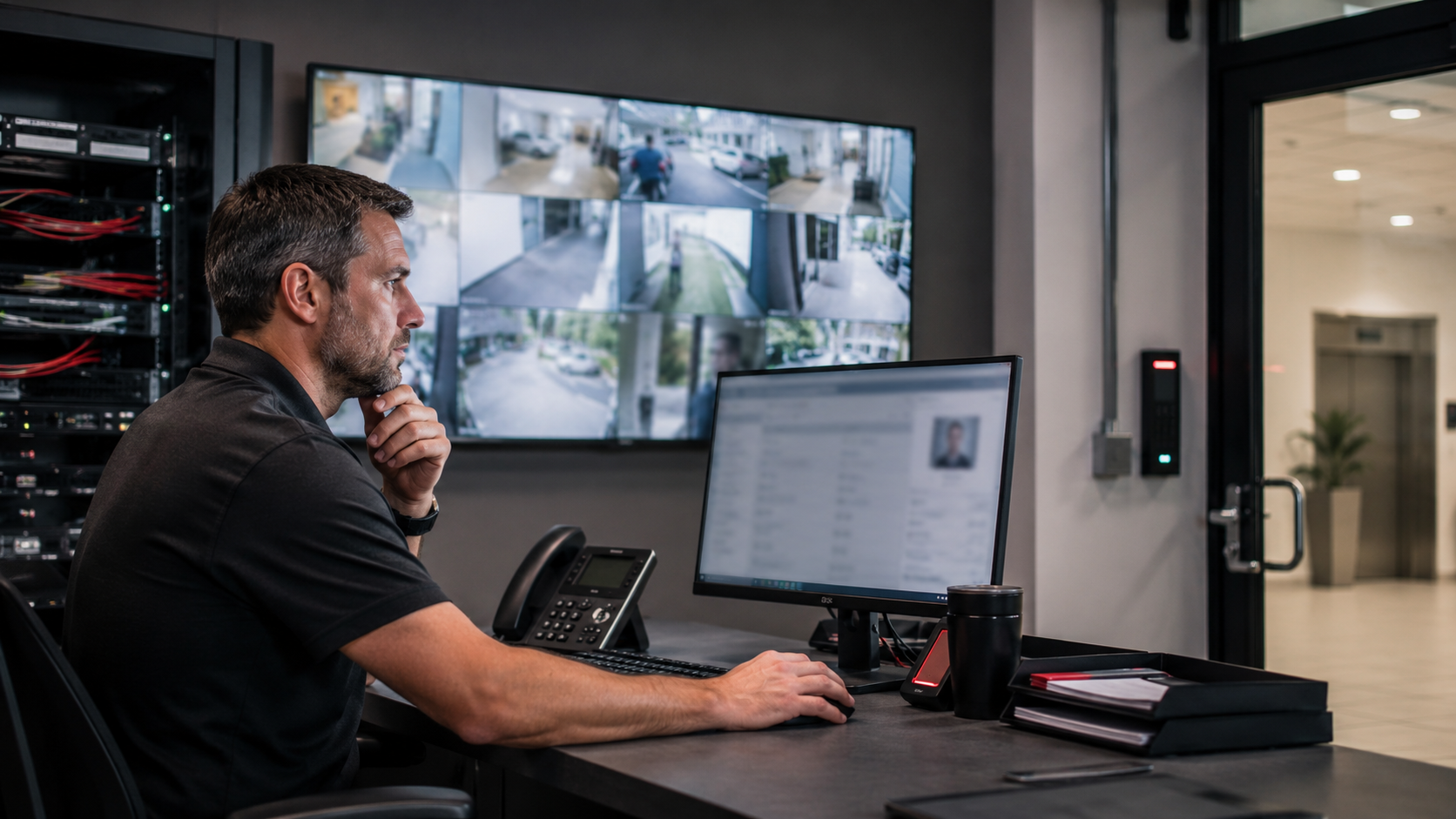
Even strong security systems can develop gaps when doors, cameras, visitors, intercoms, networking, and reporting are planned separately.

The following mistakes are common in schools, healthcare facilities, assisted living communities, manufacturing sites, commercial buildings, government facilities, and multi-site organizations. Reviewing them can help identify small issues before they become larger security problems.

1. Treating Every Door the Same

Not every door carries the same risk.

A main entrance, staff entrance, delivery door, medication room, IT closet, resident exit, loading dock, parking gate, and emergency exit all serve different purposes. They may need different access rules, schedules, alerts, credentials, cameras, or response procedures.

When every door is treated the same, the system may become either too restrictive for daily operations or too loose for sensitive areas.

A better approach is to review each door based on:

  • Who uses it
  • When it is used
  • What area it protects
  • Whether visitors or contractors use it
  • Whether video context is needed
  • Whether an alert should be generated
  • Whether emergency behavior is clearly understood

Connected security starts with understanding how the building actually moves.

2. Adding Cameras Without a Clear Purpose

More cameras do not automatically mean better security.

A camera should help answer a real question. For example: who entered, what happened, where activity occurred, whether a door closed, whether someone followed behind, or whether an event needs response.

Before adding cameras, consider:

  • What should this camera help verify?
  • Is the goal overview, recognition, identification, or investigation?
  • Is the lighting suitable?
  • Is the camera connected to access control or alarm events?
  • Can footage be searched and reviewed easily?
  • Is the camera covering a meaningful risk point?
  • Are privacy-sensitive areas avoided?

The goal is not more footage.

The goal is useful video context.

3. Using Shared Codes or Shared Credentials

Shared codes and shared cards may seem convenient, but they reduce accountability.

If multiple people use the same code or credential, it becomes difficult to know who entered, whether the person was authorized, and whether access should still be active.

Shared credentials can create problems when:

  • Staff leave the organization
  • Contractors finish their work
  • Vendors change personnel
  • Temporary workers are no longer active
  • A code is passed to someone else
  • An incident needs investigation

Individual credentials, mobile credentials, temporary access, and role-based permissions provide better visibility and cleaner audit trails.

Access control is strongest when access can be tied to the right person, place, and time.

4. Ignoring Visitors, Vendors, and Contractors

Employees are only one part of the access picture.

Many facilities also need to manage visitors, vendors, volunteers, contractors, inspectors, delivery drivers, cleaning teams, repair technicians, and temporary staff.

If these groups are not included in the security plan, gaps can appear at entrances, service doors, loading areas, restricted rooms, and after-hours access points.

A stronger visitor and contractor workflow should define:

  • Where non-employees enter
  • Who approves access
  • Whether ID or check-in is required
  • Which areas they may access
  • Whether access is temporary
  • Whether they need escorting
  • How activity is documented
  • How access is removed when no longer needed

Visitor management, access control, intercoms, and video surveillance work best when planned together.

5. Overlooking Network Infrastructure

Modern physical security depends on the network.

IP cameras, access control panels, smart intercoms, visitor management stations, wireless access points, PoE switches, remote monitoring tools, and cloud-managed devices all rely on stable connectivity.

When the network is overlooked, security systems may experience:

  • Cameras going offline
  • Delayed video review
  • Intercom connection issues
  • Poor remote access
  • Access control communication problems
  • Missed alerts
  • Slow troubleshooting
  • More site visits
  • Limited visibility across locations

The network should be reviewed as part of the security system, not as background infrastructure.

Key areas to review include PoE capacity, switch health, cabling quality, wireless links, remote buildings, backup power, remote support, and device documentation.

6. Waiting Until an Incident to Review Reports

Reports should not only be used after something goes wrong.

Access control events, visitor logs, door alerts, camera health, system status, and network activity can reveal small problems early.

Regular reporting can help identify:

  • Doors repeatedly held open
  • Denied access attempts
  • After-hours activity
  • Former users still active
  • Contractor access that was not removed
  • Cameras or devices going offline
  • Unusual door activity
  • Weak visitor procedures
  • Areas where staff need additional training

A strong security system should support regular review, not just incident response.

7. Forgetting About Offboarding

When staff, contractors, vendors, or temporary workers leave, access should be removed quickly.

Old credentials are one of the easiest security gaps to miss.

A good offboarding process should include:

  • Disabling access credentials
  • Removing mobile credentials
  • Reviewing access groups
  • Recovering cards or fobs where possible
  • Removing temporary users
  • Updating administrator permissions
  • Reviewing shared access practices
  • Documenting the change

Credential cleanup should be part of routine system maintenance.

8. Not Connecting Access Events to Video

Access control tells you that something happened.

Video can help explain what happened.

For example, a door event may show that access was granted, denied, forced, or held open. Video can help confirm who was present, whether someone followed behind, whether the door closed properly, or whether the event was connected to a visitor, delivery, or staff workflow.

Video context is especially useful for:

  • Main entrances
  • Staff entrances
  • Restricted rooms
  • Service doors
  • Resident safety areas
  • Loading docks
  • Parking gates
  • After-hours access
  • Visitor entrances

Connected security makes events easier to understand and easier to act on.

9. Designing Around Technology Instead of Workflow

Security systems should be built around how the facility actually operates.

A system may look strong on paper, but if it does not support daily workflow, staff may find ways around it. Doors may be propped open. Codes may be shared. Visitors may bypass check-in. Reports may never be reviewed.

Before choosing technology, review the real workflow:

  • How do people enter?
  • Which doors are used most often?
  • Where do visitors go?
  • How do vendors and contractors arrive?
  • What happens after hours?
  • Who responds to alerts?
  • Which areas need restricted access?
  • What should staff do during an emergency?
  • Who reviews reports?
  • Who supports the system?

Security works best when technology supports real behavior.

10. Not Planning for Long-Term Support

A security system is not finished after installation.

Over time, users change, doors are added, cameras are moved, credentials expire, software needs updates, networks change, and new sites may be added.

Without a support plan, the system can become harder to manage.

Long-term support planning should include:

  • Firmware and software updates
  • Credential reviews
  • User permission reviews
  • Door schedule reviews
  • Camera health checks
  • Network documentation
  • Backup procedures
  • Support contacts
  • Administrator training
  • Reporting routines
  • Growth planning

The strongest systems are not only well installed.

They are well maintained.

Connected security is not about adding more technology for the sake of it.

It is about making sure access control, video surveillance, visitor management, intercoms, networking, reporting, and support work together in a way that fits the facility.

Avoiding these common mistakes can help organizations improve visibility, accountability, response, and long-term reliability.

PMT Security helps organizations move from disconnected devices to connected security decisions.
Common Mistakes to Avoid When Planning Connected Security Systems

Share:

  • Share on Twitter Share on Twitter
  • Share on Facebook Share on Facebook
  • Share on LinkedIn Share on LinkedIn
  • Share via Email Share via Email

Ready to Review Your Security System?

Let us help you build a connected security environment that gives you better visibility, stronger accountability, and faster response.

Get in Touch

Cloud-Managed Networking for CCTV and Access Control

Cloud-Managed Networking for CCTV and Access Control

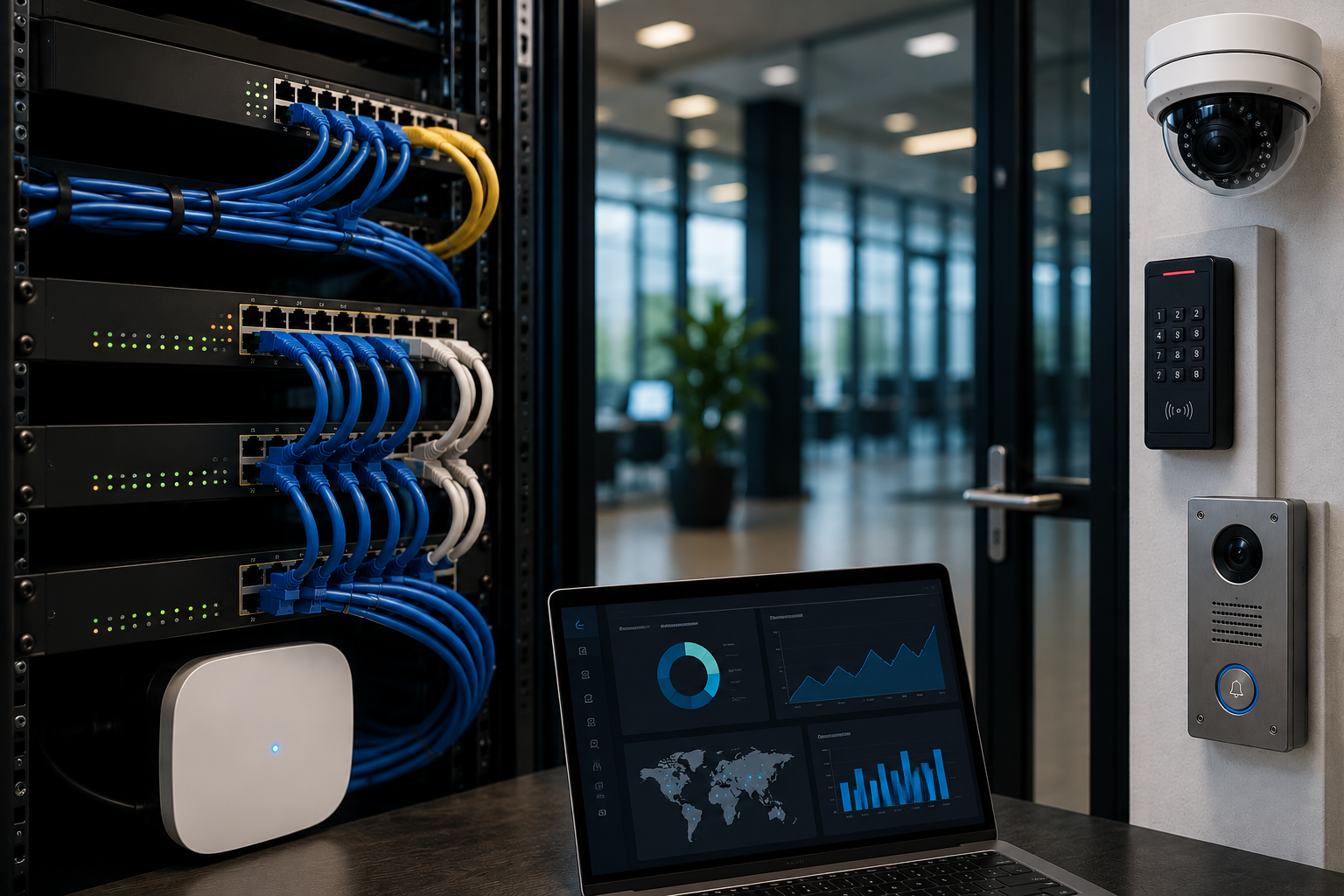
Modern security systems are no longer made up of isolated devices.

A facility may include IP cameras, access control panels, card readers, smart intercoms, visitor management stations, wireless access points, PoE switches, servers, cloud-connected tools, and remote monitoring platforms.

All of these systems depend on one critical layer.

The network.

When the network is stable, visible, and easier to manage, security systems are easier to support. When the network is poorly planned or difficult to troubleshoot, even strong security technology can become harder to rely on.

That is why cloud-managed networking is becoming an important part of CCTV and access control planning.

For PMT Security, the message is simple: the network is not background infrastructure.

The network is part of the security system.

What Is Cloud-Managed Networking?

Cloud-managed networking allows routers, switches, wireless access points, bridges, and related network devices to be monitored and managed through a cloud-based platform.

Instead of relying only on local access to each device, administrators and support teams can often view network health, device status, connection issues, configuration details, and alerts from a centralized dashboard.

For CCTV and access control environments, this can help support:

  • IP cameras
  • Network video recorders or VMS servers
  • Access control controllers
  • Door hardware communication
  • Smart intercoms
  • Visitor management kiosks
  • Wireless bridges
  • Remote buildings
  • PoE switches
  • Live video monitoring
  • Multi-site security systems
  • Remote technical support

PMT Security offers Lysora cloud-managed networking products designed for security, CCTV, business, and multi-site environments. These solutions are intended to help simplify deployment, improve visibility, and support reliable connectivity for connected security devices.

Why CCTV and Access Control Depend on the Network

Security devices are often installed at doors, entrances, gates, hallways, parking areas, loading docks, reception areas, server rooms, production spaces, and remote buildings.

Many of those devices need network communication.

An IP camera may need power, bandwidth, recording connectivity, and reliable connection to a video management system. An access control panel may need stable communication for events, schedules, reporting, and remote support. A smart intercom may need video, audio, mobile app access, and door release functionality. A visitor management station may need connectivity to support check-in, approvals, records, or temporary access workflows.

If the network is unreliable, the security system may experience:

  • Cameras dropping offline
  • Delayed video review
  • Poor video quality
  • Missed alerts
  • Slow remote access
  • Intercom connection issues
  • Visitor management delays
  • Access control communication problems
  • Harder troubleshooting
  • More site visits
  • Longer downtime
  • Limited visibility across multiple locations

In many cases, the visible problem appears to be a camera, reader, intercom, or software issue.

The real issue may be the network.

The Network Is Part of the Security System

For years, security planning often focused on the visible technology.

Cameras.
Readers.
Panels.
Doors.
Intercoms.
Servers.
Monitors.

But as physical security has become more connected, the network has become a core part of the system design.

A reliable security network helps connect:

  • Devices to software
  • Cameras to recording platforms
  • Doors to access control databases
  • Intercoms to users and mobile apps
  • Visitor systems to records and approvals
  • Remote sites to centralized management
  • Support teams to system information
  • Events to reporting and response

This is especially important for organizations that operate more than one location, have remote buildings, depend on after-hours monitoring, or need technical teams to support systems without always being on site.

A security system can only be as reliable as the infrastructure supporting it.

How Cloud-Managed Networking Helps Security Teams

Cloud-managed networking does not replace good system design.

It improves the ability to deploy, monitor, troubleshoot, and support the network behind connected security systems.

1. Better Visibility Into Network Health

One of the biggest advantages of cloud-managed networking is visibility.

Facility teams, integrators, or support providers may be able to see whether critical network devices are online, offline, under load, misconfigured, or experiencing connectivity issues.

This visibility can help answer questions such as:

  • Is the camera offline, or is the switch port down?
  • Is the access control panel communicating properly?
  • Is the PoE switch delivering power?
  • Is a wireless bridge stable?
  • Is a remote building connected?
  • Is the issue local, network-based, or device-specific?
  • Which devices are affected?
  • Did the problem begin after a change?

Without this visibility, troubleshooting can take longer and may require unnecessary site visits.

2. Faster Troubleshooting

When a CCTV camera goes offline or an intercom stops responding, the first question is often: what changed?

Cloud-managed networking can help support faster troubleshooting by giving teams a clearer view of device status and network behavior.

For example, a support team may be able to review:

  • Port status
  • Device uptime
  • Connected devices
  • Power over Ethernet activity
  • Network traffic
  • Wireless connectivity
  • Switch or access point status
  • Remote site connection health

This helps narrow the problem.

The issue may be a failed device, a disconnected cable, a power problem, a configuration change, a wireless signal issue, a bandwidth concern, or a network device that needs attention.

The faster the issue is identified, the faster the security system can return to normal operation.

3. Remote Support for Connected Security Devices

Many organizations want security systems that are easier to support after installation.

Cloud-managed networking can help support remote diagnostics and troubleshooting, especially for multi-site organizations or locations without on-site technical staff.

Remote support can be valuable for:

  • Schools with multiple buildings
  • Long-term care or healthcare facilities
  • Manufacturing plants
  • Retail locations
  • Commercial properties
  • Residential communities
  • Government facilities
  • Campuses
  • Outdoor sites
  • Remote gates or service areas

When technical teams can see the network environment, they may be able to resolve or identify issues faster.

This does not eliminate the need for on-site service in every case, but it can reduce guesswork.

4. Stronger Planning for PoE Devices

CCTV and access control environments often depend heavily on Power over Ethernet.

PoE may support:

  • IP cameras
  • Intercom stations
  • Wireless access points
  • Door controllers
  • Networked sensors
  • Visitor management devices
  • Communication hardware

If PoE capacity is not reviewed properly, devices may lose power, fail to start, or become unreliable.

Cloud-managed switches and network visibility can help teams understand how ports and power are being used. This is especially important when adding more cameras, replacing hardware, expanding to new doors, or planning future growth.

Good PoE planning should consider:

  • Number of devices
  • Power budget
  • Device power requirements
  • Switch capacity
  • Cable quality
  • Distance limitations
  • Backup power needs
  • Critical device recovery
  • Future expansion

A security system should not be limited by an under-planned switch.

5. Support for Multi-Site Security Systems

Multi-site organizations often face a common problem: every location is slightly different.

One site may have older switches. Another may have different cabling. Another may use a different internet provider. Another may have remote buildings or wireless bridges. Another may have unclear documentation.

Cloud-managed networking can help standardize visibility across locations.

For organizations with multiple sites, this can support:

  • Centralized network status
  • Better documentation
  • More consistent device management
  • Easier remote troubleshooting
  • Faster issue identification
  • More scalable expansion
  • Clearer planning for cameras and access control
  • Better support for integrators and facility teams

This is especially useful for organizations with limited internal IT resources or distributed facilities.

6. Cleaner Network Documentation

Security systems become harder to support when documentation is missing.

If no one knows which switch powers which cameras, which port connects to which access point, which bridge supports which remote building, or which device is tied to which security function, troubleshooting becomes slower.

A cloud-managed network can help support better documentation by making device relationships easier to view and manage.

Security network documentation should include:

  • Device names
  • Device locations
  • Switches and ports
  • IP addressing
  • VLAN or segmentation details
  • Wireless bridge locations
  • PoE requirements
  • Connected cameras
  • Connected intercoms
  • Access control panels
  • Critical infrastructure
  • Support contacts
  • Backup procedures

Documentation is not just administrative.

It is part of security system readiness.

7. Better Support for System Growth

Most security systems change over time.

Organizations add doors.
They add cameras.
They change visitor workflows.
They expand buildings.
They add remote gates.
They upgrade intercoms.
They move departments.
They open new locations.
They increase monitoring needs.

Cloud-managed networking can help make growth easier to plan.

Before adding new devices, teams can review network capacity, switch availability, power requirements, and connectivity needs. This helps reduce the risk of adding technology onto infrastructure that is not ready to support it.

A scalable security system should include scalable infrastructure.

Cloud-Managed Networking and CCTV

Video surveillance can place significant demands on the network.

CCTV systems may require:

  • Reliable camera connectivity
  • Adequate bandwidth
  • Stable recording paths
  • PoE power
  • Remote viewing
  • Video management system access
  • Health monitoring
  • Secure access controls
  • Proper network segmentation
  • Support for analytics or event-based recording
  • Reliable connection between cameras and servers

If cameras repeatedly drop offline, record inconsistently, or become difficult to access remotely, the value of the video system is reduced.

Cloud-managed networking helps create better visibility into the infrastructure behind the cameras.

This is especially important for facilities with many cameras, remote buildings, parking areas, outdoor cameras, wireless links, or multiple locations.

The goal is not only to install more cameras.

The goal is to make video usable, reliable, and supportable.

Cloud-Managed Networking and Access Control

Access control systems also depend on network reliability.

A connected access control environment may include:

  • Door controllers
  • Credential readers
  • Mobile credential support
  • Administrative workstations
  • Servers or cloud-connected tools
  • Intercom integrations
  • Visitor management systems
  • Event reporting
  • Alarm monitoring
  • Remote support

When access control communication is unreliable, organizations may experience delayed reporting, missed events, inconsistent updates, or support challenges.

A well-planned network helps access control systems support:

  • Door activity
  • Credential updates
  • User permissions
  • Schedules
  • Reports
  • Audit trails
  • Remote support
  • Integration with video and visitor workflows

For access control, reliability matters because doors are part of daily operations.

If the system is difficult to support, the facility feels it quickly.

Cloud-Managed Networking and Smart Intercoms

Smart intercom systems often rely on stable network connectivity for video, audio, mobile app routing, remote unlocking, and communication between users and entrance points.

An intercom is not just a doorbell.

It may support:

  • Visitor verification
  • Delivery management
  • Gate communication
  • Staff entry
  • Remote door release
  • After-hours routing
  • Video calling
  • Entrance accountability

If the network is unstable, the intercom experience can become frustrating for staff, visitors, and security teams.

Cloud-managed networking helps support the infrastructure behind these interactions.

For entrance security, reliable communication is essential.

Cloud-Managed Networking and Visitor Management

Visitor management systems may depend on network connectivity for check-in, ID verification, host notification, QR access, temporary credentials, record keeping, and reporting.

When visitor workflows are connected to access control or intercom systems, the network becomes even more important.

A weak connection at the front desk, visitor kiosk, or remote entrance can slow down the process and create frustration.

Cloud-managed networking can help support a more reliable visitor management experience by improving visibility into the devices and connections that support the workflow.

Security Benefits of Better Network Management

Cloud-managed networking should be planned with security in mind.

Better network management can help organizations review and support:

  • Device visibility
  • Segmentation
  • Remote access controls
  • Firmware and update planning
  • Unsupported devices
  • Network exposure
  • Administrative permissions
  • Password policies
  • Event history
  • Device health
  • Backup power
  • Support responsibilities

Security devices should not be placed on a network without thought.

Cameras, intercoms, access control panels, and visitor systems can carry sensitive operational information. Network design should consider who can access devices, how systems communicate, how remote support is handled, and how changes are documented.

A connected security system creates value, but it also requires responsible planning.

Common Networking Mistakes in CCTV and Access Control Projects

Treating Networking as an Afterthought

The network should be considered early in the planning process, not after devices are installed.

Underestimating PoE Requirements

Cameras, intercoms, access points, and other devices need adequate power. PoE planning should include current and future devices.

Using Unmanaged or Poorly Documented Switches

Unmanaged infrastructure can make troubleshooting harder and reduce visibility into device status.

Ignoring Remote Buildings or Wireless Links

Outdoor cameras, gates, parking areas, and remote entrances may need carefully planned connectivity.

Failing to Document Ports and Devices

If no one knows what is connected where, support becomes slower and less reliable.

Allowing Risky Remote Access Practices

Remote access should be planned, documented, and limited to appropriate users and support workflows.

Not Planning for Growth

Adding cameras and doors later is easier when the network is designed with expansion in mind.

Questions to Ask Before Adding Cameras or Access Control Devices

Before expanding a CCTV or access control system, organizations should ask:

  • Is there enough network capacity?
  • Is there enough PoE power?
  • Are switch ports available?
  • Are cable paths and distances appropriate?
  • Are remote areas connected reliably?
  • Is the network documented?
  • Can devices be monitored?
  • Who is responsible for support?
  • Is remote troubleshooting available?
  • Are security devices segmented properly?
  • Are firmware and updates managed?
  • Is backup power needed?
  • Can the system scale across future doors, cameras, or sites?

These questions can prevent avoidable problems later.

Where Lysora Fits

PMT Security’s partnership with Lysora helps support the infrastructure layer behind connected security environments.

Lysora cloud-managed networking solutions can support routers, switches, wireless access points, wireless bridges, and related network tools for security, CCTV, business, and multi-site environments.

For customers, this can help simplify:

  • Deployment
  • Network visibility
  • Remote troubleshooting
  • Device monitoring
  • Multi-site support
  • CCTV connectivity
  • Access control infrastructure
  • Intercom communication
  • Long-term system planning

For integrators, cloud-managed networking can help create a more supportable foundation for security projects.

The value is practical.

When the network is easier to manage, the security system is easier to support.

Cloud-Managed Networking Is Not Just an IT Conversation

Networking is often seen as an IT responsibility.

But in modern physical security, networking affects operations, safety, visibility, response, and system reliability.

A camera that cannot stay online is a security concern.
An intercom that cannot connect is an entrance concern.
An access control panel that cannot communicate is an operational concern.
A remote site that cannot be monitored is a support concern.

This is why security teams, IT teams, facility managers, integrators, and leadership should work together when planning connected security systems.

The best results happen when the network and the security design are planned together.

Cloud-managed networking helps make CCTV and access control systems easier to deploy, monitor, troubleshoot, and support.

It gives organizations better visibility into the infrastructure behind cameras, doors, intercoms, visitor systems, and remote sites.

For customers, that can mean fewer surprises, faster troubleshooting, stronger planning, and a more reliable security environment.

For integrators, it can mean better supportability and clearer long-term management.

Modern security does not stop at the device.

It depends on the network that connects the device.

PMT Security helps organizations and integrators support access control, video surveillance, visitor management, smart intercoms, cloud-managed networking, and integrated physical security solutions designed for real-world facilities.

Cloud-Managed Networking for CCTV and Access Control

Share:

  • Share on Twitter Share on Twitter
  • Share on Facebook Share on Facebook
  • Share on LinkedIn Share on LinkedIn
  • Share via Email Share via Email

Frequently Asked Questions (FAQs)

What is cloud-managed networking for CCTV?

Cloud-managed networking for CCTV refers to network equipment such as switches, routers, wireless access points, and bridges that can be monitored and managed through a cloud-based platform. This helps support camera connectivity, troubleshooting, PoE planning, and multi-site visibility.

Why does access control need reliable networking?

Access control systems may depend on network communication for door controllers, user updates, credential changes, event reporting, schedules, intercom integrations, and remote support. A stable network helps the system remain easier to manage and support.

How does cloud-managed networking help security systems?

Cloud-managed networking can improve visibility into device status, switch health, PoE usage, wireless connectivity, remote sites, and troubleshooting information. This can help reduce downtime and make connected security systems easier to support.

What security devices can use cloud-managed networking?

Security environments may use cloud-managed networking to support IP cameras, access control panels, smart intercoms, visitor management devices, wireless access points, remote buildings, PoE switches, and live monitoring tools.

Is cloud-managed networking useful for multi-site organizations?

Yes. Multi-site organizations can benefit from centralized visibility, easier remote troubleshooting, more consistent network documentation, and better planning for cameras, doors, intercoms, and connected security devices across locations.

How does Lysora support PMT Security solutions?

PMT Security offers Lysora cloud-managed networking products for security, CCTV, business, and multi-site environments. Lysora solutions help support deployment, visibility, connectivity, and troubleshooting for connected security devices.

Ready to Review the Network Behind Your Security System?

Talk to PMT Security about cloud-managed networking for CCTV, access control, intercoms, visitor management, and multi-site security environments.

Get in Touch

The Network Is Part of the Security System

The Network Is Part of the Security System

For many years, physical security was discussed in terms of visible devices.

Cameras.
Card readers.
Door controllers.
Intercoms.
Servers.
Workstations.
Credentials.

These components still matter, but they are no longer the full picture.

Modern physical security systems are connected systems. A door event may need to trigger video. A visitor record may need to connect with access permissions. An intercom call may need to support a verified entry decision. A remote support team may need visibility into system health before a problem affects daily operations.

That means the network is not just an IT concern.

The network is part of the security system.

Connected Security Depends on Connected Infrastructure

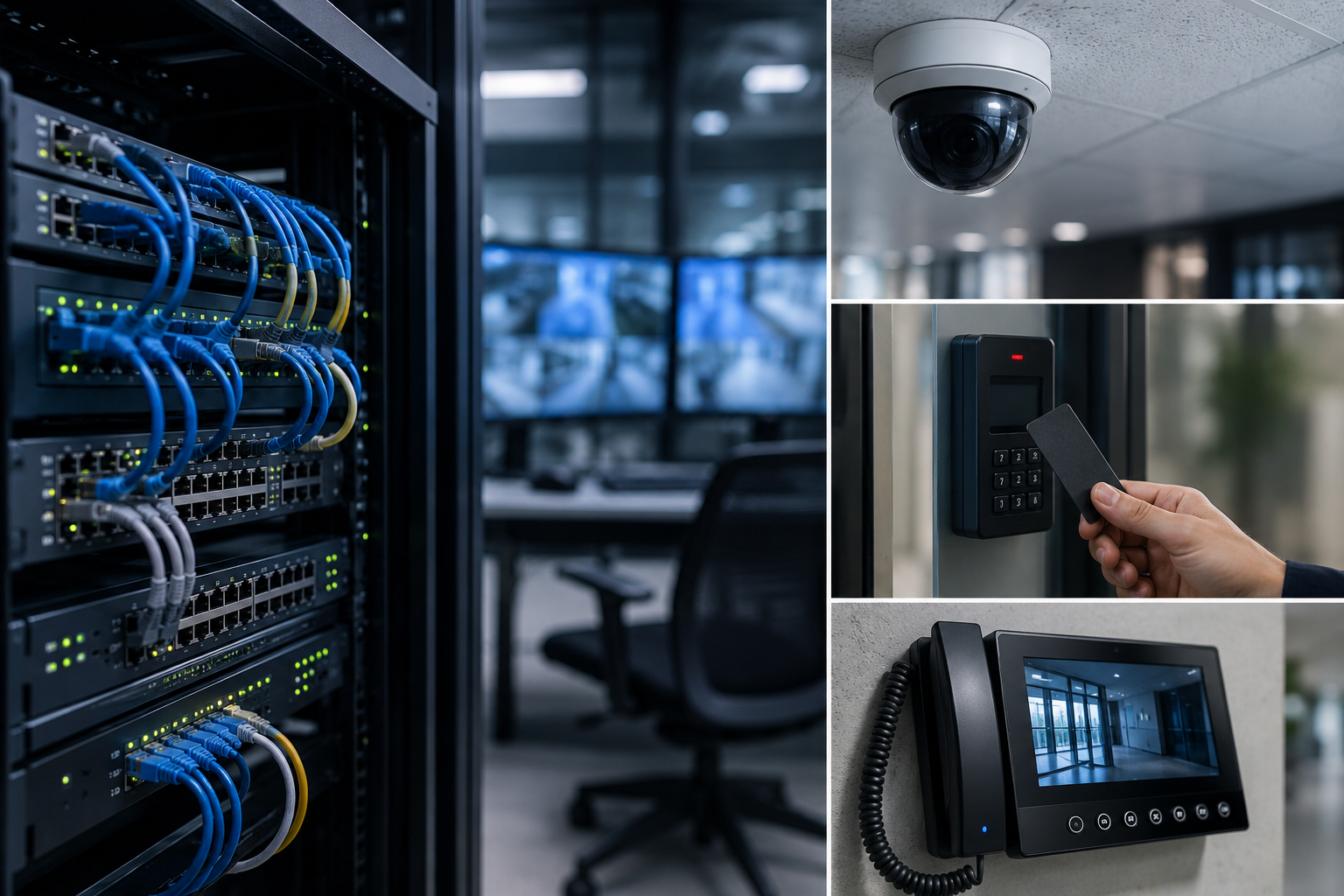
A modern facility may rely on several security technologies working together:

  • Access control for doors, gates, elevators, and restricted areas
  • Video surveillance and video management systems
  • Visitor management platforms
  • Smart intercom and entry communication
  • Mobile credentials and biometric integrations
  • License plate recognition
  • Remote monitoring and technical support tools
  • Reporting, alerts, and event investigation workflows

Each system may have its own purpose, but the value increases when the systems can share information.

For example, an access control event becomes more useful when it can be connected to video. A forced-door alert is stronger when the operator can quickly review what happened. A visitor entry process is more complete when identity, permission, and location are handled consistently.

This is the idea behind connected security.

However, connected security cannot work well on weak infrastructure. If the network is unreliable, overloaded, poorly segmented, or difficult to manage, the entire security environment can become harder to support.

Why the Network Matters in Physical Security

The network affects how security devices communicate, how fast events are processed, how video is transmitted, and how reliably systems stay online.

In practical terms, the network can influence:

  • Camera uptime
  • Video quality and streaming performance
  • Access control communication
  • Door controller connectivity
  • Intercom call reliability
  • Remote troubleshooting
  • System updates and maintenance
  • Multi-site visibility
  • Event reporting
  • Operator response time

A camera may be installed correctly, but if the network connection is unstable, the video may be difficult to use. A door controller may be properly configured, but if communication is inconsistent, support teams may spend time chasing avoidable issues. A multi-site organization may have strong security policies, but without clear network visibility, it may be harder to maintain consistency across locations.

The security system is only as dependable as the infrastructure supporting it.

Security Devices Are Network Devices

Many modern security devices are also network endpoints.

IP cameras, access control panels, intercom stations, workstations, servers, wireless bridges, and cloud-managed devices all communicate across a network. That makes them part of the broader technology environment.

This does not mean every security conversation needs to become overly technical. It does mean that physical security planning should include network planning from the beginning.

Important questions include:

  • Which devices need to communicate with each other?
  • Which systems should be separated from general business traffic?
  • How will cameras, access panels, intercoms, and servers be managed?
  • What happens if internet connectivity is interrupted?
  • Are remote access methods secure and controlled?
  • Can support teams see device health and network issues clearly?
  • Are ports, credentials, and permissions being managed properly?
  • Is the system designed for future growth?

These questions help reduce gaps between physical security, IT, operations, and service teams.

Avoiding Unnecessary Complexity

A connected security system does not need to be complicated, but it does need to be intentional.

One common challenge is unnecessary network complexity. Security systems can become harder to support when devices are spread across poorly documented networks, routed through unclear paths, or dependent on risky shortcuts.

Where possible, security infrastructure should be designed with clean communication paths, clear documentation, and practical support in mind.

This may include:

  • Keeping related security components on the appropriate local network
  • Using VLANs where separation is needed
  • Avoiding unnecessary public exposure of devices
  • Limiting open ports
  • Using secure remote access methods
  • Documenting IP addresses, device roles, and system dependencies
  • Planning bandwidth for video
  • Designing with future devices and sites in mind

The goal is not to over-engineer the system. The goal is to make the system more reliable, more manageable, and easier to secure.

Video Surveillance Needs Network Planning

Video surveillance is one of the most network-dependent areas of physical security.

Modern video systems may include IP cameras, network video recorders, VMS servers, analytics, mobile access, remote viewing, and integration with other systems. Video traffic can place a significant load on network infrastructure, especially across larger sites or multi-camera environments.

A video management platform such as Cathexis VMS is designed to help organizations manage video, analytics, events, and investigations more effectively. But the network still plays an important role in how well cameras communicate, how video is recorded, and how quickly operators can access footage.

Good network planning can help support:

  • Stable camera connections
  • Better recording reliability
  • Faster search and review
  • Stronger event verification
  • More practical remote access
  • Better long-term scalability

When video is part of a connected security strategy, network design becomes part of video performance.

Access Control Also Depends on Connectivity

Access control may appear simple from the outside. A person presents a credential, and a door unlocks.

Behind that moment is a larger system of controllers, readers, credentials, schedules, permissions, databases, events, reports, and sometimes integrations with video, intercoms, visitor systems, or biometric devices.

OMNIA access control supports many of these modern security needs, including door control, user permissions, reporting, integrations, and event-driven workflows. A strong access control system also benefits from a dependable network design, especially where multiple doors, buildings, or sites are involved.

Reliable connectivity helps support:

  • Accurate event reporting
  • Faster system administration
  • Consistent credential updates
  • Integration with video or visitor systems
  • Better troubleshooting
  • Stronger long-term system management

For organizations with many doors, many users, or multiple facilities, the access control network is not a background detail. It is part of how the system performs.

Intercoms and Visitor Management Need the Same Attention

Entry decisions often involve more than unlocking a door.

Smart intercoms, visitor management platforms, video verification, and access control may all work together to support a safer entry process. A front entrance, delivery door, school office, healthcare reception area, or multi-tenant entry point may depend on several connected technologies at once.

If those systems are not communicating reliably, the experience can become frustrating for staff and visitors. More importantly, gaps in communication can affect safety, accountability, and response.

A connected entry process works best when the supporting network is planned, monitored, and maintained.

Where Lysora Fits Into Connected Security

As security systems become more connected, the infrastructure behind them becomes more important.

PMT Security’s partnership with Lysora supports this part of the conversation. Lysora cloud-managed networking products are designed to help simplify deployment, improve network visibility, and support connected environments such as CCTV, access control, business networks, and multi-site systems.

For security teams, integrators, and facility operators, this matters because network issues can often look like security system issues.

A camera offline alert may be a network issue.
An intercom problem may be a connectivity issue.
A remote access challenge may be a configuration issue.
A multi-site support delay may be a visibility issue.

Cloud-managed networking can help make these issues easier to identify, manage, and resolve.

This does not replace the need for good security design. It strengthens the foundation that connected security depends on.

Better Networks Support Better Service

Security systems are not static. They need updates, maintenance, troubleshooting, user changes, device replacements, and ongoing support.

A well-planned network can make service easier by helping teams understand what is connected, where devices are located, and whether problems are caused by hardware, configuration, power, bandwidth, or connectivity.

This is especially important for organizations with:

  • Multiple buildings
  • Multiple locations
  • Large camera counts
  • Remote gates or exterior devices
  • High-traffic entrances
  • Critical access-controlled areas
  • Limited on-site technical staff
  • Long-term growth plans

The more connected the system becomes, the more valuable visibility becomes.

Security That Connects Must Also Be Security That Communicates

The phrase Security That Connects is about more than linking products together.

It is about building a security environment where systems communicate in useful ways.

Access control should connect to events.
Video should connect to context.
Intercoms should connect to entry decisions.
Visitor management should connect to accountability.
Networks should connect the entire system reliably.

When those connections are planned properly, organizations gain more than technology. They gain better awareness, better response, and better long-term control.

A Practical Network Checklist for Security Planning

When planning or reviewing a connected security system, consider the following:

  1. Are security devices properly documented?
  2. Are cameras, access control devices, intercoms, and servers on appropriate network segments?
  3. Are unnecessary public IP addresses, port forwards, or exposed services avoided?
  4. Is bandwidth planned for video traffic?
  5. Are remote access methods secure and controlled?
  6. Are firmware and software updates part of the maintenance plan?
  7. Can support teams identify offline devices quickly?
  8. Are multi-site systems managed consistently?
  9. Are network switches, wireless bridges, and access points suitable for the security environment?
  10. Is the network designed for future expansion?

These questions can help organizations identify weak points before they become service issues, downtime, or security gaps.

Physical security is no longer just about devices.

It is about how those devices work together.

A camera is stronger when it connects to an event.
An access control system is stronger when it connects to reporting.
An intercom is stronger when it connects to verified entry.
A visitor process is stronger when it connects to accountability.
A security system is stronger when the network behind it is reliable, visible, and well designed.

The network is not separate from the security system.

It is part of the security system.

And for organizations building toward a more connected future, that is where stronger security begins.

The Network Is Part of the Security System

Share:

  • Share on Twitter Share on Twitter
  • Share on Facebook Share on Facebook
  • Share on LinkedIn Share on LinkedIn
  • Share via Email Share via Email

Frequently Asked Questions (FAQs)

Why is the network important in physical security?

The network allows cameras, access control panels, intercoms, visitor systems, servers, and remote tools to communicate. If the network is unreliable or poorly designed, security systems may experience downtime, delays, or support challenges.

Are security cameras considered network devices?

Many modern security cameras are IP-based devices, which means they communicate across a network. They should be planned, secured, and maintained like other connected technology assets.

How does network design affect access control?

Access control systems rely on communication between controllers, readers, servers, software, and sometimes integrated systems. Strong network design helps support event reporting, credential updates, remote administration, and system reliability.

What does cloud-managed networking mean for security systems?

Cloud-managed networking allows authorized teams to monitor, configure, and troubleshoot network infrastructure from a centralized platform. This can help improve visibility and support for connected security environments.

Why Door Events Need Video Context

Why Door Events Need Video Context

Access control systems create valuable information every day.

A card is presented.
A door is unlocked.
An employee enters a restricted area.
A visitor is denied access.
A door is held open too long.
A forced-door alarm is triggered after hours.

These are all important door events. They help organizations understand how people move through a building, when access was attempted, and whether security rules are being followed.

But a door event by itself only tells part of the story.

It may tell you that a credential was used, but not who was standing at the door. It may show that access was granted, but not whether someone followed behind. It may report that a door was forced open, but not whether it was an emergency, a mistake, a delivery issue, or a real security incident.

That is why door events need video context.

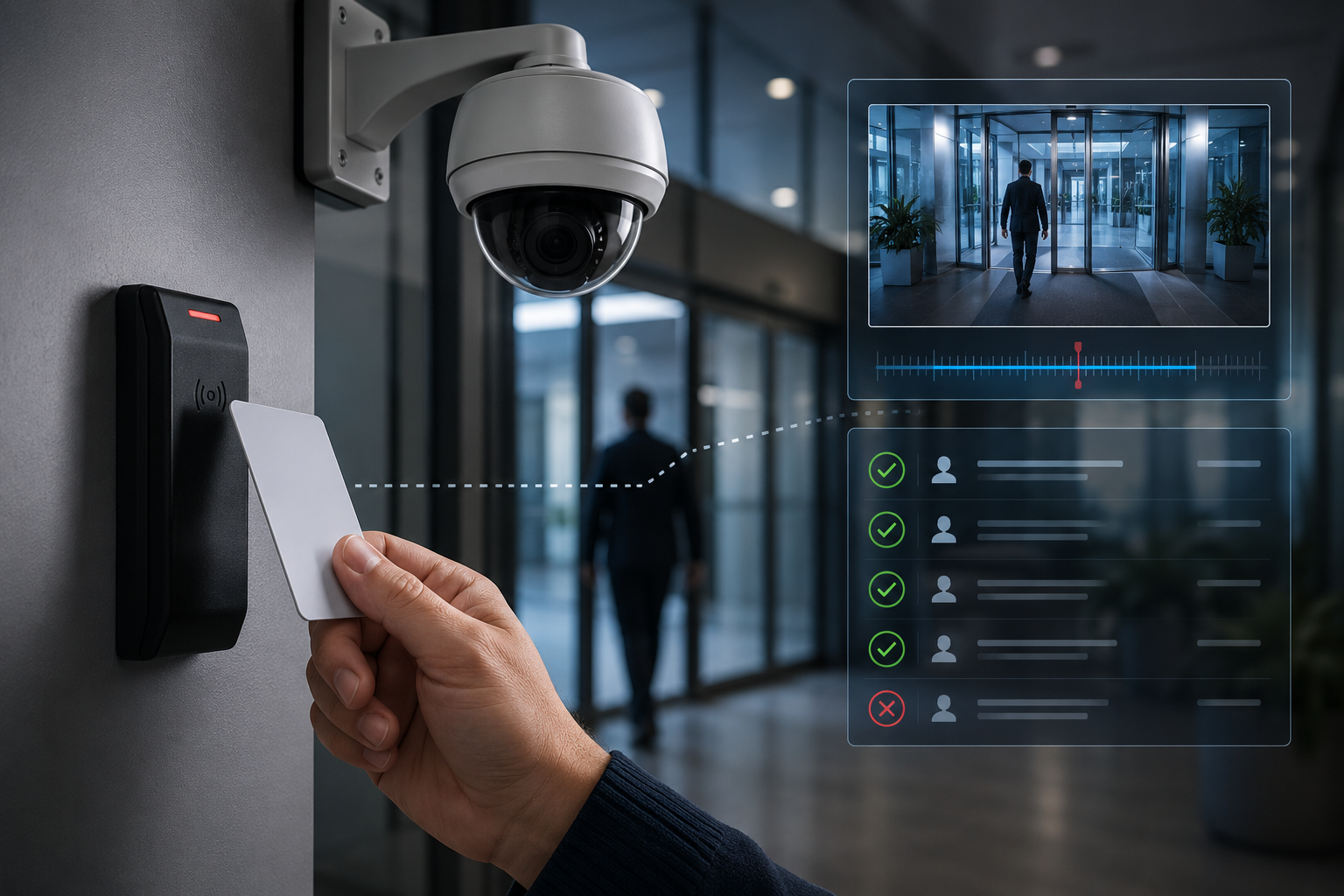
When access control and video surveillance work together, security teams can move beyond logs and alarms. They can see what happened, understand why it happened, and respond with better information.

Door Events Are Data, Not the Full Picture

Door events are structured records created by an access control system. They can include details such as:

  • Credential used
  • User name or cardholder record
  • Door or reader location
  • Time and date
  • Access granted or denied
  • Door forced open
  • Door held open
  • Request-to-exit activity
  • Alarm activity
  • Schedule or permission rule involved

This information is extremely useful for audits, reports, investigations, and day-to-day security management.

However, access control data does not always explain the physical reality of an event.

For example, an access log may show that an employee entered a building at 7:42 a.m. That sounds simple. But video may reveal that three other people entered behind them. The access system recorded one valid credential use, but the real-world event involved multiple individuals entering through the same opening.

That difference matters.

Security is not only about whether a door unlocked. It is about what happened at that door.

Video Helps Verify Access Activity

Video context allows security teams to verify door events visually.

This is especially important for events such as access denied, forced door, door held open, and after-hours activity. Without video, staff may need to walk to the location, call another employee, or make assumptions based on limited information.

With video, operators can quickly review the camera associated with that door and answer practical questions:

  • Was the person authorized?
  • Was the credential used by the correct individual?
  • Did someone tailgate behind an authorized user?
  • Was the door propped open?
  • Was the event accidental or intentional?
  • Was there a delivery, contractor, visitor, or staff member involved?
  • Is immediate response required?

This improves response time and reduces uncertainty.

In many environments, the faster a team can verify an event, the better the outcome. A door alarm that turns out to be a staff member moving equipment may not require the same response as an unknown person entering a restricted area after hours.

Better Investigations Start with Better Context

When an incident happens, security teams often start with a timeline.

Who entered?
Which door was used?
What time did it happen?
Was there a denied access attempt before entry?
Did the person go anywhere else afterward?

Access control reports can help build that timeline. Video can confirm and expand it.

Together, access events and video footage can help investigators understand movement through a facility with much greater clarity. This is useful across many industries, including schools, healthcare facilities, manufacturing sites, commercial buildings, government offices, residential properties, and multi-site organizations.

For example, if a restricted storage room shows an access granted event at 10:18 p.m., the access record may identify the credential. Video can confirm whether the correct person used it, whether anyone else entered, what they were carrying, how long the door stayed open, and whether the event appears normal.

That level of context can be critical when reviewing theft, safety incidents, policy violations, unauthorized entry, or operational concerns.

Video Context Can Reduce False Alarms

Not every alarm is a security threat.

Doors can be held open during deliveries. Staff may accidentally trigger a forced-door alarm. A resident, student, visitor, or contractor may misunderstand an entry procedure. Weather, maintenance, or equipment movement may create unusual activity around a door.

When security teams only receive the alarm, they may have to treat every event with the same level of urgency until proven otherwise.

Video context helps separate routine activity from real risk.

This supports more efficient operations because staff can prioritize the events that matter most. Instead of sending someone to investigate every alert blindly, operators can review the associated video, confirm the situation, and escalate only when needed.

This does not replace human judgment. It gives staff better information so they can make stronger decisions.

Tailgating Is Easier to Spot with Video

Tailgating is one of the most common reasons door events need video context.

A valid credential may unlock the door, but access control alone may not show whether one person entered or several. In many facilities, tailgating can happen at main entrances, staff doors, parking access points, delivery areas, and restricted interior doors.

Video helps identify whether:

  • Multiple people entered on one credential
  • Someone held the door open for another person
  • A visitor followed staff into a secured area
  • A delivery person entered beyond an approved area
  • A door was intentionally propped open
  • Access procedures need to be improved

This is not only a security concern. It can also be a training opportunity.

If tailgating happens frequently at a specific entrance, the issue may not be individual behavior alone. The site may need better signage, improved visitor management, intercom support, additional staff awareness, or a different access control workflow.

Access Control and Video Support Accountability

Accountability is one of the strongest benefits of integrated security systems.

Access control provides the record.
Video provides the visual confirmation.
Together, they create a stronger audit trail.

This is valuable for organizations that need to manage staff access, visitor activity, vendor movement, after-hours entry, or access to sensitive areas. Examples may include medication rooms, records rooms, server rooms, mechanical spaces, inventory areas, cash rooms, laboratories, loading docks, and administrative offices.

When a question comes up, security teams do not need to rely only on memory or assumptions. They can review access activity and associated video to better understand what happened.

This can support internal reviews, compliance efforts, incident reporting, training, and operational improvement.

Why Integration Matters

Access control and video surveillance can both provide value as separate systems. But when they are disconnected, security teams often have to work harder.

A staff member may need to pull an access report from one platform, identify the exact time of an event, open a separate video system, find the correct camera, search the footage, and manually compare the two sources.

That process takes time.

An integrated approach helps connect the event to the relevant video more efficiently. When properly designed, a door event can be associated with nearby cameras, allowing operators to review footage faster and with more confidence.

This is especially important in larger facilities or multi-site environments where there may be hundreds of doors, cameras, users, and daily transactions.

Integration helps turn separate security tools into a more complete operational picture.

Common Door Events That Benefit from Video Context

Some door events are especially important to pair with video.

Access Granted

Video can confirm that the right person entered and whether anyone followed behind.

Access Denied

Video can show whether the denied attempt was accidental, suspicious, or related to an expired credential, wrong door, or unauthorized user.

Door Held Open

Video can help determine whether the door was propped open, blocked by equipment, held for a group, or left unsecured.

Forced Door

Video can confirm whether the event was a security breach, emergency exit, maintenance activity, or equipment issue.

After-Hours Entry

Video provides visibility into who entered, why they were there, and whether the activity appeared appropriate.

Visitor or Contractor Access

Video can help verify whether visitors, vendors, and contractors followed approved entry procedures and stayed within authorized areas.

Video Context Helps Different Teams

Door event video context is not only useful for security departments.

It can also support:

Facility managers who need to understand traffic patterns, door issues, and recurring operational problems.

IT teams responsible for protecting server rooms, network closets, and infrastructure spaces.

Human resources teams reviewing workplace incidents or policy concerns.

Operations teams managing deliveries, contractors, shift changes, and after-hours activity.

Healthcare and senior care teams balancing safety, staff access, resident protection, and privacy.

Schools and campuses managing exterior doors, visitor entry, staff access, and restricted areas.

The value is not just in recording events. The value is in making those events understandable.

Designing the System Properly

For door events and video context to work well together, the system must be designed thoughtfully.

Important considerations include:

  • Camera placement near key doors
  • Clear views of faces, doors, and approach areas
  • Proper lighting at entrances and corridors
  • Accurate time synchronization between systems
  • Door naming that matches real facility language
  • Access groups and schedules that reflect actual operations
  • Clear alarm routing and response procedures
  • Privacy considerations for sensitive areas
  • Reliable network infrastructure
  • Regular maintenance and testing

A poorly placed camera may not provide useful context. A door named vaguely in the system may slow down response. A video system with limited retention may not support investigations if footage is overwritten too quickly.

Good design matters.

Privacy and Practical Use

Video context should be used responsibly.

The goal is not to watch people unnecessarily. The goal is to support safety, accountability, and better response when security events occur.

Organizations should consider privacy expectations, internal policies, applicable regulations, signage, user permissions, and who is allowed to review footage. Sensitive areas require careful planning so that security visibility does not conflict with dignity, confidentiality, or workplace trust.

The best systems are not only technically strong. They are practical, transparent, and aligned with how the organization actually operates.

From Isolated Alerts to Useful Security Information

A door event is a signal.

Video gives that signal meaning.

When access control and video surveillance are connected, organizations can respond faster, investigate more accurately, reduce false alarms, identify tailgating, strengthen accountability, and improve day-to-day security operations.

Modern physical security is no longer about collecting more data from separate systems. It is about connecting the right information at the right time.

For many facilities, that starts at the door.

Why Door Events Need Video Context

Share:

  • Share on Twitter Share on Twitter
  • Share on Facebook Share on Facebook
  • Share on LinkedIn Share on LinkedIn
  • Share via Email Share via Email

Frequently Asked Questions (FAQs)

What is a door event in access control?

A door event is an activity recorded by an access control system. Examples include access granted, access denied, door forced open, door held open, request-to-exit activity, and after-hours access.

Why should door events be connected with video?

Video helps security teams verify what actually happened at the door. It can show who was present, whether someone tailgated, whether the door was propped open, and whether an alarm requires immediate response.

Can video context reduce false alarms?

Yes. Video context can help operators quickly determine whether an alarm was caused by normal activity, user error, maintenance, delivery activity, or a real security concern.

What types of facilities benefit from access control and video integration?

Schools, healthcare facilities, senior care communities, manufacturing sites, offices, government buildings, residential properties, warehouses, and multi-site organizations can all benefit from connecting door events with video.

Does integrating video with access control replace security staff?

No. Integration supports security staff by giving them better information. It helps operators verify events faster and make more informed decisions.

Integrated Security Systems: Why Connected Security Is Replacing Standalone Devices

Integrated Security Systems: Why Connected Security Is Replacing Standalone Devices

For years, physical security systems were often planned as separate tools.

Access control managed doors. Video surveillance recorded activity. Visitor logs tracked guests. Intercoms handled entry communication. Reports were usually reviewed only after an incident had already happened.

That approach made sense when facilities were smaller, systems were less connected, and security needs were more straightforward.

Today, that has changed.

Organizations now manage more people, more doors, more sites, more credentials, more data, and more operational risk. Schools, healthcare facilities, manufacturing sites, government buildings, commercial offices, and multi-site properties can no longer afford to treat each security tool as a separate system.

Modern physical security depends on connection.

When access control, video surveillance, visitor management, intercoms, and reporting work together, organizations gain better visibility, stronger accountability, and a more flexible foundation for long-term security planning.

What Is an Integrated Physical Security System?

An integrated physical security system connects multiple security technologies so they can work together instead of operating in isolation.

This may include:

  • Access control systems
  • Video surveillance and video management software
  • Visitor management platforms
  • Smart intercom systems
  • Mobile credentials
  • Biometric readers
  • Door hardware
  • Alarm events
  • Reporting dashboards
  • Cloud or on-premise management tools
  • Remote technical support and maintenance workflows

The goal is not simply to add more technology.

The goal is to make security activity easier to understand, manage, and act on.

For example, a door event becomes more useful when it can be connected to video. A visitor record becomes more valuable when it connects to access permissions. An intercom call becomes stronger when it supports a structured visitor check-in process. A report becomes more powerful when it can show patterns across doors, users, times, and locations.

This is where physical security moves from device management to operational intelligence. into larger operational disruptions.

Why Standalone Security Systems Create Problems

Standalone security systems can work well for a single function, but they often create challenges as organizations grow.

A camera may record footage, but if it is not connected to access events, staff may spend extra time searching for the right clip.

A door may unlock properly, but if reporting is limited, it may be harder to understand who entered, when they entered, and whether the event was part of a larger pattern.

A visitor may sign in at the front desk, but if that information is not connected to access control, badges, host approvals, or exit records, accountability can be incomplete.

An intercom may allow someone to speak with a visitor, but if it is not part of a wider entry process, the organization may still have gaps between communication, verification, and access.

These gaps matter because security incidents are rarely limited to one device.

A real incident may involve a person, a door, a credential, a camera view, a visitor record, a time stamp, and a response action.

If those pieces are disconnected, the investigation becomes slower and less reliable.

Access Control Is Now a Source of Security Intelligence

Access control is often seen as a door decision.

Allowed or denied.
Locked or unlocked.
Granted or refused.

But modern access control provides much more than entry control.

Platforms such as OMNIA help organizations manage doors, users, credentials, permissions, schedules, reporting, and security workflows across different types of facilities. A modular access control platform also gives organizations room to grow as doors are added, secure areas shift, integrations change, or facility needs expand.

This is important because access control data can help answer questions such as:

  • Who entered the building?
  • Which door was used?
  • What time did the event happen?
  • Was access granted or denied?
  • Was the attempt outside normal hours?
  • Was the same credential used repeatedly?
  • Can the record be reviewed or exported?
  • Does the activity suggest a pattern?

When access control is properly planned, it does more than control doors. It creates a record of movement and activity that can support investigations, compliance reviews, staffing decisions, safety planning, and operational improvements.

Video Surveillance Is Moving From Recording to Awareness

Video surveillance has also changed.

For years, many organizations used cameras mainly as evidence tools. An incident happened, and footage was reviewed afterward.

That still matters, but it is no longer enough.

Modern video management systems can support live monitoring, event-based recording, analytics, notifications, and faster incident review. When video is connected to access control or visitor management, the value increases.

Instead of asking staff to search through hours of footage, an integrated system can help them focus on the event that matters.

For example:

  • A door forced open event can be paired with video.
  • A denied access attempt can be reviewed visually.
  • A visitor entry can be connected to a camera view.
  • A suspicious after-hours access event can trigger a response.
  • A vehicle or perimeter event can be investigated with better context.

This does not replace human judgment.

It gives security teams better information so they can respond with more confidence.

Visitor Management Is No Longer Just a Sign-In Process

Visitor management has become a major part of physical security planning.

A paper sign-in sheet may record a name, but it often does not provide strong verification, real-time visibility, reporting, or consistent process control.

Modern visitor management platforms such as EVTrack help organizations manage guest and staff entry using tools such as ID scanning, QR codes, facial recognition, kiosks, mobile guard check-in, dashboards, analytics, and reporting.

This matters because visitors, contractors, vendors, parents, delivery personnel, temporary workers, and service providers all create movement through a facility.

A strong visitor management process can help answer:

  • Who is on-site?
  • Why are they visiting?
  • Who is their host?
  • Has their identity been verified?
  • Was a badge issued?
  • Was access time-bound?
  • Did the visitor check out?
  • Can the visit be reviewed later?

Visitor management should not be treated as a reception task only.

It is part of the security system. reliability across multiple facilities.

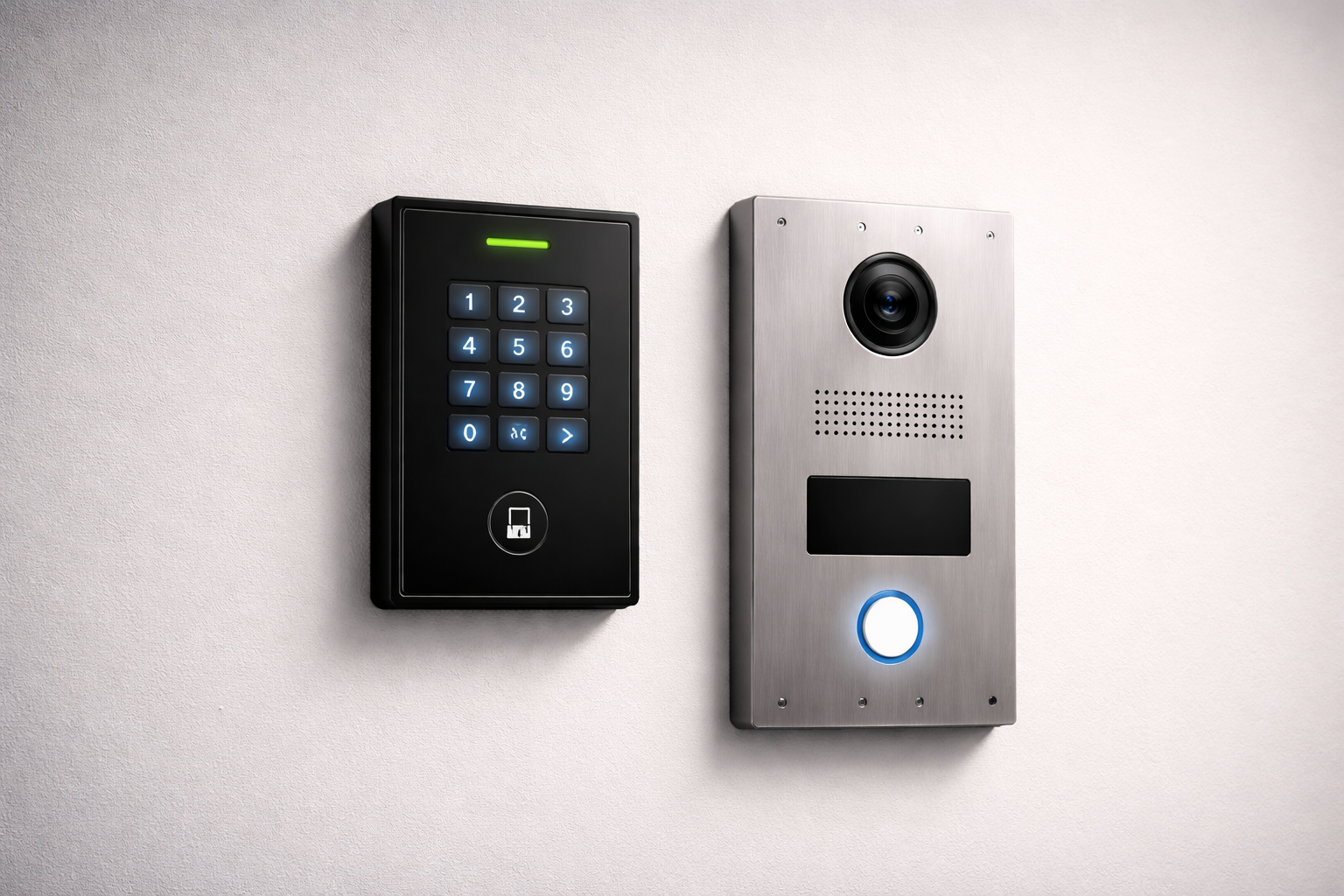
Smart Intercoms Support Better Entry Decisions

Smart intercom systems are another important part of integrated physical security.

At many facilities, the first security decision happens before a person enters the building. Staff need to see, speak with, and verify the person requesting access.

A smart intercom can support that process by allowing communication at entrances, gates, vestibules, loading areas, or secondary doors.

But the intercom should not work alone.

It becomes more valuable when it supports a larger workflow involving video verification, access control, visitor registration, and audit records.

For example, a school office may use an intercom to speak with a visitor before granting access to a vestibule. From there, the visitor can be checked in through a visitor management system, issued a badge, and recorded in the system. This creates a stronger process than simply unlocking a door.

The same idea applies to healthcare facilities, commercial buildings, government sites, residential communities, and industrial properties.

Communication is important.

Verified, recorded, and controlled entry is stronger.

The Role of Reporting and Monitoring

One of the most important benefits of integration is better reporting.

Security teams need more than activity.

They need understandable activity.

Good reporting helps turn individual events into usable information. It can support:

  • Incident review
  • Compliance documentation
  • Internal investigations
  • Visitor audits
  • Access pattern analysis
  • Credential management
  • Staffing and operational decisions
  • Maintenance planning
  • Multi-site visibility

A report can show more than whether a door opened. It can help reveal unusual activity, repeated access attempts, after-hours movement, door usage patterns, visitor trends, or areas that may need a stronger security process.

This is why reporting should be discussed early in a security project.

The question is not only “What hardware do we need?”

The better question is “What information will we need later?”

Security Systems Must Be Designed for Change

Facilities rarely stay the same.

Teams expand.
Tenants move.
Secure zones shift.
Doors are added.
Budgets change.
Compliance expectations grow.
New integrations become necessary.
Technology standards evolve.

A rigid system can turn every change into a larger project than it needs to be.

A scalable, modular, integrated security system helps organizations adapt over time. This is especially important for multi-building environments, schools, healthcare facilities, manufacturing sites, commercial properties, government facilities, and organizations planning phased upgrades.

The strongest physical security systems are not only built for current needs.

They are designed to support future needs.

Why Integration Also Requires Better Security Practices

Integration creates value, but it also creates responsibility.

When access control, video, visitor management, intercoms, mobile credentials, and reporting tools are connected, more information moves through the security environment.

That information may include names, credentials, visitor records, access activity, camera footage, entry permissions, and system events.

Organizations should consider:

  • Who can manage users and permissions?
  • How are credentials issued and removed?
  • Are inactive users reviewed?
  • Are visitor records protected?
  • Are access logs reviewed?
  • Are devices and software maintained?
  • Are firmware and system updates planned?
  • Are reports available to the right people only?
  • Are integrations documented and supported?

Physical security is now closely connected to data security, privacy, and operational resilience.

That means maintenance, support, permissions, and review processes matter just as much as the devices themselves.

Building a Better Physical Security Strategy

A strong physical security strategy should begin with practical questions.

Who needs access?
Where do they need access?
When should access be allowed?
How are visitors verified?
Where is video needed for context?
Which doors need stronger control?
What activity should trigger alerts?
How will events be reviewed?
How will the system scale?
Who will support it after installation?

Answering these questions helps organizations avoid disconnected technology and build systems around real workflows.

The best systems do not simply add hardware.

They create clearer decisions.

PMT Security’s Product Ecosystem

PMT Security supports integrated physical security solutions across access control, video surveillance, visitor management, smart intercom systems, live guard video monitoring, cloud-managed networking, and related security infrastructure.

Products and partner solutions such as OMNIA access control, Cathexis video management, EVTrack visitor management, Akuvox smart intercoms, mobile credential options, biometric integrations, and remote support services can work together to help organizations improve visibility, control, reporting, and response.

For integrators and facility teams, this connected approach helps reduce gaps between systems and creates a more practical foundation for long-term security planning.

Security Is Stronger When Systems Work Together

Physical security is no longer just about installing devices.

It is about connecting decisions.

A door event needs context.
A camera needs purpose.
A visitor record needs accountability.
An intercom call needs a process.
A report needs useful data.
A security system needs support after installation.

Integrated physical security systems help organizations move from isolated activity to clearer visibility and stronger control.

That is the future of physical security: not more disconnected tools, but better-connected systems designed around people, places, events, and response.

Integrated Security Systems: Why Connected Security Is Replacing Standalone Devices

Share:

  • Share on Twitter Share on Twitter
  • Share on Facebook Share on Facebook
  • Share on LinkedIn Share on LinkedIn
  • Share via Email Share via Email

Frequently Asked Questions (FAQs)

What is an integrated physical security system?

An integrated physical security system connects technologies such as access control, video surveillance, visitor management, intercoms, credentials, alarms, and reporting tools so they work together as one security environment.

Why is access control important for physical security?

Access control helps organizations manage who can enter a building or restricted area, when they can enter, and what activity is recorded for later review. It supports safety, accountability, reporting, and investigations.

How does video surveillance support access control?

Video surveillance provides visual context for access events. When connected with access control, security teams can review door activity, denied access attempts, forced door events, visitor entries, and other incidents more efficiently.

Why is visitor management part of physical security?

Visitor management helps organizations verify, record, track, and manage guests, contractors, vendors, and temporary users. It improves accountability by creating a more structured entry process than a paper sign-in sheet.

What should organizations consider when upgrading a physical security system?

Organizations should consider scalability, reporting, integrations, credential management, visitor workflows, video coverage, intercom needs, system maintenance, cybersecurity, and long-term support.

  • Page 1
  • Page 2
  • Page 3
  • Go to Next Page »
  • Facebook
  • LinkedIn
  • Twitter

PMT Security

Copyright © 2026 PMT Security, Inc. | All Rights Reserved

  • Privacy Policy
  • Terms of Use
  • Cookie Policy
  • Accessibility
  • Contact Us