
The Network Is Part of the Security System
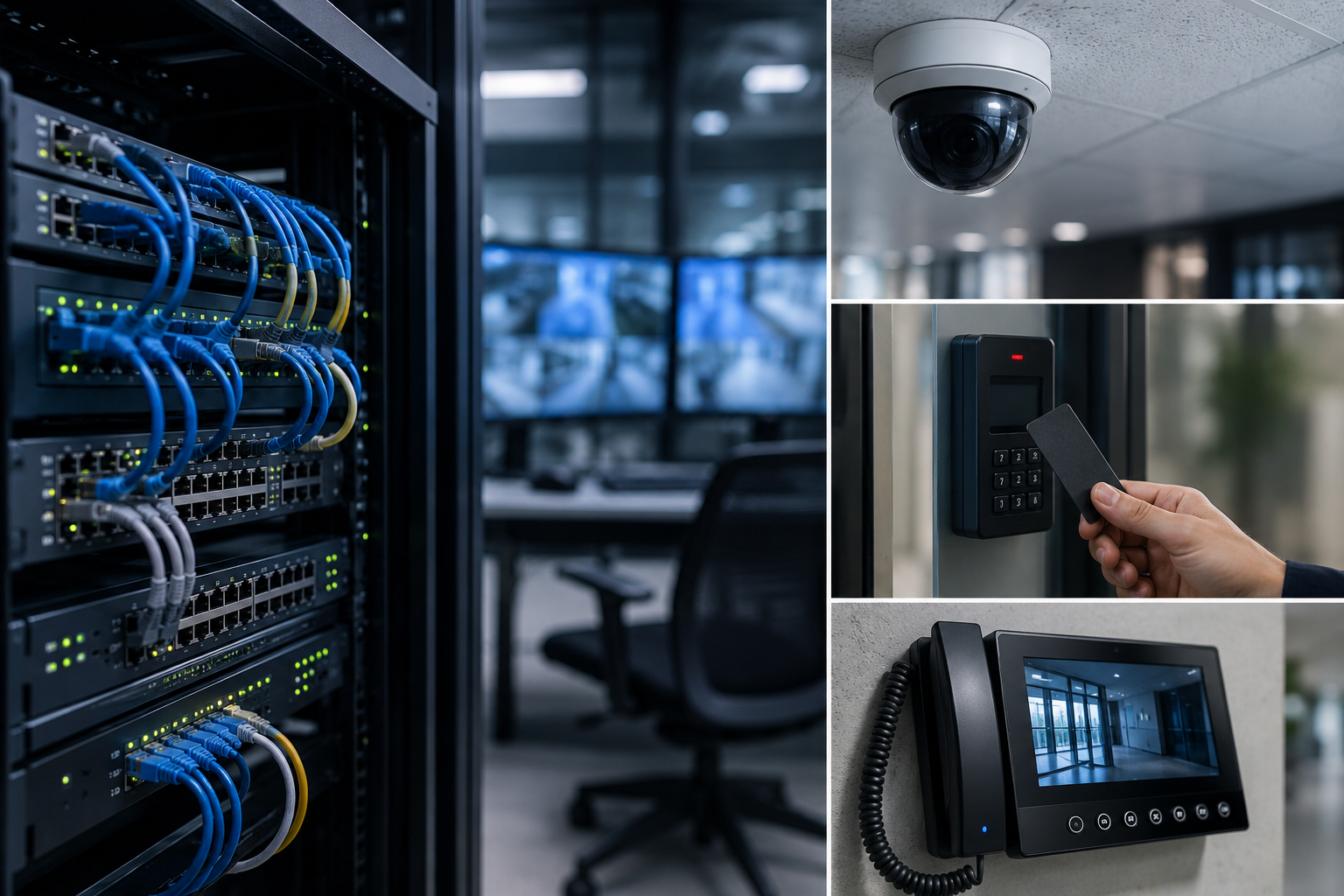
For many years, physical security was discussed in terms of visible devices.
Cameras.
Card readers.
Door controllers.
Intercoms.
Servers.
Workstations.
Credentials.
These components still matter, but they are no longer the full picture.
Modern physical security systems are connected systems. A door event may need to trigger video. A visitor record may need to connect with access permissions. An intercom call may need to support a verified entry decision. A remote support team may need visibility into system health before a problem affects daily operations.
That means the network is not just an IT concern.
The network is part of the security system.
Connected Security Depends on Connected Infrastructure
A modern facility may rely on several security technologies working together:
- Access control for doors, gates, elevators, and restricted areas
- Video surveillance and video management systems
- Visitor management platforms
- Smart intercom and entry communication
- Mobile credentials and biometric integrations
- License plate recognition
- Remote monitoring and technical support tools
- Reporting, alerts, and event investigation workflows
Each system may have its own purpose, but the value increases when the systems can share information.
For example, an access control event becomes more useful when it can be connected to video. A forced-door alert is stronger when the operator can quickly review what happened. A visitor entry process is more complete when identity, permission, and location are handled consistently.
This is the idea behind connected security.
However, connected security cannot work well on weak infrastructure. If the network is unreliable, overloaded, poorly segmented, or difficult to manage, the entire security environment can become harder to support.
Why the Network Matters in Physical Security
The network affects how security devices communicate, how fast events are processed, how video is transmitted, and how reliably systems stay online.
In practical terms, the network can influence:
- Camera uptime
- Video quality and streaming performance
- Access control communication
- Door controller connectivity
- Intercom call reliability
- Remote troubleshooting
- System updates and maintenance
- Multi-site visibility
- Event reporting
- Operator response time
A camera may be installed correctly, but if the network connection is unstable, the video may be difficult to use. A door controller may be properly configured, but if communication is inconsistent, support teams may spend time chasing avoidable issues. A multi-site organization may have strong security policies, but without clear network visibility, it may be harder to maintain consistency across locations.
The security system is only as dependable as the infrastructure supporting it.
Security Devices Are Network Devices
Many modern security devices are also network endpoints.
IP cameras, access control panels, intercom stations, workstations, servers, wireless bridges, and cloud-managed devices all communicate across a network. That makes them part of the broader technology environment.
This does not mean every security conversation needs to become overly technical. It does mean that physical security planning should include network planning from the beginning.
Important questions include:
- Which devices need to communicate with each other?
- Which systems should be separated from general business traffic?
- How will cameras, access panels, intercoms, and servers be managed?
- What happens if internet connectivity is interrupted?
- Are remote access methods secure and controlled?
- Can support teams see device health and network issues clearly?
- Are ports, credentials, and permissions being managed properly?
- Is the system designed for future growth?
These questions help reduce gaps between physical security, IT, operations, and service teams.
Avoiding Unnecessary Complexity
A connected security system does not need to be complicated, but it does need to be intentional.
One common challenge is unnecessary network complexity. Security systems can become harder to support when devices are spread across poorly documented networks, routed through unclear paths, or dependent on risky shortcuts.
Where possible, security infrastructure should be designed with clean communication paths, clear documentation, and practical support in mind.
This may include:
- Keeping related security components on the appropriate local network
- Using VLANs where separation is needed
- Avoiding unnecessary public exposure of devices
- Limiting open ports
- Using secure remote access methods
- Documenting IP addresses, device roles, and system dependencies
- Planning bandwidth for video
- Designing with future devices and sites in mind
The goal is not to over-engineer the system. The goal is to make the system more reliable, more manageable, and easier to secure.
Video Surveillance Needs Network Planning
Video surveillance is one of the most network-dependent areas of physical security.
Modern video systems may include IP cameras, network video recorders, VMS servers, analytics, mobile access, remote viewing, and integration with other systems. Video traffic can place a significant load on network infrastructure, especially across larger sites or multi-camera environments.
A video management platform such as Cathexis VMS is designed to help organizations manage video, analytics, events, and investigations more effectively. But the network still plays an important role in how well cameras communicate, how video is recorded, and how quickly operators can access footage.
Good network planning can help support:
- Stable camera connections
- Better recording reliability
- Faster search and review
- Stronger event verification
- More practical remote access
- Better long-term scalability
When video is part of a connected security strategy, network design becomes part of video performance.
Access Control Also Depends on Connectivity
Access control may appear simple from the outside. A person presents a credential, and a door unlocks.
Behind that moment is a larger system of controllers, readers, credentials, schedules, permissions, databases, events, reports, and sometimes integrations with video, intercoms, visitor systems, or biometric devices.
OMNIA access control supports many of these modern security needs, including door control, user permissions, reporting, integrations, and event-driven workflows. A strong access control system also benefits from a dependable network design, especially where multiple doors, buildings, or sites are involved.
Reliable connectivity helps support:
- Accurate event reporting
- Faster system administration
- Consistent credential updates
- Integration with video or visitor systems
- Better troubleshooting
- Stronger long-term system management
For organizations with many doors, many users, or multiple facilities, the access control network is not a background detail. It is part of how the system performs.
Intercoms and Visitor Management Need the Same Attention
Entry decisions often involve more than unlocking a door.
Smart intercoms, visitor management platforms, video verification, and access control may all work together to support a safer entry process. A front entrance, delivery door, school office, healthcare reception area, or multi-tenant entry point may depend on several connected technologies at once.
If those systems are not communicating reliably, the experience can become frustrating for staff and visitors. More importantly, gaps in communication can affect safety, accountability, and response.
A connected entry process works best when the supporting network is planned, monitored, and maintained.
Where Lysora Fits Into Connected Security
As security systems become more connected, the infrastructure behind them becomes more important.
PMT Security’s partnership with Lysora supports this part of the conversation. Lysora cloud-managed networking products are designed to help simplify deployment, improve network visibility, and support connected environments such as CCTV, access control, business networks, and multi-site systems.
For security teams, integrators, and facility operators, this matters because network issues can often look like security system issues.
A camera offline alert may be a network issue.
An intercom problem may be a connectivity issue.
A remote access challenge may be a configuration issue.
A multi-site support delay may be a visibility issue.
Cloud-managed networking can help make these issues easier to identify, manage, and resolve.
This does not replace the need for good security design. It strengthens the foundation that connected security depends on.
Better Networks Support Better Service
Security systems are not static. They need updates, maintenance, troubleshooting, user changes, device replacements, and ongoing support.
A well-planned network can make service easier by helping teams understand what is connected, where devices are located, and whether problems are caused by hardware, configuration, power, bandwidth, or connectivity.
This is especially important for organizations with:
- Multiple buildings
- Multiple locations
- Large camera counts
- Remote gates or exterior devices
- High-traffic entrances
- Critical access-controlled areas
- Limited on-site technical staff
- Long-term growth plans
The more connected the system becomes, the more valuable visibility becomes.
Security That Connects Must Also Be Security That Communicates
The phrase Security That Connects is about more than linking products together.
It is about building a security environment where systems communicate in useful ways.
Access control should connect to events.
Video should connect to context.
Intercoms should connect to entry decisions.
Visitor management should connect to accountability.
Networks should connect the entire system reliably.
When those connections are planned properly, organizations gain more than technology. They gain better awareness, better response, and better long-term control.
A Practical Network Checklist for Security Planning
When planning or reviewing a connected security system, consider the following:
- Are security devices properly documented?
- Are cameras, access control devices, intercoms, and servers on appropriate network segments?
- Are unnecessary public IP addresses, port forwards, or exposed services avoided?
- Is bandwidth planned for video traffic?
- Are remote access methods secure and controlled?
- Are firmware and software updates part of the maintenance plan?
- Can support teams identify offline devices quickly?
- Are multi-site systems managed consistently?
- Are network switches, wireless bridges, and access points suitable for the security environment?
- Is the network designed for future expansion?
These questions can help organizations identify weak points before they become service issues, downtime, or security gaps.
Physical security is no longer just about devices.
It is about how those devices work together.
A camera is stronger when it connects to an event.
An access control system is stronger when it connects to reporting.
An intercom is stronger when it connects to verified entry.
A visitor process is stronger when it connects to accountability.
A security system is stronger when the network behind it is reliable, visible, and well designed.
The network is not separate from the security system.
It is part of the security system.
And for organizations building toward a more connected future, that is where stronger security begins.
Share:
Frequently Asked Questions (FAQs)
The network allows cameras, access control panels, intercoms, visitor systems, servers, and remote tools to communicate. If the network is unreliable or poorly designed, security systems may experience downtime, delays, or support challenges.
Many modern security cameras are IP-based devices, which means they communicate across a network. They should be planned, secured, and maintained like other connected technology assets.
Access control systems rely on communication between controllers, readers, servers, software, and sometimes integrated systems. Strong network design helps support event reporting, credential updates, remote administration, and system reliability.
Cloud-managed networking allows authorized teams to monitor, configure, and troubleshoot network infrastructure from a centralized platform. This can help improve visibility and support for connected security environments.