
Why Door Events Need Video Context
Access control systems create valuable information every day.
A card is presented.
A door is unlocked.
An employee enters a restricted area.
A visitor is denied access.
A door is held open too long.
A forced-door alarm is triggered after hours.
These are all important door events. They help organizations understand how people move through a building, when access was attempted, and whether security rules are being followed.
But a door event by itself only tells part of the story.
It may tell you that a credential was used, but not who was standing at the door. It may show that access was granted, but not whether someone followed behind. It may report that a door was forced open, but not whether it was an emergency, a mistake, a delivery issue, or a real security incident.
That is why door events need video context.
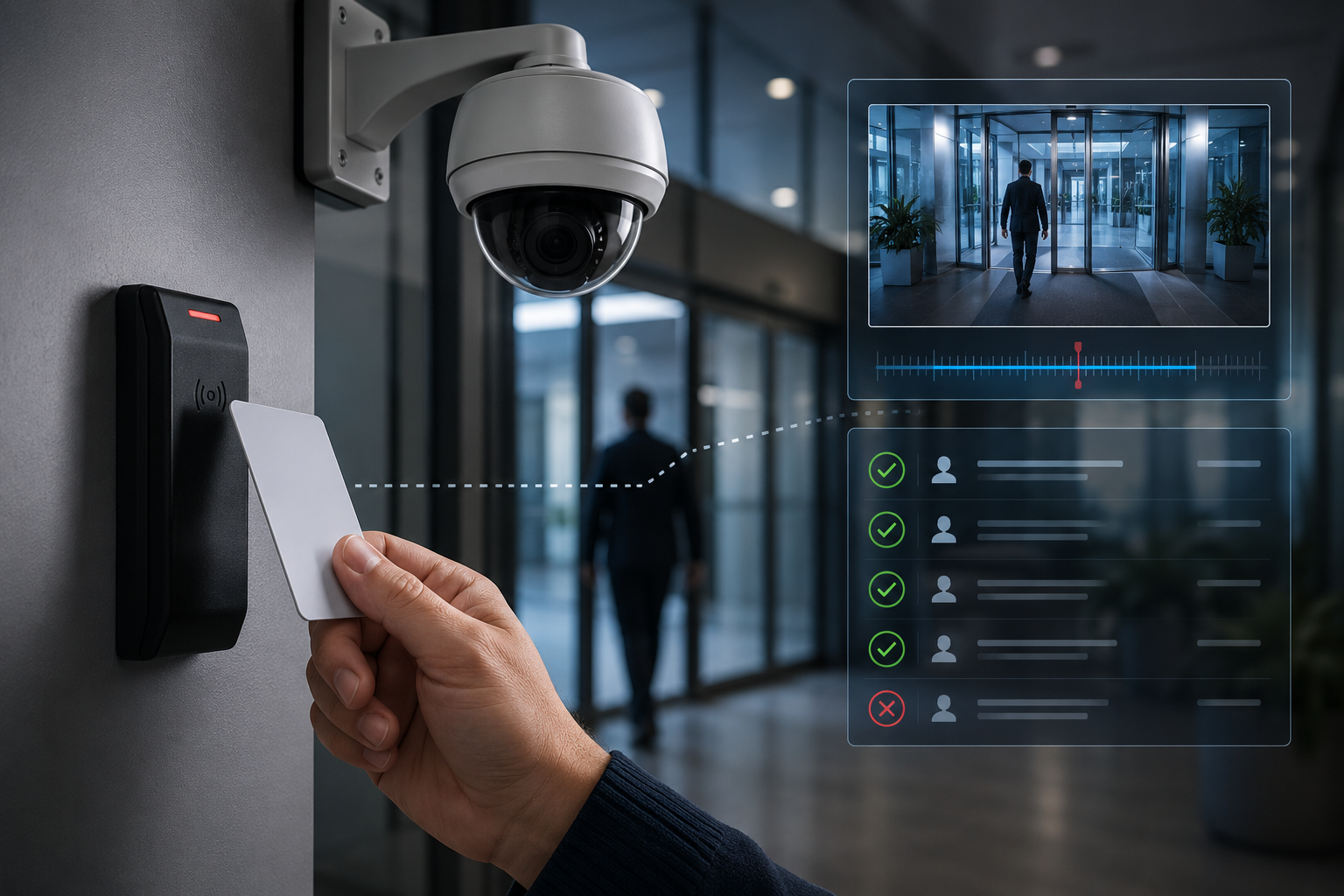
When access control and video surveillance work together, security teams can move beyond logs and alarms. They can see what happened, understand why it happened, and respond with better information.
Door Events Are Data, Not the Full Picture
Door events are structured records created by an access control system. They can include details such as:
- Credential used
- User name or cardholder record
- Door or reader location
- Time and date
- Access granted or denied
- Door forced open
- Door held open
- Request-to-exit activity
- Alarm activity
- Schedule or permission rule involved
This information is extremely useful for audits, reports, investigations, and day-to-day security management.
However, access control data does not always explain the physical reality of an event.
For example, an access log may show that an employee entered a building at 7:42 a.m. That sounds simple. But video may reveal that three other people entered behind them. The access system recorded one valid credential use, but the real-world event involved multiple individuals entering through the same opening.
That difference matters.
Security is not only about whether a door unlocked. It is about what happened at that door.
Video Helps Verify Access Activity
Video context allows security teams to verify door events visually.
This is especially important for events such as access denied, forced door, door held open, and after-hours activity. Without video, staff may need to walk to the location, call another employee, or make assumptions based on limited information.
With video, operators can quickly review the camera associated with that door and answer practical questions:
- Was the person authorized?
- Was the credential used by the correct individual?
- Did someone tailgate behind an authorized user?
- Was the door propped open?
- Was the event accidental or intentional?
- Was there a delivery, contractor, visitor, or staff member involved?
- Is immediate response required?
This improves response time and reduces uncertainty.
In many environments, the faster a team can verify an event, the better the outcome. A door alarm that turns out to be a staff member moving equipment may not require the same response as an unknown person entering a restricted area after hours.
Better Investigations Start with Better Context
When an incident happens, security teams often start with a timeline.
Who entered?
Which door was used?
What time did it happen?
Was there a denied access attempt before entry?
Did the person go anywhere else afterward?
Access control reports can help build that timeline. Video can confirm and expand it.
Together, access events and video footage can help investigators understand movement through a facility with much greater clarity. This is useful across many industries, including schools, healthcare facilities, manufacturing sites, commercial buildings, government offices, residential properties, and multi-site organizations.
For example, if a restricted storage room shows an access granted event at 10:18 p.m., the access record may identify the credential. Video can confirm whether the correct person used it, whether anyone else entered, what they were carrying, how long the door stayed open, and whether the event appears normal.
That level of context can be critical when reviewing theft, safety incidents, policy violations, unauthorized entry, or operational concerns.
Video Context Can Reduce False Alarms
Not every alarm is a security threat.
Doors can be held open during deliveries. Staff may accidentally trigger a forced-door alarm. A resident, student, visitor, or contractor may misunderstand an entry procedure. Weather, maintenance, or equipment movement may create unusual activity around a door.
When security teams only receive the alarm, they may have to treat every event with the same level of urgency until proven otherwise.
Video context helps separate routine activity from real risk.
This supports more efficient operations because staff can prioritize the events that matter most. Instead of sending someone to investigate every alert blindly, operators can review the associated video, confirm the situation, and escalate only when needed.
This does not replace human judgment. It gives staff better information so they can make stronger decisions.
Tailgating Is Easier to Spot with Video
Tailgating is one of the most common reasons door events need video context.
A valid credential may unlock the door, but access control alone may not show whether one person entered or several. In many facilities, tailgating can happen at main entrances, staff doors, parking access points, delivery areas, and restricted interior doors.
Video helps identify whether:
- Multiple people entered on one credential
- Someone held the door open for another person
- A visitor followed staff into a secured area
- A delivery person entered beyond an approved area
- A door was intentionally propped open
- Access procedures need to be improved
This is not only a security concern. It can also be a training opportunity.
If tailgating happens frequently at a specific entrance, the issue may not be individual behavior alone. The site may need better signage, improved visitor management, intercom support, additional staff awareness, or a different access control workflow.
Access Control and Video Support Accountability
Accountability is one of the strongest benefits of integrated security systems.
Access control provides the record.
Video provides the visual confirmation.
Together, they create a stronger audit trail.
This is valuable for organizations that need to manage staff access, visitor activity, vendor movement, after-hours entry, or access to sensitive areas. Examples may include medication rooms, records rooms, server rooms, mechanical spaces, inventory areas, cash rooms, laboratories, loading docks, and administrative offices.
When a question comes up, security teams do not need to rely only on memory or assumptions. They can review access activity and associated video to better understand what happened.
This can support internal reviews, compliance efforts, incident reporting, training, and operational improvement.
Why Integration Matters
Access control and video surveillance can both provide value as separate systems. But when they are disconnected, security teams often have to work harder.
A staff member may need to pull an access report from one platform, identify the exact time of an event, open a separate video system, find the correct camera, search the footage, and manually compare the two sources.
That process takes time.
An integrated approach helps connect the event to the relevant video more efficiently. When properly designed, a door event can be associated with nearby cameras, allowing operators to review footage faster and with more confidence.
This is especially important in larger facilities or multi-site environments where there may be hundreds of doors, cameras, users, and daily transactions.
Integration helps turn separate security tools into a more complete operational picture.
Common Door Events That Benefit from Video Context
Some door events are especially important to pair with video.
Access Granted
Video can confirm that the right person entered and whether anyone followed behind.
Access Denied
Video can show whether the denied attempt was accidental, suspicious, or related to an expired credential, wrong door, or unauthorized user.
Door Held Open
Video can help determine whether the door was propped open, blocked by equipment, held for a group, or left unsecured.
Forced Door
Video can confirm whether the event was a security breach, emergency exit, maintenance activity, or equipment issue.
After-Hours Entry
Video provides visibility into who entered, why they were there, and whether the activity appeared appropriate.
Visitor or Contractor Access
Video can help verify whether visitors, vendors, and contractors followed approved entry procedures and stayed within authorized areas.
Video Context Helps Different Teams
Door event video context is not only useful for security departments.
It can also support:
Facility managers who need to understand traffic patterns, door issues, and recurring operational problems.
IT teams responsible for protecting server rooms, network closets, and infrastructure spaces.
Human resources teams reviewing workplace incidents or policy concerns.
Operations teams managing deliveries, contractors, shift changes, and after-hours activity.
Healthcare and senior care teams balancing safety, staff access, resident protection, and privacy.
Schools and campuses managing exterior doors, visitor entry, staff access, and restricted areas.
The value is not just in recording events. The value is in making those events understandable.
Designing the System Properly
For door events and video context to work well together, the system must be designed thoughtfully.
Important considerations include:
- Camera placement near key doors
- Clear views of faces, doors, and approach areas
- Proper lighting at entrances and corridors
- Accurate time synchronization between systems
- Door naming that matches real facility language
- Access groups and schedules that reflect actual operations
- Clear alarm routing and response procedures
- Privacy considerations for sensitive areas
- Reliable network infrastructure
- Regular maintenance and testing
A poorly placed camera may not provide useful context. A door named vaguely in the system may slow down response. A video system with limited retention may not support investigations if footage is overwritten too quickly.
Good design matters.
Privacy and Practical Use
Video context should be used responsibly.
The goal is not to watch people unnecessarily. The goal is to support safety, accountability, and better response when security events occur.
Organizations should consider privacy expectations, internal policies, applicable regulations, signage, user permissions, and who is allowed to review footage. Sensitive areas require careful planning so that security visibility does not conflict with dignity, confidentiality, or workplace trust.
The best systems are not only technically strong. They are practical, transparent, and aligned with how the organization actually operates.
From Isolated Alerts to Useful Security Information
A door event is a signal.
Video gives that signal meaning.
When access control and video surveillance are connected, organizations can respond faster, investigate more accurately, reduce false alarms, identify tailgating, strengthen accountability, and improve day-to-day security operations.
Modern physical security is no longer about collecting more data from separate systems. It is about connecting the right information at the right time.
For many facilities, that starts at the door.
Share:
Frequently Asked Questions (FAQs)
A door event is an activity recorded by an access control system. Examples include access granted, access denied, door forced open, door held open, request-to-exit activity, and after-hours access.
Video helps security teams verify what actually happened at the door. It can show who was present, whether someone tailgated, whether the door was propped open, and whether an alarm requires immediate response.
Yes. Video context can help operators quickly determine whether an alarm was caused by normal activity, user error, maintenance, delivery activity, or a real security concern.
Schools, healthcare facilities, senior care communities, manufacturing sites, offices, government buildings, residential properties, warehouses, and multi-site organizations can all benefit from connecting door events with video.
No. Integration supports security staff by giving them better information. It helps operators verify events faster and make more informed decisions.