• Skip to primary navigation
  • Skip to main content
PMT Security Logo

PMT Security

Advanced Access Control

  • Home
  • About Us
    • Security and Trust
    • Our Partners
    • Our Integrators
  • Solutions
    • Education
    • Retirement & Healthcare
    • Manufacturing
    • Government Facilities
    • Residential
    • Retail Businesses
    • Campgrounds & Outdoor Resorts
  • Products
    • Access Control
      • Control Features
      • Reporting & Monitoring
      • Control Module
      • Digital IO Module
      • Reader Module
      • Readers
    • Video Management
    • Visitor Management
    • Intercom
    • Live Guard Video Monitoring
    • Housings & Pedestals
  • Support
    • Knowledgebase
    • Download Center
    • License Request
    • RMA Request Form
  • Blog
  • Contact Us

Security by Industry

Using Akuvox Smart Intercom in K–12 Schools: Practical Entry Control Without Overcomplicating the Campus

Using Akuvox Smart Intercom in K–12 Schools: Practical Entry Control Without Overcomplicating the Campus

K–12 school security cannot rely on a single device at the front entrance. Schools have constant movement throughout the day: students arriving, staff using side doors, parents checking in, vendors making deliveries, after-hours programs accessing specific areas, and emergency responders needing reliable entry when every second matters.

This is why intercom technology is most effective when it is part of a broader, layered security strategy. The Partner Alliance for Safer Schools’ 2025 guidance emphasizes a layered and tiered approach to school safety, covering districtwide planning, digital infrastructure, campus perimeters, building perimeters, and interior spaces. It also reinforces the importance of coordinated visitor entry procedures, access control, communications, video surveillance, detection, alarms, and response protocols.

PMT Security’s education solutions follow this same integrated model. For schools and educational institutions across Canada and the United States, PMT supports connected systems that may include access control, video surveillance, visitor management, smart intercoms, lockdown functionality, staff-only area restrictions, visitor screening, secondary-entry video verification, and centralized monitoring.

Akuvox fits into this type of environment because it is more than a video doorbell. Akuvox smart intercom systems combine video communication, two-way audio, SIP-based calling, cloud management, mobile credentials, access control features, and a range of device options that can be adapted to different school buildings and entry points. With support for technologies such as AI, SIP, Android, cloud services, mobile access, IP, Wi-Fi, 2-wire retrofit, and LTE deployment options, Akuvox can help schools modernize entry communication while working within the realities of existing infrastructure.

Akuvox for Main Visitor Entrances

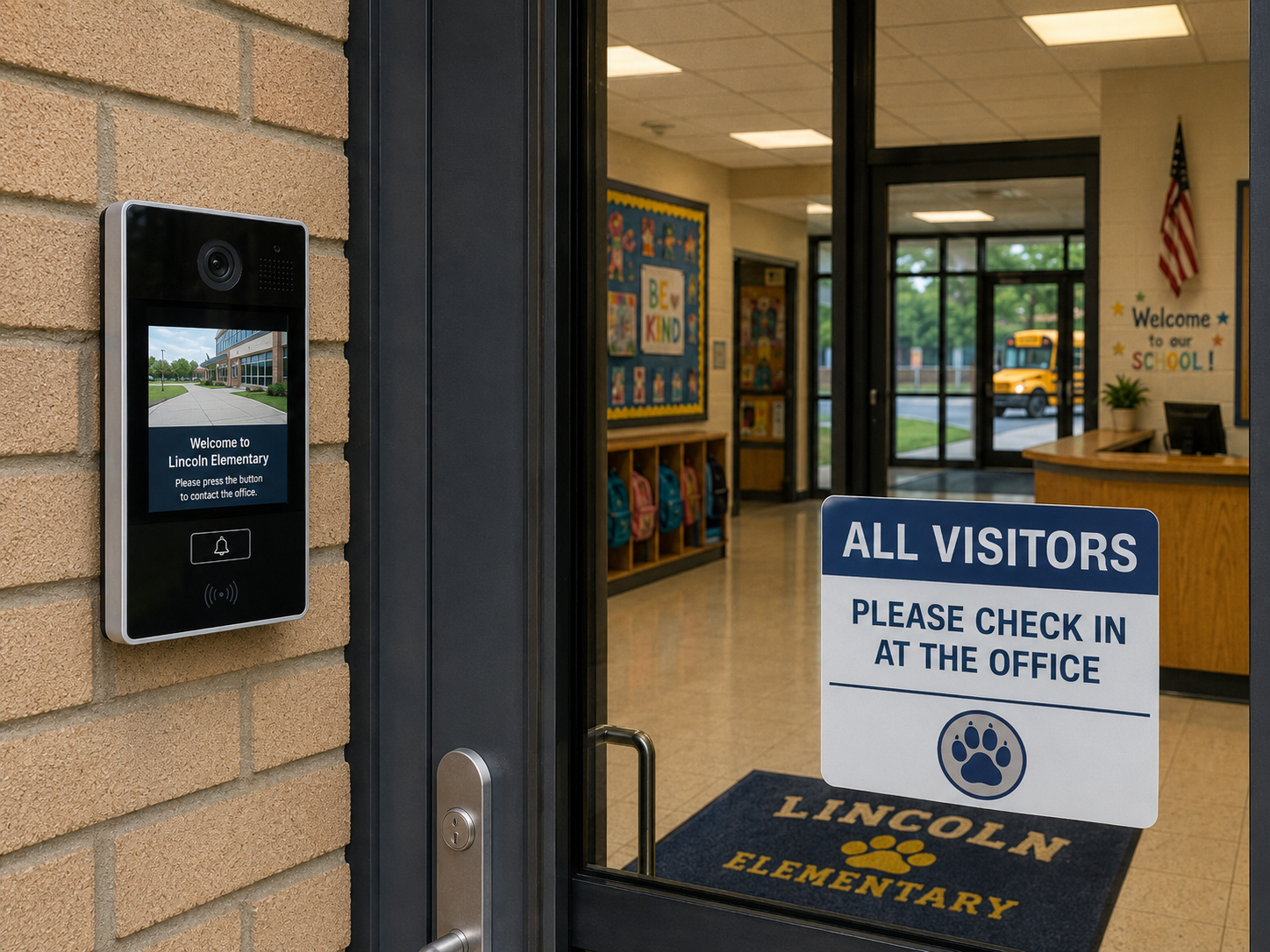
The main visitor entrance is one of the most practical places to use an Akuvox smart intercom in a K–12 school. During the school day, a locked entrance with video intercom gives office staff a way to see, speak with, and verify a visitor before access is granted.

This is especially useful in schools where the front office is not directly beside the entrance, where a secure vestibule is used, or where staff cannot leave their desk each time someone arrives. Instead of relying on an unlocked door or informal staff response, the school can create a more consistent entry process.

Akuvox door phones can support high-definition video, two-way audio, and different access methods depending on the model and system configuration. These may include mobile app access, PIN codes, cards, QR codes, NFC, facial recognition, or proximity credentials. In a school setting, these features should be applied carefully. Staff access, contractor access, and after-hours authorized access may benefit from credential-based entry, while student-facing use should always be reviewed against school board policies, privacy requirements, and age-appropriate safety practices.

Supporting Secondary School Entrances

Many schools have more than one active entrance. Staff doors, delivery doors, portable classroom access points, athletic entrances, child care areas, and maintenance doors may all be used during a regular school day. These secondary entrances can become difficult to manage because they are operationally necessary but not always easy to supervise.

Akuvox smart intercoms can help schools add video verification and controlled door release to these areas. When combined with access control rules and clear staff procedures, an intercom can reduce informal habits such as propping doors open or opening doors without knowing who is outside.

This flexibility matters because school buildings are rarely uniform. A newer front entrance, an older wing, a portable classroom area, a staff parking gate, and a service entrance may all require different hardware and network options. Akuvox offers a range of devices, including SIP video door phones, vandal-resistant door phones, LTE video door phones, facial recognition terminals, and emergency intercom devices, allowing the system design to match the location instead of forcing one device type across the entire campus.

Improving Visitor Management Workflows

A video intercom should not replace visitor management. It should support it.

One common weakness in school entry control is the gap between unlocking the door and properly checking in the visitor. Video intercom helps staff confirm who is requesting access, but schools still need a process for identifying visitors, recording visits, issuing badges, applying policies, and maintaining an audit trail.

In a practical K–12 workflow, a visitor presses the Akuvox intercom at the main entrance. Office staff visually verify the visitor and speak with them before allowing access to the vestibule or main office. From there, a visitor management system such as EVTrack can support ID capture, visitor registration, badge printing, reporting, and recordkeeping.

This creates a stronger process than simply unlocking a door from a desk phone. It helps schools connect entry communication with visitor accountability.

Remote Access for After-Hours School Use

Schools are active well beyond the regular school day. Gyms, libraries, meeting rooms, child care spaces, fields, and classrooms may be used by staff, community groups, contractors, or approved after-hours programs.

This is where remote intercom and mobile access can be helpful, but only when permissions are tightly managed.

Akuvox SmartPlus allows authorized users to see and speak with visitors, monitor entrances, open doors, and issue virtual keys from a smartphone. Akuvox access management tools can also support user records, device management, access control settings, and access logs.

In a school environment, remote access should be based on roles, schedules, and accountability. A principal, facility manager, caretaker, or board-approved administrator may need remote visibility or controlled unlock capability. That does not mean every staff member should have the same permissions. The safest approach is role-based access, time-based permissions, and reviewable event logs.

Important Design Considerations for K–12 Schools

Akuvox can support school security, but the design must reflect how schools actually operate.

First, the intercom should be connected to the broader access control strategy. Intercom events, door releases, staff credentials, visitor records, and video verification should not sit in separate silos when integration is possible. A coordinated system gives administrators and security teams better context when reviewing incidents or improving procedures.

Second, privacy must be considered from the beginning. Features such as video recording, facial recognition, mobile credentials, and access logs may be useful, but schools must align them with board policy, consent requirements, data retention rules, and local privacy expectations. In many K–12 environments, the most appropriate starting point is visitor verification, staff access, controlled entry, and audit logging—not unnecessary student surveillance.

Third, device placement matters. Outdoor intercoms need to be positioned for visibility, accessibility, weather exposure, glare, sound quality, and vandal resistance. Interior monitors, desk phones, or mobile response tools should be placed where staff can respond quickly without disrupting front office operations.

Fourth, staff training is essential. A video intercom is only effective if staff know how to use it properly. Procedures should define who can be admitted, when access should be denied, how deliveries are handled, how after-hours access is approved, and how intercom activity is reviewed.

How Akuvox Fits Into a PMT Security School Design

A practical school security design may include Akuvox video intercoms at the main entrance and selected secondary entrances, OMNIA access control for staff credentials and secure areas, EVTrack visitor management for check-in and reporting, and video management for visual verification and investigations.

In this type of layered system, Akuvox is not the entire security solution. It becomes the communication and verification layer at key access points.

The result is a more consistent entry process, clearer visitor handling, better support for after-hours activity, and stronger accountability. It can also reduce everyday workarounds that happen when doors are inconvenient, staff are busy, or entry points are difficult to monitor.

For K–12 schools, Akuvox is best understood as a smart intercom and entry communication layer. It is most useful at visitor entrances, staff doors, remote gates, portable classroom areas, service entrances, and after-hours access points.

When combined with access control, visitor management, video verification, privacy-aware policies, and staff training, Akuvox can help schools make entry decisions more visible, consistent, and manageable.

The goal is not to make a school feel locked down. The goal is to support safer, clearer, and more accountable access without interrupting the daily work of teaching, learning, and caring for students.e more efficiently, and maintain visibility across complex industrial operations.

Using Akuvox Smart Intercom in K–12 Schools: Practical Entry Control Without Overcomplicating the Campus

Share:

  • Share on Twitter Share on Twitter
  • Share on Facebook Share on Facebook
  • Share on LinkedIn Share on LinkedIn
  • Share via Email Share via Email

Frequently Asked Questions (FAQs)

What is Akuvox used for in K–12 schools?

Akuvox smart intercom systems can be used to help schools manage visitor entry, staff access, secondary entrances, remote gates, delivery doors, portable classroom areas, and after-hours access points. They provide video communication, two-way audio, and controlled door release so staff can verify who is requesting entry before allowing access.

Can Akuvox replace a school visitor management system?

No. Akuvox should support visitor management, not replace it. A video intercom helps school staff see and speak with visitors before granting access, while a visitor management system records the visit, captures identification, issues badges, applies policies, and maintains an audit trail.

Where should Akuvox intercoms be installed in a school?

Akuvox intercoms are most useful at the main visitor entrance, staff entrances, delivery doors, portable classroom areas, service entrances, parking gates, and other access points that are difficult to supervise. Device placement should consider visibility, weather, glare, accessibility, sound quality, vandal resistance, and staff response time.

Is Akuvox useful for after-hours school access?

Yes. Akuvox can support after-hours access for authorized staff, caretakers, contractors, community groups, or approved programs. Remote access should be configured with role-based permissions, time-based schedules, and reviewable logs so that access remains controlled and accountable.

Can Akuvox work in older school buildings?

Yes. Akuvox offers different deployment options that may help in retrofit environments, including IP, Wi-Fi, 2-wire retrofit, and LTE options depending on the device and site conditions. This can be useful for older schools, detached entrances, gates, portables, or areas where running new cabling is difficult.

Does Akuvox support access credentials?

Depending on the model and configuration, Akuvox devices may support access methods such as PIN codes, proximity cards, NFC, QR codes, mobile app access, facial recognition, or other credential options. In schools, these features should be configured carefully and aligned with board policy, privacy requirements, and appropriate user groups.

Is facial recognition appropriate for schools?

Facial recognition may be available on some Akuvox devices, but schools should evaluate its use carefully. Any use of facial recognition should be reviewed against school board policy, consent requirements, privacy legislation, data retention practices, and age-appropriate safety standards. In many K–12 environments, visitor verification, staff access control, and audit logging may be more appropriate starting points.

How does Akuvox fit into a layered school security system?

Akuvox acts as the entry communication and verification layer. It works best when paired with access control, visitor management, video surveillance, lockdown procedures, staff training, and clear entry policies. This helps schools make access decisions more consistent, visible, and accountable.

Can Akuvox help reduce unauthorized entry?

Akuvox can help reduce unauthorized entry when used as part of a complete access strategy. Video intercom, controlled door release, credential-based access, access logs, and staff procedures can reduce informal practices such as propping doors open or opening doors without confirming who is outside.

What is the main benefit of Akuvox in a school environment?

The main benefit is a more controlled and consistent entry process. Akuvox helps staff verify visitors, manage secondary entrances, support after-hours access, and maintain better visibility at key access points without disrupting the daily operations of teaching, learning, and student care.

Contact Us

PMT Security Inc. is here to help, contact us directly by phone,

USA +1 727-786-1900
CAD +1 647-999-4644

Monday-Friday, 8am-5pm Eastern

Knowledge Database
Technical Support
Download Center

Manufacturing Security Systems: Integrating Video, Access Control, and Infrastructure for Safer Operations

Manufacturing Security Systems: Integrating Video, Access Control, and Infrastructure for Safer Operations

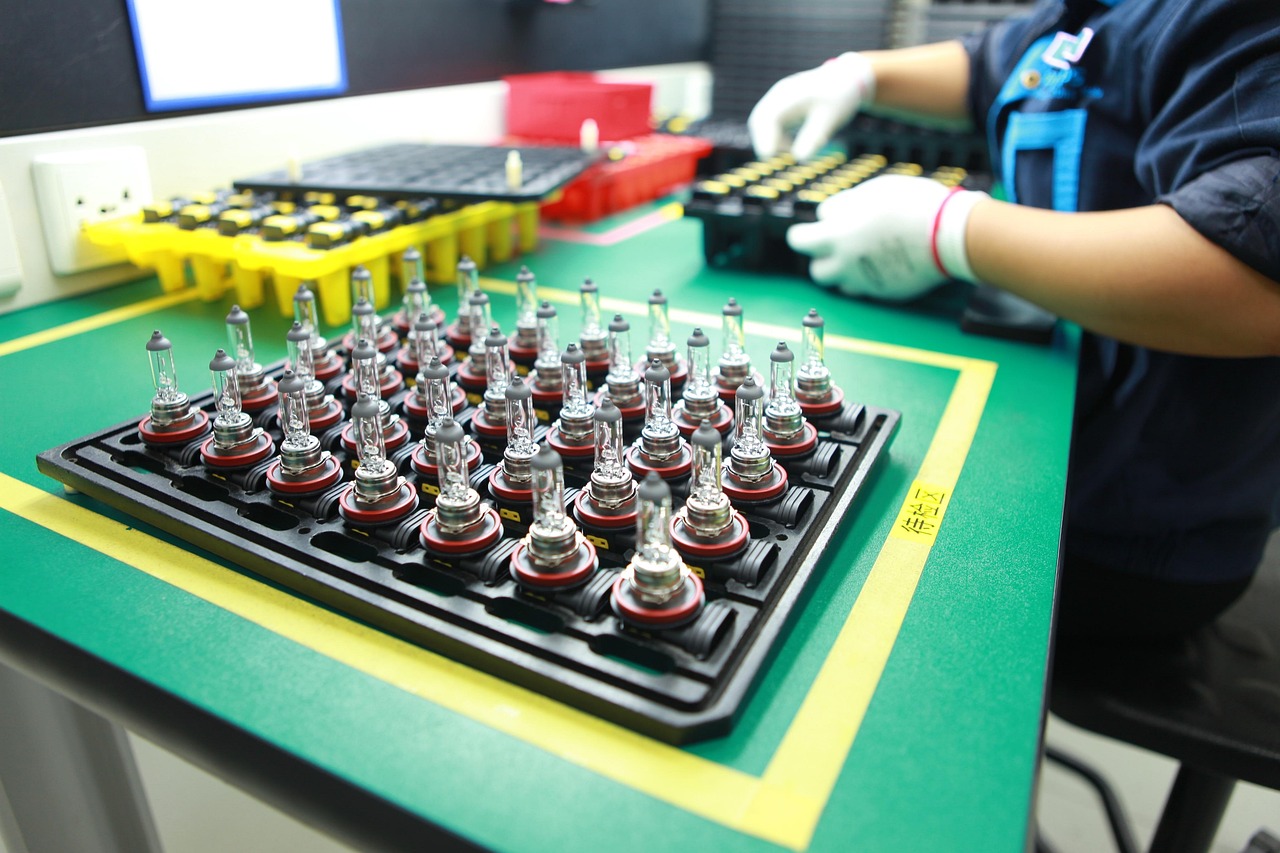
Modern manufacturing facilities are complex environments where safety, operational continuity, and accountability intersect every day. Production floors, loading docks, warehouses, maintenance areas, and restricted zones all generate constant activity that must be monitored, managed, and documented without slowing operations.

Security in manufacturing is no longer limited to perimeter fencing and a few cameras at entrances. Today’s facilities require integrated systems that support operational awareness, employee safety, incident investigation, compliance, and infrastructure protection across multiple buildings and sites.

At PMT Security, manufacturing environments often require a combination of intelligent video management, integrated access control, intercom communication, environmental monitoring, and durable physical infrastructure designed to withstand industrial conditions.

Why Manufacturing Facilities Face Unique Security Challenges

Manufacturing operations present security demands that differ significantly from traditional commercial offices.

Facilities often include:

  • Multiple buildings or large campuses
  • Hazardous or regulated production areas
  • High-value inventory and equipment
  • Heavy vehicle traffic
  • Shift-based workforce movement
  • Contractor and visitor access requirements
  • Environmental and safety compliance obligations
  • Remote or unmanned operational zones

In many environments, operational downtime can be more costly than physical theft. A single unauthorized access event, equipment failure, or delayed response can impact production schedules, worker safety, and supply chain continuity.

Because of this, manufacturing security systems increasingly serve both security and operational functions.

Video Management in Manufacturing Environments

Modern video management platforms do more than record footage. Manufacturing environments benefit from systems that help operators identify incidents quickly, monitor workflows, and correlate events across multiple systems.

Platforms such as Cathexis are designed to support manufacturing operations through centralized monitoring, AI-powered analytics, and integrated event management. Manufacturing facilities using Cathexis benefit from features such as centralized alarm management, failover protection, environmental integrations, object classification, intrusion detection, and multi-site management.

In manufacturing facilities, video systems are commonly used for:

  • Monitoring production lines
  • Investigating workplace incidents
  • Managing vehicle and loading dock activity
  • Detecting perimeter breaches
  • Supporting health and safety reviews
  • Monitoring remote infrastructure
  • Verifying alarm events
  • Tracking workflow disruptions

The ability to correlate video with other operational systems significantly improves situational awareness.

AI Video Analytics for Operational Awareness

Manufacturing facilities generate large volumes of video data. AI-powered analytics help reduce operator overload by identifying meaningful events automatically.

Cathexis offers manufacturing industries analytic capabilities including workflow analysis, occupancy monitoring, abandoned object detection, object classification, and perimeter monitoring.

These analytics can assist facilities by:

  • Detecting unauthorized movement into restricted zones
  • Monitoring forklift and vehicle activity
  • Identifying loitering near sensitive equipment
  • Detecting abandoned objects
  • Supporting workflow analysis
  • Triggering automated alerts for safety or security incidents

Rather than requiring operators to continuously monitor video walls, analytics help direct attention toward actionable events in real time.

Integrating Access Control with Manufacturing Operations

Video systems become significantly more effective when integrated with access control platforms.

Manufacturing facilities often require layered access permissions based on:

  • Production areas
  • Maintenance zones
  • Hazardous materials storage
  • Server and IT rooms
  • Shipping and receiving areas
  • Time-based schedules
  • Contractor access limitations

OMNIA Access Control supports manufacturing environments through scalable architecture, customizable access policies, and integration with other operational systems.

Manufacturing organizations often require:

  • Multi-site credential management
  • Anti-passback and zoning
  • Time-based access schedules
  • Integration with intercoms and video systems
  • Event-triggered actions
  • Mobile credentials and biometric authentication
  • Centralized reporting and audit trails

When integrated with video management, access events can automatically trigger camera recordings, operator alerts, and investigation workflows.

For example:

  • A forced-door alarm can instantly display nearby cameras
  • Unauthorized entry attempts can trigger video bookmarks
  • Vehicle gate access can be associated with license plate recognition events
  • Operators can review synchronized access and video records during investigations

This integrated approach improves both response times and accountability.

Manufacturing Perimeter and Vehicle Security

Manufacturing facilities often have extensive outdoor infrastructure, including:

  • Shipping yards
  • Parking lots
  • Storage compounds
  • Fuel or utility areas
  • Remote perimeter fencing
  • Truck entrances and loading zones

Perimeter protection in these environments requires more than traditional surveillance.

Cathexis offers integration with thermal cameras, perimeter analytics, intrusion systems, and electronic fence monitoring technologies.

License Plate Recognition (LPR) technologies can also support manufacturing operations by:

  • Automating gate access
  • Logging fleet movement
  • Managing contractor vehicles
  • Supporting incident investigations
  • Monitoring vehicle speed within industrial sites

Manufacturing environments frequently operate around the clock, making automated monitoring and real-time alerting especially valuable.

Centralized Monitoring and Multi-Site Management

Many manufacturing organizations manage multiple facilities, warehouses, or distribution centers across regions.

Cathexis features simultaneous multi-site viewing, centralized control room capabilities, alarm prioritization, adjacent camera mapping, and system health monitoring.

Centralized monitoring provides operational advantages such as:

  • Unified security oversight
  • Faster incident response
  • Standardized procedures across facilities
  • Reduced operational silos
  • Simplified investigations
  • Improved maintenance visibility
  • Better audit and compliance reporting

This becomes particularly important for organizations operating hybrid environments with both legacy and modern systems.

The Importance of Physical Security Infrastructure

Industrial environments place significant stress on physical security hardware.

Outdoor readers, intercoms, cameras, and access control devices are frequently exposed to:

  • Dust and debris
  • Moisture
  • Vibration
  • Extreme temperatures
  • Forklift traffic
  • Accidental impact
  • Corrosive environments

This is why physical infrastructure matters just as much as the software platform behind it.

Protective hardware solutions from organizations like The Housing Company help manufacturing facilities protect critical access control and security devices using industrial-grade housings, pedestals, mounting systems, and protective enclosures designed for demanding environments.

In manufacturing environments, properly protected infrastructure can help:

  • Reduce equipment damage
  • Improve system longevity
  • Minimize maintenance interruptions
  • Support environmental durability requirements
  • Maintain operational reliability in harsh conditions

Security reliability in industrial facilities often depends on both the intelligence of the software and the resilience of the physical installation.

Cybersecurity and Manufacturing Security Systems

Manufacturing organizations are increasingly targeted by cyber threats due to operational dependencies and interconnected infrastructure.

Modern physical security platforms now require cybersecurity considerations including:

  • Encrypted communications
  • User authentication controls
  • Audit logging
  • Network segmentation
  • Secure remote access
  • Role-based permissions
  • Firmware and software lifecycle management

Cathexis supports cybersecurity and privacy protections designed to support compliance and data protection objectives.

Integrated systems should be designed with both physical and digital risk management in mind.

Supporting Safety, Compliance, and Investigations

Manufacturing facilities frequently operate within strict safety and regulatory frameworks.

Integrated security systems can support:

  • Incident investigations
  • Workplace safety reviews
  • Audit documentation
  • Emergency response coordination
  • Visitor accountability
  • Environmental monitoring integration
  • Restricted area enforcement

Search and investigation tools are especially important in large facilities where operators may need to locate footage quickly across thousands of cameras and multiple sites.

Cathexis Smart Search tools, alarm management workflows, adjacent camera mapping, and rapid footage review capabilities are designed to improve investigations and operational response.

Security as Part of Manufacturing Operations

Manufacturing security systems are increasingly becoming operational systems rather than isolated security tools.

When video management, access control, analytics, intercoms, and infrastructure are integrated effectively, organizations gain:

  • Improved situational awareness
  • Faster response times
  • Better operational visibility
  • Stronger accountability
  • Enhanced worker safety
  • Reduced downtime risks
  • More efficient investigations

The goal is not simply to record incidents after they occur — it is to create environments where facilities can respond faster, operate more efficiently, and maintain visibility across complex industrial operations.

Manufacturing Security Systems: Integrating Video, Access Control, and Infrastructure for Safer Operations

Share:

  • Share on Twitter Share on Twitter
  • Share on Facebook Share on Facebook
  • Share on LinkedIn Share on LinkedIn
  • Share via Email Share via Email

Frequently Asked Questions (FAQs)

What security systems are commonly used in manufacturing facilities?

Manufacturing facilities commonly use integrated systems that include video surveillance, access control, license plate recognition, intrusion detection, intercom systems, and environmental monitoring.

Why is video analytics important in manufacturing?

Video analytics help reduce operator workload by automatically identifying unusual activity such as perimeter breaches, unauthorized access, abandoned objects, or workflow disruptions.

How does access control improve manufacturing security?

Access control helps restrict movement into sensitive areas, manage contractor access, enforce schedules, and create audit trails that improve accountability and investigations.

What is the benefit of integrating video and access control?

Integrated systems allow operators to associate video footage with access events, automate alarms, trigger recordings, and improve incident response workflows.

Why are protective housings important in industrial environments?

Industrial facilities expose hardware to dust, moisture, vibration, and accidental impact. Protective housings help extend hardware life and improve system reliability.

Can manufacturing facilities manage multiple locations centrally?

Yes. Modern video management and access control systems support centralized monitoring and management across multiple sites and facilities.

Contact Us

PMT Security Inc. is here to help, contact us directly by phone,

USA +1 727-786-1900
CAD +1 647-999-4644

Monday-Friday, 8am-5pm Eastern

Knowledge Database
Technical Support
Download Center

Law Enforcement Security Systems & Access Control Guide

Modern Law Enforcement Operations: How Integrated Security Systems Support Safer, Faster Response

Law enforcement today operates in a landscape defined by complexity. Incidents unfold across physical and digital environments simultaneously. Officers are expected to respond faster, with more context, while maintaining accountability, privacy compliance, and operational continuity.

Technology is not a replacement for policing—it is an extension of it. The right systems help officers, dispatchers, and investigators move from reactive response to informed decision-making.

This is where integrated security platforms—like PMT Security’s OMNIA access control, paired with solutions from Cathexis, Akuvox, and EVTrack—play a meaningful role.

Not as products in isolation, but as a connected operational ecosystem.

The Reality of Modern Policing Environments

Police departments and public safety agencies manage a wide range of facilities and scenarios:

  • Detachments and headquarters buildings
  • Evidence storage and controlled-access rooms
  • Holding areas and secure interview spaces
  • Municipal infrastructure and shared facilities
  • Public-facing entrances with unpredictable traffic

Each environment requires a balance between security, accessibility, and accountability.

The challenge is not just controlling access or recording video—it’s connecting events across systems in real time.

Access Control as Operational Infrastructure

At its core, access control in law enforcement is about trust and traceability.

A platform like OMNIA provides a modular architecture that supports everything from a single secure room to multi-site municipal deployments. But the real value lies deeper—in how it structures access as data.

In practice, this means:

  • Officers and staff are granted permissions based on role, shift, and assignment
  • Sensitive areas like evidence rooms or armories maintain strict audit trails
  • Temporary access can be issued and revoked dynamically
  • Events (door forced, access denied, after-hours entry) become actionable signals

From a technical standpoint, modern systems move beyond static permissions. They support:

  • Anti-passback and zone enforcement
  • Time-based routing tied to shift schedules
  • Credential flexibility (cards, mobile, biometrics, PIN)
  • Event-action mapping (e.g., unlock sequences during emergencies)

For investigators and supervisors, access logs often become part of the narrative—who was where, and when.

Video Surveillance as Investigative Context

Video systems are no longer passive recording tools. Platforms like CathexisVision transform video into searchable, contextual data.

For law enforcement, this changes how incidents are reviewed:

  • Instead of scrubbing hours of footage, investigators can search by attributes (vehicle color, direction, time window)
  • License plate recognition (LPR) links vehicle movement to timelines
  • Activity trails and heatmaps reveal patterns rather than isolated events
  • Export tools with privacy controls (such as redaction) support evidence handling requirements

In real-world use, video becomes most valuable when it is synchronized with other systems.

For example:
An access event at a secure door can automatically pull associated video footage, reducing investigation time from hours to minutes.

Managing Public Interaction at the Front Door

Police facilities are both secure environments and public service points. Managing that boundary is critical.

Solutions like Akuvox intercoms and EVTrack visitor management systems address this intersection.

From a technical and operational perspective:

  • Intercom systems provide controlled, recorded communication before granting access
  • Visitor management platforms create structured intake processes (ID verification, logging, notifications)
  • Integration with access control ensures that entry decisions are not isolated—they are logged, time-stamped, and tied to identity

This becomes especially important in scenarios involving:

  • After-hours access
  • High-traffic public service counters
  • Contractors or third-party service providers
  • Sensitive interactions requiring controlled movement within a facility

The result is a measurable, auditable flow of people, rather than unmanaged entry points.

Integration: Where Systems Become Operational Tools

The real transformation happens when these systems are not siloed.

An integrated deployment enables workflows such as:

  • A forced door event triggers a real-time alert, associated video, and audit log
  • A flagged license plate prompts review of both entry logs and camera footage
  • A visitor check-in automatically notifies staff and restricts movement to approved areas
  • Emergency scenarios initiate predefined access control states (lockdown or controlled egress)

This is not theoretical—it reflects how modern command environments are evolving.

Instead of multiple disconnected interfaces, operators gain a unified situational awareness layer.

Supporting Compliance, Accountability, and Evidence Handling

Law enforcement environments are subject to strict regulatory and procedural requirements.

Technology must support:

  • Chain of custody for evidence
  • Privacy regulations related to video and personal data
  • Auditability of access and actions
  • Secure storage and controlled export of records

Systems like OMNIA and CathexisVision contribute by:

  • Maintaining detailed, tamper-resistant logs
  • Enabling role-based access to sensitive data
  • Supporting encrypted databases and secure backups
  • Providing tools for controlled video export with redaction capabilities

This ensures that technology aligns with both operational needs and legal standards.ed situational awareness layer.a connected security ecosystem.

Designed for Real-World Conditions

Unlike controlled corporate environments, law enforcement systems must operate under less predictable conditions:

  • 24/7 uptime requirements
  • Legacy infrastructure integration
  • Multi-site deployments across municipalities
  • Network variability and field conditions

This is where modular, scalable design becomes critical.

Systems must allow for:

  • Incremental expansion without full system replacement
  • Flexible hardware deployment (wired and wireless components)
  • Interoperability with existing technologies

In practice, this reduces downtime, supports phased upgrades, and ensures continuity of operations.

Law enforcement is not becoming more technological—it is becoming more data-driven.

Access events, video footage, visitor records, and intercom interactions are no longer separate functions. They are interconnected pieces of a larger operational picture.

Platforms like OMNIA, combined with video, intercom, and visitor management solutions, help translate everyday activity into structured, usable information.

Not to replace judgment—but to support it with clarity.

Law Enforcement Security Systems & Access Control Guide

Share:

  • Share on Twitter Share on Twitter
  • Share on Facebook Share on Facebook
  • Share on LinkedIn Share on LinkedIn
  • Share via Email Share via Email

Frequently Asked Questions (FAQs)

How do access control systems support law enforcement operations?

They provide controlled, traceable entry to secure areas, maintain audit trails, and support investigations by linking personnel movement to events.

Why is video management important for police investigations?

Modern VMS platforms allow rapid search, event correlation, and evidence export, significantly reducing investigation time and improving accuracy.

What role do visitor management systems play in police facilities?

They structure and document public interactions, ensuring that all visitors are identified, logged, and restricted to appropriate areas.

How does system integration improve police response times?

Integrated systems correlate access events, video, and alerts in real time, giving operators immediate context and reducing decision-making delays.

How does system integration improve police response times?

Yes, when properly configured, they support audit trails, data protection, and controlled evidence handling aligned with legal requirements.

Contact Us

PMT Security Inc. is here to help, contact us directly by phone,

USA +1 727-786-1900
CAD +1 647-999-4644

Monday-Friday, 8am-5pm Eastern

Knowledge Database
Technical Support
Download Center

Access Control in Long-Term Care: Balancing Safety and Freedom

Access Control in Long-Term Care: Balancing Safety and Freedom

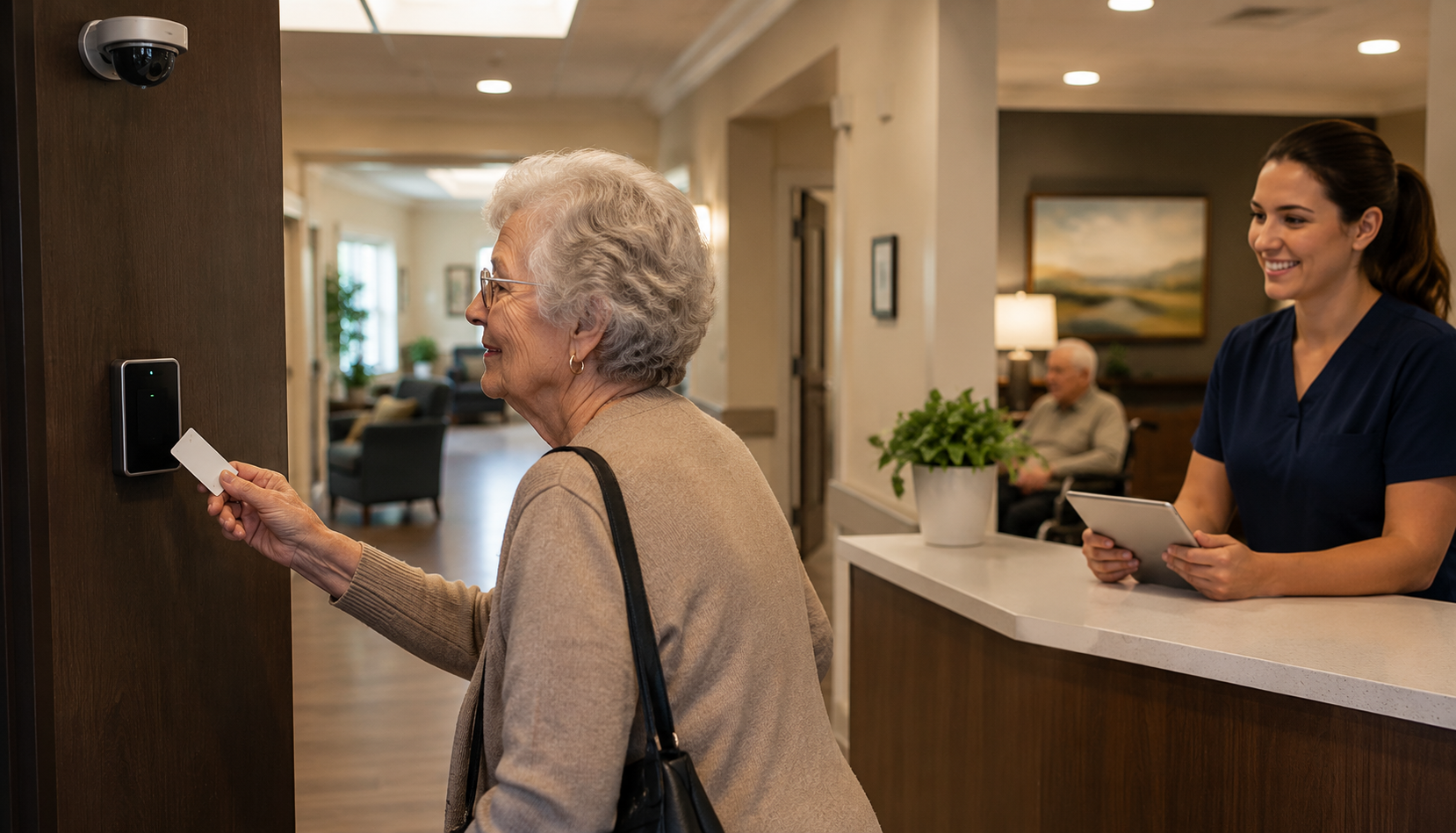
In long-term care (LTC) environments, safety is not just about keeping people out—it’s about protecting those inside without limiting their dignity, independence, and quality of life.

This creates a unique challenge:
How do you secure a facility while still allowing residents to feel at home?

Modern access control systems in long-term care are designed to strike that balance. When implemented properly, they do more than lock doors—they create controlled, flexible environments that support both safety and autonomy.

The Reality of Safety in Long-Term Care

Residents in LTC settings often include individuals with:

  • Cognitive conditions such as dementia
  • Mobility limitations
  • Increased vulnerability to accidents or wandering

At the same time, facilities must manage:

  • Multiple entry points
  • Staff access to restricted areas
  • Visitors, vendors, and deliveries
  • Emergency response situations

This is where structured access control becomes essential—not optional.

Visit our Security and Access Solutions for Long-Term Care page to learn more about how these systems fit into a complete strategy.

Controlled Doors: A Regulatory and Practical Requirement

Across Canada, long-term care homes are expected to have controlled access at entrances and exits, especially where residents may be at risk of wandering.

But “controlled” doesn’t mean “locked down.”

It means:

  • Doors can restrict access when needed
  • Staff can override instantly
  • Movement is monitored, not prevented entirely
  • Systems adapt to different times, roles, and situations

A well-designed system allows:

  • Immediate unlocking during emergencies
  • Free movement within safe zones
  • Restricted access to unsafe or sensitive areas

Secure Zones: Not All Doors Should Be Equal

One of the biggest misconceptions in LTC security is treating all doors the same.

Modern systems divide facilities into intelligent zones, such as:

  • Resident living areas
  • Medication rooms
  • Staff-only corridors
  • Mechanical or service rooms
  • Controlled exits

With solutions like OMNIA Access Control, facilities can:

  • Assign permissions based on staff roles
  • Create time-based access rules
  • Track movement with audit trails
  • Trigger automated responses (alerts, door unlocks, etc.)

This ensures staff have access where needed, residents remain protected without unnecessary restrictions, and overall risk is reduced without creating an environment that feels locked or institutional.

Supporting Resident Freedom Through Smart Design

The goal is not restriction—it’s safe independence.

Access control supports this by:

  • Allowing residents to move freely within safe areas
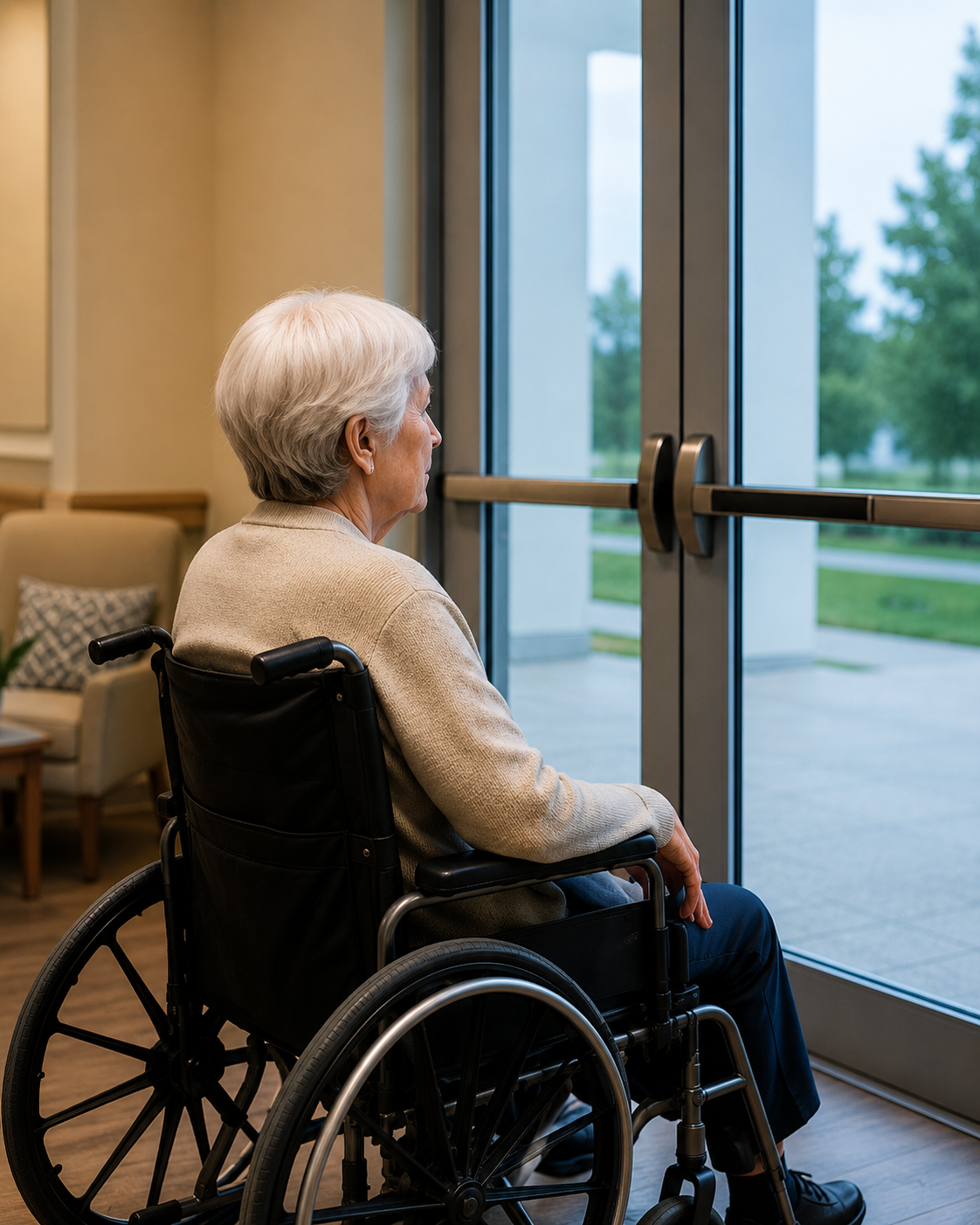
  • Preventing unsupervised exits in high-risk cases
  • Enabling staff to intervene quickly when needed

For example when a resident approaches a controlled exit, the system automatically logs the event and can trigger an alert. Staff are notified in real time, allowing them to respond immediately and manage the situation proactively rather than reactively.

When integrated with video surveillance systems like CathexisVision, staff can:

  • Respond faster with better context
  • Visually verify events immediately
  • Reduce false alarms

The Role of Intercom and Entry Systems

Front entrances in LTC facilities are critical control points.

Modern intercom solutions, such as Akuvox smart intercom systems, add another layer of intelligence:

  • Video verification of visitors
  • Mobile-based access for staff
  • Remote unlock capabilities
  • Integration with access control platforms

This allows facilities to:

  • Reduce reliance on manual supervision
  • Maintain secure perimeters
  • Improve visitor experience

Integration: Where Access Control Becomes Powerful

Individually, each system provides value.
Together, they transform operations.

An integrated LTC security environment combines:

  • Access control (OMNIA)
  • Video surveillance (CathexisVision VMS)
  • Intercom systems (Akuvox)

This enables:

  • Event-driven automation (door + video + alerts)
  • Centralized monitoring
  • Faster response times
  • Better reporting and compliance tracking

Instead of isolated systems, facilities gain a connected security ecosystem.

Applied Use

In a typical real-world scenario, a secured exit door is accessed outside normal hours. With an integrated system in place, the door event is automatically logged in OMNIA, while CathexisVision instantly displays nearby camera footage. At the same time, staff receive a real-time alert, enabling an immediate and informed response. Without this level of integration, the same situation would rely on manual monitoring, likely result in delayed response, and ultimately increase overall risk.

Staff Efficiency and Operational Impact

Access control doesn’t just improve safety—it improves workflows.

Benefits include:

  • Reduced need for manual door monitoring
  • Faster incident response
  • Clear audit trails for investigations
  • Simplified credential management

This allows staff to focus on what matters most:

  • Resident Care

Designing the Right System for Long-Term Care

Every LTC facility is different. The right solution depends on:

  • Facility size and layout
  • Resident needs and risk levels
  • Staffing structure
  • Regulatory requirements

A well-designed system should be:

  • Scalable
  • Easy to manage
  • Fully integrated
  • Built for healthcare environments

Access control in long-term care is not about simply locking doors—it’s about creating safer, smarter environments where residents can live with dignity and confidence.

By combining intelligent access control, integrated video surveillance, and modern intercom systems, facilities can achieve what matters most: strong security without sacrificing resident freedom.

Access Control in Long-Term Care: Balancing Safety and Freedom

Share:

  • Share on Twitter Share on Twitter
  • Share on Facebook Share on Facebook
  • Share on LinkedIn Share on LinkedIn
  • Share via Email Share via Email

Frequently Asked Questions (FAQs)

What is access control in long-term care?

Access control systems manage who can enter or exit specific areas within a care facility, improving safety while maintaining operational efficiency.

Why are controlled doors important in LTC homes?

They help prevent wandering, protect vulnerable residents, and ensure only authorized individuals access sensitive areas.

How does video surveillance support access control?

Video systems like CathexisVision provide visual verification of events, helping staff respond faster and more accurately.

What role do intercom systems play?

Intercoms like Akuvox allow secure visitor management, remote access, and improved communication at entry points.

How Real-World Events Are Reshaping Security in Retirement Homes

How Real-World Events Are Reshaping Security in Retirement Homes

Retirement homes and long-term care residences sit at a unique intersection of healthcare, hospitality, and community living. They’re not “locked-down” facilities—but they also can’t operate like open public buildings. Families want warmth and dignity. Staff need workflow that doesn’t feel like fighting the building all day. Residents deserve independence and protection—especially when cognitive decline, mobility challenges, or medical needs raise the stakes.

That balancing act is why physical security in retirement living looks different than security in an office tower or a school. And it’s also why recent news stories—both in Canada and the U.S.—are prompting more operators to ask a hard (but necessary) question:

Do our systems actually support safety in real life… or only on paper?

The “quiet emergencies” that shape senior living safety

When people hear “security,” they often picture dramatic incidents. But in retirement homes, the most common risks are frequently quiet:

  • A resident with dementia slips through a door that should have been secured.
  • A staff member is trying to manage an agitated visitor while also answering a nurse call.
  • A delivery person wanders into a resident wing because signage is unclear and doors are propped open.
  • A fire alarm or lockdown protocol is triggered—and nobody has confidence that doors, elevators, and communications will behave the way the policy says they should.

These moments don’t always make headlines. But when they go wrong, the outcomes can be tragic.

Wandering and elopement: the risk that doesn’t wait for a “major incident”

In late December 2025, CityNews reported renewed calls for improved safety measures in long-term care after deaths tied to seniors wandering outside in extreme weather, and highlighted how staffing, door practices, and response to alarms can be the difference between a close call and a fatal outcome.

In the U.S., a FOX 13 Investigates report described nearly 230 cases identified in Utah involving older adults—often with cognitive impairment—wandering away from assisted living centers and nursing homes. The investigation pointed repeatedly to “real-world” contributors: supervision gaps, staffing levels, and failures around controlled doors or secured units.

The takeaway for operators isn’t “add more locks.” It’s more practical than that:

If your building can’t reliably tell you when a vulnerable resident has moved into a risk zone—and help staff respond fast—your policies are doing all the heavy lifting.

Security that supports care, not the other way around

The best retirement-home security isn’t about turning a residence into a fortress. It’s about removing friction so staff can focus on residents, not door keys and workarounds.

That typically comes down to architecture—how systems work together:

  • Access control that supports flexible permissions (staff vs. visitors vs. contractors)
  • Video that provides fast verification when something seems off
  • Intercoms and communication tools that help staff respond without abandoning residents
  • Visitor routines that are friendly but structured
  • Audit trails that reduce confusion during investigations, incidents, or compliance checks

We describe this “integrated approach” in its long-term healthcare residence guidance—combining video management with access control and integrations, including real-time alerts and even emergency lockdown capabilities.

That matters in senior living because a single risk event almost never lives inside one system. A wandering incident might involve a door alarm, a delayed staff response, blind spots in corridors, and a lack of centralized visibility. A workplace violence concern might involve reception, intercom screening, and the ability to quickly pull footage and lock down a wing. consistently and predictably so staff aren’t left guessing which entry points are secured.

What “good” looks like in retirement homes

Here’s what well-designed physical security tends to prioritize in retirement living—without sacrificing the welcoming feel residents and families expect.

1) Layered entry control (not just one “main door”)

Many residences focus heavily on the front entrance and forget the side doors, courtyards, staff entrances, service corridors, and loading areas.

A layered model is more resilient:

  • Public-facing entry points stay welcoming but controlled
  • Staff-only doors stay consistent (no “we prop that one open because it’s annoying”)
  • High-risk zones (memory care, medication storage, mechanical rooms) have stricter control

This reduces dependence on perfect human behavior—because humans are busy.

2) Resident safety zones and “soft boundaries”

Not every resident needs the same level of restriction, and not every restriction needs to feel punitive.

Effective access control can support:

  • “Allowed areas” for residents who enjoy independent walks
  • Higher alert thresholds for residents with known wandering risk
  • Time-based rules (e.g., stricter after hours)

The goal is dignity with guardrails, not blanket confinement.

3) Video that’s built for response, not just recording

A camera that records is one thing. A camera system that helps staff respond is another.

In practical terms, response-focused video means:

  • Fast search and playback
  • Clear views of exits, hallways, and common areas
  • Integration with door events (so staff can see what happened when a door alarm triggers)

Our long-term care guidance calls out video monitoring with analytics and integration as part of a broader framework for safety and operations.

4) Communication that works under stress

In a real incident, people don’t calmly open a binder and follow a flowchart.

When something escalates, staff need:

  • Clear escalation paths
  • Intercom/notification tools that reach the right people quickly
  • The ability to coordinate without leaving residents unattended

This is where integration matters: doors, video, and communications should behave like one coordinated system.

Preparedness now includes “systems disruption,” not only physical incidents

There’s another shift happening that retirement homes can’t ignore: preparedness planning is increasingly about disruption, not only physical threats.

In the U.S., CMS maintains national emergency preparedness requirements intended to ensure planning for “natural and man-made disasters” and coordinated response expectations across provider types.

And in Canada, the Canadian Centre for Cyber Security released its Ransomware Threat Outlook 2025–2027 on January 28, 2026, emphasizing that ransomware continues to evolve and that organizations of all sizes are at risk—making basic “cyber hygiene” and readiness critical.

Why is this relevant to physical security in retirement homes?

Because modern physical security is software-driven:

  • Access control systems rely on servers, credentials, and networks
  • Video management relies on storage, connectivity, and user authentication
  • Intercoms and mobile apps often tie into IP infrastructure

If a system disruption takes you “offline,” your building can suddenly behave in unpredictable ways—exactly when you need stability. Emergency preparedness today includes the question:

What happens to doors, monitoring, and communications when parts of the network fail?

A resilience-minded approach plans for graceful degradation (what still works), offline procedures, and clear recovery steps.

A practical checklist for retirement home operators

If you’re reviewing your posture, here are practical, non-theoretical questions that cut through the noise:

  1. Can we quickly verify what happened when an alarm or door event triggers?
  2. Do staff have consistent routines that don’t rely on workarounds (like propped doors)?
  3. Do we know our “high risk” residents and do systems support tailored safety zones?
  4. Can we lock down targeted areas without shutting down the whole building?
  5. Is visitor entry friendly but structured—and do we keep a simple audit trail?
  6. What happens during a system disruption (network outage, server failure, cyber incident)?
  7. Can we run a drill and confidently say doors, video, and communications behave as intended?

If any of those questions make you uneasy, you’re not alone—and it doesn’t mean you’re “behind.” It means your residence is growing more complex, and complexity demands clarity.

Security upgrades don’t have to start with buying new hardware. Often, the most valuable first step is a system audit: mapping how people actually move through the building, where risk concentrates, and where systems are creating friction or blind spots.

If you’re in that stage, consider working with a partner that understands integrated security design for real operational environments—like retirement living—so solutions stay practical, not theoretical. Our resources on integrated access control and video for long-term healthcare residences can be a useful starting point, especially if you’re exploring how systems can support both care and preparedness.

How Real-World Events Are Reshaping Security in Retirement Homes

Share:

  • Share on Twitter Share on Twitter
  • Share on Facebook Share on Facebook
  • Share on LinkedIn Share on LinkedIn
  • Share via Email Share via Email
  • Page 1
  • Page 2
  • Page 3
  • Interim pages omitted …
  • Page 5
  • Go to Next Page »
  • Facebook
  • LinkedIn
  • Twitter

PMT Security

Copyright © 2026 PMT Security, Inc. | All Rights Reserved

  • Privacy Policy
  • Terms of Use
  • Cookie Policy
  • Accessibility
  • Contact Us