• Skip to primary navigation
  • Skip to main content
PMT Security Logo

PMT Security

Integrated Security & Access Control Solutions

  • Home
  • About Us
    • Security That Connects
    • Security and Trust
    • Our Partners
    • Our Integrators
  • Solutions
    • Education
    • Retirement & Healthcare
    • Manufacturing
    • Government Facilities
    • Residential
    • Retail Businesses
    • Campgrounds & Outdoor Resorts
  • Products
    • Access Control
      • Control Features
      • Reporting & Monitoring
      • Control Module
      • Digital IO Module
      • Reader Module
      • Readers
    • Cloud Networking
    • Micro-PC
    • Video Management
    • Visitor Control
    • Intercom
    • Live Guard
    • Housings & Pedestals
  • Support
    • Knowledgebase
    • Download Center
    • License Request
    • RMA Request Form
  • Blog
  • Contact Us
  • USA +1 727-786-1900
  • CAD +1 647-999-4644

Security by Industry

How GIS Mapping Helps Campgrounds Improve Security Visibility

How GIS Mapping Helps Campgrounds Improve Security Visibility

Campgrounds and outdoor resorts are not built like traditional commercial buildings. They often include wide roads, multiple entrances, cabins, RV sites, pools, washrooms, laundry buildings, storage areas, playgrounds, trails, waterfront access, maintenance yards, and large open boundaries.

That creates a unique security challenge: activity is spread across a large outdoor property.

A front desk or security office may need to understand what is happening at the main gate, a pool entrance, a visitor parking area, a remote cabin road, or a perimeter boundary — sometimes all at once. When information is buried in camera lists, alarm logs, access control screens, or separate systems, it can be difficult to respond quickly.

GIS mapping helps solve this problem by giving operators a visual way to understand the site.

Instead of thinking only in terms of camera numbers or device names, staff can view security activity on a map that reflects the real campground layout.

What Is GIS Mapping in a Security System?

GIS stands for Geographic Information System. In a security context, GIS mapping allows cameras, gates, alarms, access points, vehicles, and other resources to be placed on a map-based interface.

For a campground, this can mean seeing key security points in relation to real roads, zones, buildings, trails, gates, or amenities.

A GIS-based security view may help operators:

  • Locate cameras by area instead of by camera name
  • See where an alarm or boundary event occurred
  • Open nearby video quickly
  • Understand movement between zones
  • View gate or vehicle activity in context
  • Navigate large outdoor properties more easily
  • Support faster incident review

This is especially useful for properties where activity is spread across multiple locations and not always visible from one office or control room.

Moving Beyond Camera Lists

Traditional video systems often rely on camera lists. This can work for small buildings, but it becomes harder when the property has many outdoor areas.

Camera names such as “Camera 14” or “North Lot 2” may not mean much to seasonal staff, new employees, or anyone unfamiliar with the property. Even experienced staff may lose time deciding which camera is closest to an event.

GIS mapping makes the system more intuitive.

A staff member can look at a map, select the area where something happened, and open the relevant cameras from that location. This helps reduce operator confusion and improves response time, especially during busy periods or after-hours situations.

Common Campground Areas That Can Benefit From GIS Mapping

GIS mapping can support many areas of a campground or outdoor resort, including:

  • Main vehicle entrances
  • Secondary gates
  • Visitor parking areas
  • RV roads and internal routes
  • Cabins and rental units
  • Laundry buildings
  • Washrooms and shower facilities
  • Pools and recreation areas
  • Playgrounds
  • Clubhouses and event spaces
  • Storage buildings
  • Maintenance yards
  • Utility areas
  • Waterfront or trail access points
  • Perimeter fence lines or boundary zones

The value comes from seeing these areas as part of one connected property instead of isolated devices.

GIS Mapping and License Plate Recognition

Vehicle flow is one of the most important parts of campground security. RVs, trucks, cars, trailers, golf carts, service vehicles, and delivery vehicles may all move through the property.

When license plate recognition is used at an entry point, GIS mapping can help place that vehicle activity into a real-world context. Staff can see where the vehicle entered, which gate was used, and which nearby cameras may provide supporting footage.

This can be helpful for:

  • Guest check-in verification
  • Seasonal camper access
  • After-hours entry review
  • Contractor and vendor tracking
  • Incident investigations involving vehicles
  • Gate misuse or unauthorized entry concerns

For larger outdoor resorts, understanding where vehicle events occur can be just as important as knowing that the event happened.

GIS Mapping and Access Control

Access control can help manage gates, amenity buildings, washrooms, laundry rooms, staff-only areas, utility spaces, and maintenance buildings. When those access points are shown on a map, staff can better understand how access events relate to the physical property.

For example, if a door is forced open at a laundry building, the map can show the location, nearby cameras, and surrounding areas. If a pool gate is accessed after hours, staff can immediately identify where the event occurred and review related video.

For campgrounds using access control platforms such as OMNIA, map-based video workflows can add useful context to access events. Access control answers the question: “What happened?” GIS-supported video helps answer: “Where did it happen, and what else was nearby?”

GIS Mapping and Perimeter Awareness

Perimeter security is different in a campground environment. Boundaries may include fences, wooded edges, service roads, natural barriers, waterfront areas, or open land. Unlike a single building, there may not be one clear perimeter wall.

GIS mapping can help operators understand boundary alerts in context. If motion, analytics, or alarm inputs detect activity near a perimeter zone, the event can be connected to a specific location on the property map.

This allows staff to make better decisions about whether an event is likely to be routine activity, guest movement, wildlife, weather-related motion, or something requiring follow-up.

Because outdoor environments naturally create more variables, mapped context can help reduce confusion and support better response decisions.

GIS Mapping and Shared Amenities

Shared amenities are often among the busiest areas of a campground. Pools, clubhouses, laundry rooms, game rooms, washrooms, playgrounds, and event spaces may all have different access rules and activity patterns.

GIS mapping can help operators see how these spaces relate to guest areas and vehicle routes. If there is a complaint, damage report, medical issue, rule violation, or after-hours access event, staff can quickly move to the correct area.

This is particularly helpful when combined with:

  • Video surveillance
  • Access control
  • Scheduled access permissions
  • Motion search
  • Bookmarking and incident notes
  • Alarm workflows
  • Secure video export

The result is a more organized way to review activity without manually searching through unrelated cameras.

Supporting Staff Who Are Not Security Specialists

Many campgrounds do not have a full-time security control room. Staff may be responsible for reservations, guest service, maintenance, events, groundskeeping, and safety concerns at the same time.

This makes usability important.

A map-based interface can make a security system easier for non-specialist staff to understand. Instead of expecting every user to memorize camera names, door names, and alarm points, GIS mapping presents information in a layout that resembles the property itself.

That can help during:

  • Seasonal staff training
  • After-hours guest support
  • Incident response
  • Maintenance coordination
  • Management review
  • Insurance or liability documentation
  • Emergency planning

The easier a system is to navigate, the more likely it is to be used properly when it matters.

How CathexisVision Supports Map-Based Security Workflows

CathexisVision includes interactive map and GIS capabilities that allow cameras, vehicles, and key resources to be visualized on a map. Operators can open live camera views, filter resources, view system states, and use the map as a practical control layer.

For campgrounds, this can help connect video surveillance, access control, alarms, license plate recognition, and other security events into a more understandable workflow.

CathexisVision also supports tools such as smart search, motion search, activity trails, bookmarking, alarm management, interactive maps, and secure evidence handling. These functions can help campground operators move from simple video recording to more useful event review and site awareness.

Practical Planning Questions for Campground GIS Security

Before building a GIS-based security workflow, operators should start with the property layout and daily movement patterns.

Useful questions include:

  1. Where do guests, visitors, and contractors enter the property?
  2. Which roads or zones are most active?
  3. Which buildings need controlled access?
  4. Where do after-hours events typically occur?
  5. Which areas are difficult for staff to see in person?
  6. Where are vehicle-related incidents most likely?
  7. Which amenities need video or access visibility?
  8. Are there perimeter zones that need better awareness?
  9. Can staff quickly identify nearby cameras during an incident?
  10. Does the system support clear event review and export?

The answers can help determine where maps, cameras, access points, intercoms, LPR, and alarms should be connected.

GIS mapping helps make campground security more visual, practical, and easier to manage.

For outdoor resorts and campgrounds, the challenge is not only recording activity. It is understanding where activity is happening across a large and active property. A map-based security interface can help staff move from scattered events to real-world awareness.

When GIS mapping is combined with video surveillance, access control, license plate recognition, intercom, and alarm workflows, campground teams can respond with better context and review incidents more efficiently.

The strongest campground security systems are not just larger. They are easier to understand, easier to navigate, and better connected to how the property actually operates.

How GIS Mapping Helps Campgrounds Improve Security Visibility

Share:

  • Share on Twitter Share on Twitter
  • Share on Facebook Share on Facebook
  • Share on LinkedIn Share on LinkedIn
  • Share via Email Share via Email

Frequently Asked Questions (FAQs)

What is GIS mapping in campground security?

GIS mapping allows cameras, gates, alarms, access points, vehicles, and other resources to be displayed on a map-based interface. This helps staff understand where security events are happening across a campground or outdoor resort.

Why is GIS mapping useful for campgrounds?

Campgrounds are large outdoor properties with roads, gates, cabins, shared amenities, utility spaces, and open boundaries. GIS mapping helps staff view security activity in relation to the real property layout instead of relying only on camera lists or alarm names.

Can GIS mapping work with video surveillance?

Yes. GIS mapping can help operators locate cameras, open live video views, follow activity between areas, and review incidents based on where they happened on the property.

How does GIS mapping support access control?

When access-controlled gates, doors, or amenities are shown on a map, staff can quickly understand where an access event occurred and which nearby cameras or systems may provide more context.

Can GIS mapping help with license plate recognition?

Yes. License plate recognition events can be more useful when connected to a map because staff can see which entry point was used and where related video may be available.

Is GIS mapping only for large campgrounds?

No. GIS mapping can help any property where staff need a clearer visual understanding of cameras, gates, alarms, buildings, roads, amenities, or perimeter areas. Larger properties may see the greatest benefit, but smaller sites can also benefit from easier navigation.
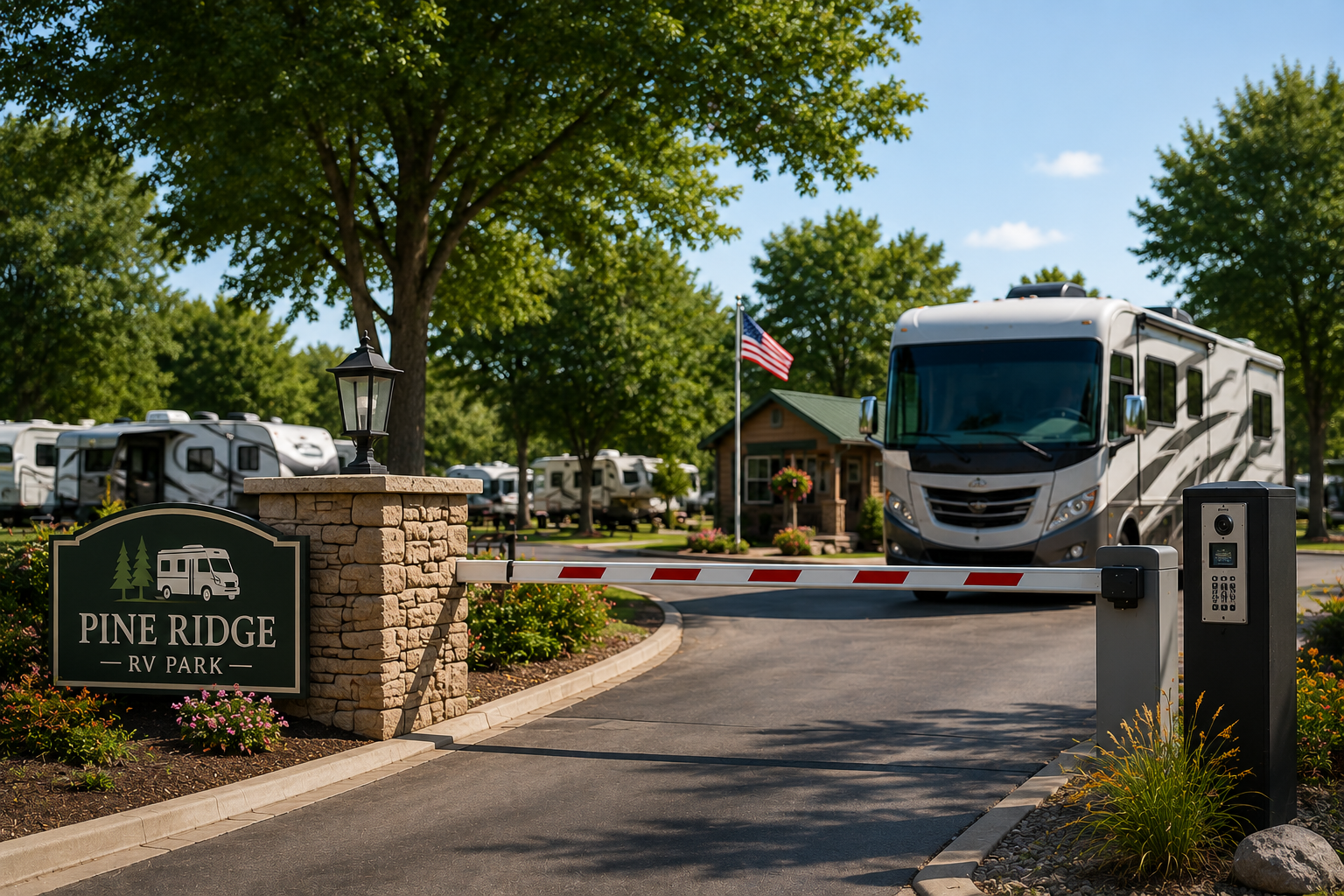
Ready to improve access control across your RV park or campground?

PMT Security can help you design a safer, more organized entry experience for guests, staff, contractors, and visitors. From automated gate access and video intercom to license plate recognition and real-time monitoring, our integrated solutions support smoother operations while helping protect your property.

Contact PMT Security to discuss access control options for your RV park, campground, or outdoor resort.

Get in Touch

RV Park Access Control: Managing Guest Entry, Vehicle Flow, and Shared Spaces

RV Park Access Control: Managing Guest Entry, Vehicle Flow, and Shared Spaces

An RV park or outdoor resort operates differently from traditional commercial properties. Guests arrive with vehicles, trailers, family members, pets, bicycles, deliveries, and sometimes additional visitors. Staff may need to manage check-ins, late arrivals, maintenance access, amenity use, contractor visits, seasonal guests, and perimeter concerns across a large outdoor property.

That makes access control an important part of RV park operations. The goal is not to make the property feel restrictive. The goal is to create a safer, more organized environment where authorized guests can move easily, staff can manage access with less manual effort, and property owners have better visibility when something needs to be reviewed.

For RV parks, access control works best when it is designed around real guest movement.

Why RV Park Access Control Is Different

A standard office access control system usually focuses on doors. RV parks have a wider range of access points and user types.

An RV park may need to control or monitor:

  • Main vehicle gates
  • Pedestrian entrances
  • Clubhouses and lounges
  • Laundry rooms
  • Pools and fitness areas
  • Washrooms and shower buildings
  • Equipment rooms
  • Storage areas
  • Staff-only buildings
  • Cabins or rental units
  • Maintenance yards
  • Utility rooms
  • After-hours entrances
  • Contractor and vendor access

Unlike a single building, an RV park may have open boundaries, multiple roads, decentralized amenities, and seasonal traffic patterns. A practical access control plan needs to support that reality.

Start With the Main Entrance

For many RV parks, the main gate is the most important control point. It is where guests arrive, where vehicles are identified, and where staff first confirm whether someone should be on site.

Traditional gate codes can be simple, but they can also be shared, forgotten, reused, or left active after a booking ends. Over time, shared codes can reduce accountability because it becomes harder to know who entered and when.

More structured options may include:

  • License plate recognition for registered guest vehicles
  • RFID or long-range credentials for seasonal guests
  • Mobile credentials or QR codes for temporary access
  • Intercom verification for after-hours arrivals
  • Time-limited contractor or vendor access
  • Access schedules tied to reservation dates

The right method depends on the property, staffing model, guest expectations, and infrastructure.

Vehicle Access and License Plate Recognition

Vehicle flow is central to RV park operations. Guests often arrive with large vehicles, trailers, or tow vehicles, which means access points must be designed for safe, predictable movement.

License plate recognition can help turn the gate into an intelligent checkpoint. Instead of relying only on a code or fob, the system can identify registered vehicles and log entry activity. This can be useful for:

  • Registered guest access
  • Seasonal camper access
  • Contractor and vendor tracking
  • Repeat vehicle review
  • After-hours entry records
  • Investigations involving vehicles
  • Reducing misuse of shared credentials

When connected with video management, license plate events can also be paired with camera footage, giving staff a clearer record of vehicle activity.

Managing Late Arrivals Without Losing Control

RV parks often have guests arriving outside regular office hours. This creates a challenge: the check-in process needs to be convenient, but the property still needs to know who is entering.

A secure after-hours workflow may include a combination of:

  • Pre-approved access credentials
  • License plate recognition
  • Video intercom at the gate
  • Remote staff verification
  • Temporary digital codes
  • Camera coverage at entry points
  • Event logs for later review

Video intercom can be especially useful when staff need to speak with a guest before opening a gate. Instead of leaving a universal code at the office door or relying on phone calls only, staff can visually verify the person at the entry point and grant access when appropriate.

Access Control for Shared Amenities

RV parks often include shared spaces that need controlled access without requiring constant staff supervision. These may include pools, lounges, laundry rooms, fitness areas, washrooms, shower facilities, game rooms, or community buildings.

Access control can help operators:

  • Limit amenities to registered guests
  • Set schedules by time of day
  • Restrict access after quiet hours
  • Reduce physical key management
  • Review activity if damage or misuse occurs
  • Separate public, guest-only, and staff-only areas

For example, a laundry room may be accessible to all current guests, while a maintenance building should be staff-only. A pool gate may be open during posted hours but secured overnight. A clubhouse may require different access rules for guests, staff, cleaners, and private event users.

This is where a flexible access control platform such as OMNIA can support different doors, reader types, schedules, user groups, and reporting needs across the property.

Temporary Access for Visitors, Vendors, and Contractors

Not everyone on site is a registered overnight guest. RV parks also need to manage day visitors, delivery drivers, maintenance contractors, cleaners, food service providers, repair technicians, and emergency service access.

Temporary access should be easy to issue and easy to remove. It should also be limited by time, area, and purpose.

Good temporary access policies may include:

  • Credentials that expire automatically
  • Access only during approved hours
  • Separate permissions for vendors and guests
  • Contractor access limited to specific buildings or gates
  • Records showing when access was used
  • A process for revoking access immediately when needed

This reduces the risk of old codes or credentials remaining active long after the visit is complete.

Wireless Locks for Cabins, Utility Rooms, and Remote Areas

RV parks may include buildings where wiring is difficult, expensive, or disruptive. Cabins, washroom buildings, storage rooms, utility buildings, and gate-adjacent structures may not always be simple to connect to a traditional wired access control system.

Wireless locks can provide another option for these areas. They may be useful where the site needs controlled access but does not want major trenching, conduit work, or infrastructure changes.

Wireless access should still be planned carefully. Consider battery maintenance, weather exposure, user volume, credential type, audit needs, and how often access permissions change.

Video Surveillance and Access Events Should Work Together

Access control tells you that an event happened. Video helps show what happened.

For RV parks, pairing access control with video surveillance can be useful at:

  • Main gates
  • Secondary entrances
  • Amenity buildings
  • Pool gates
  • Laundry rooms
  • Parking areas
  • Storage areas
  • Maintenance yards
  • Perimeter points
  • High-traffic common areas

Video management platforms such as Cathexis can support analytics, event-based recording, license plate workflows, map-based awareness, search tools, and secure export. For a large outdoor property, these features can help staff review incidents without searching through hours of footage manually.

The most useful surveillance design is not necessarily the one with the most cameras. It is the one that places cameras where they support decisions, investigations, safety, and operations.

Perimeter Awareness and Boundary Alerts

RV parks often have open edges, wooded areas, service roads, waterfront access, trails, or neighbouring properties. This makes perimeter awareness different from a closed commercial building.

Boundary alerts and video analytics can help identify activity in areas where access is not expected. This may include movement near a fence line, after-hours activity at a restricted gate, or unusual movement near a maintenance area.

These alerts should be tuned carefully. Outdoor environments include animals, weather, lighting changes, blowing branches, guests walking dogs, children playing, and vehicles moving at different times. A practical system should reduce false alarms and focus staff attention on activity that matters.

Protecting Outdoor Access Hardware

Outdoor access control equipment needs physical protection. Gate readers, intercoms, cameras, keypads, and communication devices may be exposed to rain, snow, heat, sun, dust, insects, impact, and vehicle traffic.

For RV parks, durable housings and pedestals are part of system reliability. Proper mounting helps guests reach the device safely from a vehicle, protects equipment from weather, and keeps entry points looking professional.

Outdoor hardware planning should consider:

  • Vehicle height and reach
  • Trailer turning radius
  • Pedestrian access
  • Weather exposure
  • Visibility at night
  • Service access for technicians
  • Vandal resistance
  • Snow clearing or landscaping impacts

A strong access control design includes both the software workflow and the physical installation details.

Reservation System Integration

For RV parks, access control becomes more useful when it can align with the reservation process.

In a practical workflow, a guest’s access could begin at check-in and expire automatically after check-out. Seasonal guests may have longer-term permissions. Contractors may receive limited access for a defined service window. Staff access may follow role-based schedules.

When reservation data and access permissions are connected, staff spend less time manually activating and deactivating credentials. It also reduces the risk of access remaining active after a guest leaves.

Building a Practical RV Park Access Control Plan

A strong access control plan should begin with a site review. Before selecting devices, operators should map how people and vehicles move through the property.

Useful planning questions include:

  1. Where do guests enter and exit?
  2. How are late arrivals handled?
  3. Are gate codes currently shared or reused?
  4. Which amenities should be guest-only?
  5. Which areas should be staff-only?
  6. How are contractors and vendors managed?
  7. Are cabins, washrooms, or utility rooms currently keyed?
  8. Where would video help confirm access events?
  9. Are there open perimeter areas that need monitoring?
  10. How quickly can access be revoked after checkout or an incident?

The answers help determine whether the site needs vehicle credentials, LPR, intercom, wireless locks, video surveillance, visitor workflows, or a combination of systems.

PMT Security Products Commonly Used in RV Park Access Control

PMT Security supports integrated access and security environments across North America, including campgrounds and outdoor resorts. For RV park access control, relevant technologies may include:

OMNIA Access Control for managing doors, gates, credentials, schedules, reports, user groups, and modular expansion.

Cathexis Video Management for video surveillance, analytics, license plate workflows, event-based recording, search, mapping, and incident review.

Akuvox Smart Intercom for video guest verification, remote entry communication, mobile app access, and gate or entrance communication.

Visitor Management Workflows for temporary guest, contractor, vendor, and day-visitor access.

The Housing Company Housings and Pedestals for protecting readers, intercoms, cameras, and access devices in outdoor gate and perimeter environments.

The best design depends on the property layout, reservation process, staffing model, guest volume, network infrastructure, and long-term operational goals.

RV park access control is not only about keeping a gate closed. It is about creating a clear, manageable system for guest entry, vehicle movement, shared amenities, staff-only areas, contractors, and after-hours access.

A well-designed system should make daily operations easier, not harder. Guests should be able to enter smoothly. Staff should be able to manage access without relying on shared codes or physical keys. Property owners should have records they can review when questions arise.

For RV parks and outdoor resorts, the strongest access control strategy is layered, practical, and connected. It combines gates, credentials, intercom, video, temporary access, perimeter awareness, and durable outdoor hardware into one coordinated workflow.

RV Park Access Control: Managing Guest Entry, Vehicle Flow, and Shared Spaces

Share:

  • Share on Twitter Share on Twitter
  • Share on Facebook Share on Facebook
  • Share on LinkedIn Share on LinkedIn
  • Share via Email Share via Email

Frequently Asked Questions (FAQs)

What is RV park access control?

RV park access control is the use of gates, credentials, readers, intercoms, video, and software rules to manage who can enter the property and access specific areas.

Why are shared gate codes a problem for RV parks?

Shared gate codes can be copied, reused, or passed to unauthorized visitors. They also make it harder to know who entered the property and when.

Can license plate recognition be used at RV park gates?

Yes. License plate recognition can help identify registered vehicles, log entry activity, and reduce reliance on shared codes or physical passes.

What areas of an RV park should have controlled access?

Common areas may include the main gate, pool, laundry room, clubhouse, washrooms, cabins, storage rooms, utility buildings, maintenance areas, and staff-only spaces.

Can access be connected to reservation dates?

In many access control workflows, guest access can be issued for a defined stay and set to expire after checkout, helping reduce manual administration.

Why pair access control with video surveillance?

Access control shows that an event occurred. Video provides visual context, which can help staff review incidents, confirm entry activity, and investigate complaints or damage.

Ready to improve access control across your RV park or campground?

PMT Security can help you design a safer, more organized entry experience for guests, staff, contractors, and visitors. From automated gate access and video intercom to license plate recognition and real-time monitoring, our integrated solutions support smoother operations while helping protect your property.

Contact PMT Security to discuss access control options for your RV park, campground, or outdoor resort.

Get in Touch

Using Akuvox Smart Intercom in K–12 Schools: Practical Entry Control Without Overcomplicating the Campus

Using Akuvox Smart Intercom in K–12 Schools: Practical Entry Control Without Overcomplicating the Campus

K–12 school security cannot rely on a single device at the front entrance. Schools have constant movement throughout the day: students arriving, staff using side doors, parents checking in, vendors making deliveries, after-hours programs accessing specific areas, and emergency responders needing reliable entry when every second matters.

This is why intercom technology is most effective when it is part of a broader, layered security strategy. The Partner Alliance for Safer Schools’ 2025 guidance emphasizes a layered and tiered approach to school safety, covering districtwide planning, digital infrastructure, campus perimeters, building perimeters, and interior spaces. It also reinforces the importance of coordinated visitor entry procedures, access control, communications, video surveillance, detection, alarms, and response protocols.

PMT Security’s education solutions follow this same integrated model. For schools and educational institutions across Canada and the United States, PMT supports connected systems that may include access control, video surveillance, visitor management, smart intercoms, lockdown functionality, staff-only area restrictions, visitor screening, secondary-entry video verification, and centralized monitoring.

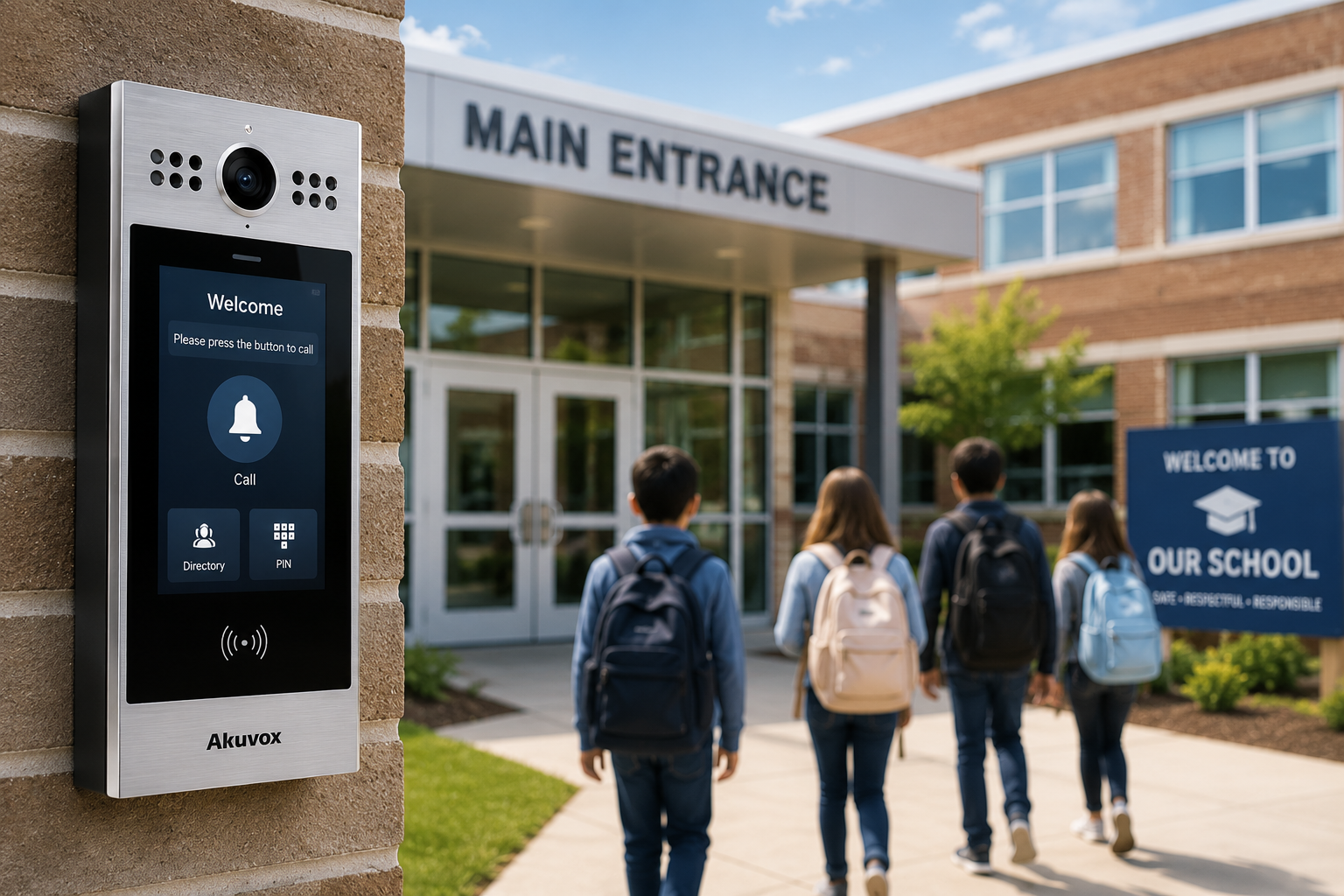
Akuvox fits into this type of environment because it is more than a video doorbell. Akuvox smart intercom systems combine video communication, two-way audio, SIP-based calling, cloud management, mobile credentials, access control features, and a range of device options that can be adapted to different school buildings and entry points. With support for technologies such as AI, SIP, Android, cloud services, mobile access, IP, Wi-Fi, 2-wire retrofit, and LTE deployment options, Akuvox can help schools modernize entry communication while working within the realities of existing infrastructure.

Akuvox for Main Visitor Entrances

The main visitor entrance is one of the most practical places to use an Akuvox smart intercom in a K–12 school. During the school day, a locked entrance with video intercom gives office staff a way to see, speak with, and verify a visitor before access is granted.

This is especially useful in schools where the front office is not directly beside the entrance, where a secure vestibule is used, or where staff cannot leave their desk each time someone arrives. Instead of relying on an unlocked door or informal staff response, the school can create a more consistent entry process.

Akuvox door phones can support high-definition video, two-way audio, and different access methods depending on the model and system configuration. These may include mobile app access, PIN codes, cards, QR codes, NFC, facial recognition, or proximity credentials. In a school setting, these features should be applied carefully. Staff access, contractor access, and after-hours authorized access may benefit from credential-based entry, while student-facing use should always be reviewed against school board policies, privacy requirements, and age-appropriate safety practices.

Supporting Secondary School Entrances

Many schools have more than one active entrance. Staff doors, delivery doors, portable classroom access points, athletic entrances, child care areas, and maintenance doors may all be used during a regular school day. These secondary entrances can become difficult to manage because they are operationally necessary but not always easy to supervise.

Akuvox smart intercoms can help schools add video verification and controlled door release to these areas. When combined with access control rules and clear staff procedures, an intercom can reduce informal habits such as propping doors open or opening doors without knowing who is outside.

This flexibility matters because school buildings are rarely uniform. A newer front entrance, an older wing, a portable classroom area, a staff parking gate, and a service entrance may all require different hardware and network options. Akuvox offers a range of devices, including SIP video door phones, vandal-resistant door phones, LTE video door phones, facial recognition terminals, and emergency intercom devices, allowing the system design to match the location instead of forcing one device type across the entire campus.

Improving Visitor Management Workflows

A video intercom should not replace visitor management. It should support it.

One common weakness in school entry control is the gap between unlocking the door and properly checking in the visitor. Video intercom helps staff confirm who is requesting access, but schools still need a process for identifying visitors, recording visits, issuing badges, applying policies, and maintaining an audit trail.

In a practical K–12 workflow, a visitor presses the Akuvox intercom at the main entrance. Office staff visually verify the visitor and speak with them before allowing access to the vestibule or main office. From there, a visitor management system such as EVTrack can support ID capture, visitor registration, badge printing, reporting, and recordkeeping.

This creates a stronger process than simply unlocking a door from a desk phone. It helps schools connect entry communication with visitor accountability.

Remote Access for After-Hours School Use

Schools are active well beyond the regular school day. Gyms, libraries, meeting rooms, child care spaces, fields, and classrooms may be used by staff, community groups, contractors, or approved after-hours programs.

This is where remote intercom and mobile access can be helpful, but only when permissions are tightly managed.

Akuvox SmartPlus allows authorized users to see and speak with visitors, monitor entrances, open doors, and issue virtual keys from a smartphone. Akuvox access management tools can also support user records, device management, access control settings, and access logs.

In a school environment, remote access should be based on roles, schedules, and accountability. A principal, facility manager, caretaker, or board-approved administrator may need remote visibility or controlled unlock capability. That does not mean every staff member should have the same permissions. The safest approach is role-based access, time-based permissions, and reviewable event logs.

Important Design Considerations for K–12 Schools

Akuvox can support school security, but the design must reflect how schools actually operate.

First, the intercom should be connected to the broader access control strategy. Intercom events, door releases, staff credentials, visitor records, and video verification should not sit in separate silos when integration is possible. A coordinated system gives administrators and security teams better context when reviewing incidents or improving procedures.

Second, privacy must be considered from the beginning. Features such as video recording, facial recognition, mobile credentials, and access logs may be useful, but schools must align them with board policy, consent requirements, data retention rules, and local privacy expectations. In many K–12 environments, the most appropriate starting point is visitor verification, staff access, controlled entry, and audit logging—not unnecessary student surveillance.

Third, device placement matters. Outdoor intercoms need to be positioned for visibility, accessibility, weather exposure, glare, sound quality, and vandal resistance. Interior monitors, desk phones, or mobile response tools should be placed where staff can respond quickly without disrupting front office operations.

Fourth, staff training is essential. A video intercom is only effective if staff know how to use it properly. Procedures should define who can be admitted, when access should be denied, how deliveries are handled, how after-hours access is approved, and how intercom activity is reviewed.

How Akuvox Fits Into a PMT Security School Design

A practical school security design may include Akuvox video intercoms at the main entrance and selected secondary entrances, OMNIA access control for staff credentials and secure areas, EVTrack visitor management for check-in and reporting, and video management for visual verification and investigations.

In this type of layered system, Akuvox is not the entire security solution. It becomes the communication and verification layer at key access points.

The result is a more consistent entry process, clearer visitor handling, better support for after-hours activity, and stronger accountability. It can also reduce everyday workarounds that happen when doors are inconvenient, staff are busy, or entry points are difficult to monitor.

For K–12 schools, Akuvox is best understood as a smart intercom and entry communication layer. It is most useful at visitor entrances, staff doors, remote gates, portable classroom areas, service entrances, and after-hours access points.

When combined with access control, visitor management, video verification, privacy-aware policies, and staff training, Akuvox can help schools make entry decisions more visible, consistent, and manageable.

The goal is not to make a school feel locked down. The goal is to support safer, clearer, and more accountable access without interrupting the daily work of teaching, learning, and caring for students.e more efficiently, and maintain visibility across complex industrial operations.

Using Akuvox Smart Intercom in K–12 Schools: Practical Entry Control Without Overcomplicating the Campus

Share:

  • Share on Twitter Share on Twitter
  • Share on Facebook Share on Facebook
  • Share on LinkedIn Share on LinkedIn
  • Share via Email Share via Email

Frequently Asked Questions (FAQs)

What is Akuvox used for in K–12 schools?

Akuvox smart intercom systems can be used to help schools manage visitor entry, staff access, secondary entrances, remote gates, delivery doors, portable classroom areas, and after-hours access points. They provide video communication, two-way audio, and controlled door release so staff can verify who is requesting entry before allowing access.

Can Akuvox replace a school visitor management system?

No. Akuvox should support visitor management, not replace it. A video intercom helps school staff see and speak with visitors before granting access, while a visitor management system records the visit, captures identification, issues badges, applies policies, and maintains an audit trail.

Where should Akuvox intercoms be installed in a school?

Akuvox intercoms are most useful at the main visitor entrance, staff entrances, delivery doors, portable classroom areas, service entrances, parking gates, and other access points that are difficult to supervise. Device placement should consider visibility, weather, glare, accessibility, sound quality, vandal resistance, and staff response time.

Is Akuvox useful for after-hours school access?

Yes. Akuvox can support after-hours access for authorized staff, caretakers, contractors, community groups, or approved programs. Remote access should be configured with role-based permissions, time-based schedules, and reviewable logs so that access remains controlled and accountable.

Can Akuvox work in older school buildings?

Yes. Akuvox offers different deployment options that may help in retrofit environments, including IP, Wi-Fi, 2-wire retrofit, and LTE options depending on the device and site conditions. This can be useful for older schools, detached entrances, gates, portables, or areas where running new cabling is difficult.

Does Akuvox support access credentials?

Depending on the model and configuration, Akuvox devices may support access methods such as PIN codes, proximity cards, NFC, QR codes, mobile app access, facial recognition, or other credential options. In schools, these features should be configured carefully and aligned with board policy, privacy requirements, and appropriate user groups.

Is facial recognition appropriate for schools?

Facial recognition may be available on some Akuvox devices, but schools should evaluate its use carefully. Any use of facial recognition should be reviewed against school board policy, consent requirements, privacy legislation, data retention practices, and age-appropriate safety standards. In many K–12 environments, visitor verification, staff access control, and audit logging may be more appropriate starting points.

How does Akuvox fit into a layered school security system?

Akuvox acts as the entry communication and verification layer. It works best when paired with access control, visitor management, video surveillance, lockdown procedures, staff training, and clear entry policies. This helps schools make access decisions more consistent, visible, and accountable.

Can Akuvox help reduce unauthorized entry?

Akuvox can help reduce unauthorized entry when used as part of a complete access strategy. Video intercom, controlled door release, credential-based access, access logs, and staff procedures can reduce informal practices such as propping doors open or opening doors without confirming who is outside.

What is the main benefit of Akuvox in a school environment?

The main benefit is a more controlled and consistent entry process. Akuvox helps staff verify visitors, manage secondary entrances, support after-hours access, and maintain better visibility at key access points without disrupting the daily operations of teaching, learning, and student care.

Contact Us

PMT Security Inc. is here to help, contact us directly by phone,

USA +1 727-786-1900
CAD +1 647-999-4644

Monday-Friday, 8am-5pm Eastern

Knowledge Database
Technical Support
Download Center

Manufacturing Security Systems: Integrating Video, Access Control, and Infrastructure for Safer Operations

Manufacturing Security Systems: Integrating Video, Access Control, and Infrastructure for Safer Operations

Modern manufacturing facilities are complex environments where safety, operational continuity, and accountability intersect every day. Production floors, loading docks, warehouses, maintenance areas, and restricted zones all generate constant activity that must be monitored, managed, and documented without slowing operations.

Security in manufacturing is no longer limited to perimeter fencing and a few cameras at entrances. Today’s facilities require integrated systems that support operational awareness, employee safety, incident investigation, compliance, and infrastructure protection across multiple buildings and sites.

At PMT Security, manufacturing environments often require a combination of intelligent video management, integrated access control, intercom communication, environmental monitoring, and durable physical infrastructure designed to withstand industrial conditions.

Why Manufacturing Facilities Face Unique Security Challenges

Manufacturing operations present security demands that differ significantly from traditional commercial offices.

Facilities often include:

  • Multiple buildings or large campuses
  • Hazardous or regulated production areas
  • High-value inventory and equipment
  • Heavy vehicle traffic
  • Shift-based workforce movement
  • Contractor and visitor access requirements
  • Environmental and safety compliance obligations
  • Remote or unmanned operational zones

In many environments, operational downtime can be more costly than physical theft. A single unauthorized access event, equipment failure, or delayed response can impact production schedules, worker safety, and supply chain continuity.

Because of this, manufacturing security systems increasingly serve both security and operational functions.

Video Management in Manufacturing Environments

Modern video management platforms do more than record footage. Manufacturing environments benefit from systems that help operators identify incidents quickly, monitor workflows, and correlate events across multiple systems.

Platforms such as Cathexis are designed to support manufacturing operations through centralized monitoring, AI-powered analytics, and integrated event management. Manufacturing facilities using Cathexis benefit from features such as centralized alarm management, failover protection, environmental integrations, object classification, intrusion detection, and multi-site management.

In manufacturing facilities, video systems are commonly used for:

  • Monitoring production lines
  • Investigating workplace incidents
  • Managing vehicle and loading dock activity
  • Detecting perimeter breaches
  • Supporting health and safety reviews
  • Monitoring remote infrastructure
  • Verifying alarm events
  • Tracking workflow disruptions

The ability to correlate video with other operational systems significantly improves situational awareness.

AI Video Analytics for Operational Awareness

Manufacturing facilities generate large volumes of video data. AI-powered analytics help reduce operator overload by identifying meaningful events automatically.

Cathexis offers manufacturing industries analytic capabilities including workflow analysis, occupancy monitoring, abandoned object detection, object classification, and perimeter monitoring.

These analytics can assist facilities by:

  • Detecting unauthorized movement into restricted zones
  • Monitoring forklift and vehicle activity
  • Identifying loitering near sensitive equipment
  • Detecting abandoned objects
  • Supporting workflow analysis
  • Triggering automated alerts for safety or security incidents

Rather than requiring operators to continuously monitor video walls, analytics help direct attention toward actionable events in real time.

Integrating Access Control with Manufacturing Operations

Video systems become significantly more effective when integrated with access control platforms.

Manufacturing facilities often require layered access permissions based on:

  • Production areas
  • Maintenance zones
  • Hazardous materials storage
  • Server and IT rooms
  • Shipping and receiving areas
  • Time-based schedules
  • Contractor access limitations

OMNIA Access Control supports manufacturing environments through scalable architecture, customizable access policies, and integration with other operational systems.

Manufacturing organizations often require:

  • Multi-site credential management
  • Anti-passback and zoning
  • Time-based access schedules
  • Integration with intercoms and video systems
  • Event-triggered actions
  • Mobile credentials and biometric authentication
  • Centralized reporting and audit trails

When integrated with video management, access events can automatically trigger camera recordings, operator alerts, and investigation workflows.

For example:

  • A forced-door alarm can instantly display nearby cameras
  • Unauthorized entry attempts can trigger video bookmarks
  • Vehicle gate access can be associated with license plate recognition events
  • Operators can review synchronized access and video records during investigations

This integrated approach improves both response times and accountability.

Manufacturing Perimeter and Vehicle Security

Manufacturing facilities often have extensive outdoor infrastructure, including:

  • Shipping yards
  • Parking lots
  • Storage compounds
  • Fuel or utility areas
  • Remote perimeter fencing
  • Truck entrances and loading zones

Perimeter protection in these environments requires more than traditional surveillance.

Cathexis offers integration with thermal cameras, perimeter analytics, intrusion systems, and electronic fence monitoring technologies.

License Plate Recognition (LPR) technologies can also support manufacturing operations by:

  • Automating gate access
  • Logging fleet movement
  • Managing contractor vehicles
  • Supporting incident investigations
  • Monitoring vehicle speed within industrial sites

Manufacturing environments frequently operate around the clock, making automated monitoring and real-time alerting especially valuable.

Centralized Monitoring and Multi-Site Management

Many manufacturing organizations manage multiple facilities, warehouses, or distribution centers across regions.

Cathexis features simultaneous multi-site viewing, centralized control room capabilities, alarm prioritization, adjacent camera mapping, and system health monitoring.

Centralized monitoring provides operational advantages such as:

  • Unified security oversight
  • Faster incident response
  • Standardized procedures across facilities
  • Reduced operational silos
  • Simplified investigations
  • Improved maintenance visibility
  • Better audit and compliance reporting

This becomes particularly important for organizations operating hybrid environments with both legacy and modern systems.

The Importance of Physical Security Infrastructure

Industrial environments place significant stress on physical security hardware.

Outdoor readers, intercoms, cameras, and access control devices are frequently exposed to:

  • Dust and debris
  • Moisture
  • Vibration
  • Extreme temperatures
  • Forklift traffic
  • Accidental impact
  • Corrosive environments

This is why physical infrastructure matters just as much as the software platform behind it.

Protective hardware solutions from organizations like The Housing Company help manufacturing facilities protect critical access control and security devices using industrial-grade housings, pedestals, mounting systems, and protective enclosures designed for demanding environments.

In manufacturing environments, properly protected infrastructure can help:

  • Reduce equipment damage
  • Improve system longevity
  • Minimize maintenance interruptions
  • Support environmental durability requirements
  • Maintain operational reliability in harsh conditions

Security reliability in industrial facilities often depends on both the intelligence of the software and the resilience of the physical installation.

Cybersecurity and Manufacturing Security Systems

Manufacturing organizations are increasingly targeted by cyber threats due to operational dependencies and interconnected infrastructure.

Modern physical security platforms now require cybersecurity considerations including:

  • Encrypted communications
  • User authentication controls
  • Audit logging
  • Network segmentation
  • Secure remote access
  • Role-based permissions
  • Firmware and software lifecycle management

Cathexis supports cybersecurity and privacy protections designed to support compliance and data protection objectives.

Integrated systems should be designed with both physical and digital risk management in mind.

Supporting Safety, Compliance, and Investigations

Manufacturing facilities frequently operate within strict safety and regulatory frameworks.

Integrated security systems can support:

  • Incident investigations
  • Workplace safety reviews
  • Audit documentation
  • Emergency response coordination
  • Visitor accountability
  • Environmental monitoring integration
  • Restricted area enforcement

Search and investigation tools are especially important in large facilities where operators may need to locate footage quickly across thousands of cameras and multiple sites.

Cathexis Smart Search tools, alarm management workflows, adjacent camera mapping, and rapid footage review capabilities are designed to improve investigations and operational response.

Security as Part of Manufacturing Operations

Manufacturing security systems are increasingly becoming operational systems rather than isolated security tools.

When video management, access control, analytics, intercoms, and infrastructure are integrated effectively, organizations gain:

  • Improved situational awareness
  • Faster response times
  • Better operational visibility
  • Stronger accountability
  • Enhanced worker safety
  • Reduced downtime risks
  • More efficient investigations

The goal is not simply to record incidents after they occur — it is to create environments where facilities can respond faster, operate more efficiently, and maintain visibility across complex industrial operations.

Manufacturing Security Systems: Integrating Video, Access Control, and Infrastructure for Safer Operations

Share:

  • Share on Twitter Share on Twitter
  • Share on Facebook Share on Facebook
  • Share on LinkedIn Share on LinkedIn
  • Share via Email Share via Email

Frequently Asked Questions (FAQs)

What security systems are commonly used in manufacturing facilities?

Manufacturing facilities commonly use integrated systems that include video surveillance, access control, license plate recognition, intrusion detection, intercom systems, and environmental monitoring.

Why is video analytics important in manufacturing?

Video analytics help reduce operator workload by automatically identifying unusual activity such as perimeter breaches, unauthorized access, abandoned objects, or workflow disruptions.

How does access control improve manufacturing security?

Access control helps restrict movement into sensitive areas, manage contractor access, enforce schedules, and create audit trails that improve accountability and investigations.

What is the benefit of integrating video and access control?

Integrated systems allow operators to associate video footage with access events, automate alarms, trigger recordings, and improve incident response workflows.

Why are protective housings important in industrial environments?

Industrial facilities expose hardware to dust, moisture, vibration, and accidental impact. Protective housings help extend hardware life and improve system reliability.

Can manufacturing facilities manage multiple locations centrally?

Yes. Modern video management and access control systems support centralized monitoring and management across multiple sites and facilities.

Contact Us

PMT Security Inc. is here to help, contact us directly by phone,

USA +1 727-786-1900
CAD +1 647-999-4644

Monday-Friday, 8am-5pm Eastern

Knowledge Database
Technical Support
Download Center

Law Enforcement Security Systems & Access Control Guide

Modern Law Enforcement Operations: How Integrated Security Systems Support Safer, Faster Response

Law enforcement today operates in a landscape defined by complexity. Incidents unfold across physical and digital environments simultaneously. Officers are expected to respond faster, with more context, while maintaining accountability, privacy compliance, and operational continuity.

Technology is not a replacement for policing—it is an extension of it. The right systems help officers, dispatchers, and investigators move from reactive response to informed decision-making.

This is where integrated security platforms—like PMT Security’s OMNIA access control, paired with solutions from Cathexis, Akuvox, and EVTrack—play a meaningful role.

Not as products in isolation, but as a connected operational ecosystem.

The Reality of Modern Policing Environments

Police departments and public safety agencies manage a wide range of facilities and scenarios:

  • Detachments and headquarters buildings
  • Evidence storage and controlled-access rooms
  • Holding areas and secure interview spaces
  • Municipal infrastructure and shared facilities
  • Public-facing entrances with unpredictable traffic

Each environment requires a balance between security, accessibility, and accountability.

The challenge is not just controlling access or recording video—it’s connecting events across systems in real time.

Access Control as Operational Infrastructure

At its core, access control in law enforcement is about trust and traceability.

A platform like OMNIA provides a modular architecture that supports everything from a single secure room to multi-site municipal deployments. But the real value lies deeper—in how it structures access as data.

In practice, this means:

  • Officers and staff are granted permissions based on role, shift, and assignment
  • Sensitive areas like evidence rooms or armories maintain strict audit trails
  • Temporary access can be issued and revoked dynamically
  • Events (door forced, access denied, after-hours entry) become actionable signals

From a technical standpoint, modern systems move beyond static permissions. They support:

  • Anti-passback and zone enforcement
  • Time-based routing tied to shift schedules
  • Credential flexibility (cards, mobile, biometrics, PIN)
  • Event-action mapping (e.g., unlock sequences during emergencies)

For investigators and supervisors, access logs often become part of the narrative—who was where, and when.

Video Surveillance as Investigative Context

Video systems are no longer passive recording tools. Platforms like CathexisVision transform video into searchable, contextual data.

For law enforcement, this changes how incidents are reviewed:

  • Instead of scrubbing hours of footage, investigators can search by attributes (vehicle color, direction, time window)
  • License plate recognition (LPR) links vehicle movement to timelines
  • Activity trails and heatmaps reveal patterns rather than isolated events
  • Export tools with privacy controls (such as redaction) support evidence handling requirements

In real-world use, video becomes most valuable when it is synchronized with other systems.

For example:
An access event at a secure door can automatically pull associated video footage, reducing investigation time from hours to minutes.

Managing Public Interaction at the Front Door

Police facilities are both secure environments and public service points. Managing that boundary is critical.

Solutions like Akuvox intercoms and EVTrack visitor management systems address this intersection.

From a technical and operational perspective:

  • Intercom systems provide controlled, recorded communication before granting access
  • Visitor management platforms create structured intake processes (ID verification, logging, notifications)
  • Integration with access control ensures that entry decisions are not isolated—they are logged, time-stamped, and tied to identity

This becomes especially important in scenarios involving:

  • After-hours access
  • High-traffic public service counters
  • Contractors or third-party service providers
  • Sensitive interactions requiring controlled movement within a facility

The result is a measurable, auditable flow of people, rather than unmanaged entry points.

Integration: Where Systems Become Operational Tools

The real transformation happens when these systems are not siloed.

An integrated deployment enables workflows such as:

  • A forced door event triggers a real-time alert, associated video, and audit log
  • A flagged license plate prompts review of both entry logs and camera footage
  • A visitor check-in automatically notifies staff and restricts movement to approved areas
  • Emergency scenarios initiate predefined access control states (lockdown or controlled egress)

This is not theoretical—it reflects how modern command environments are evolving.

Instead of multiple disconnected interfaces, operators gain a unified situational awareness layer.

Supporting Compliance, Accountability, and Evidence Handling

Law enforcement environments are subject to strict regulatory and procedural requirements.

Technology must support:

  • Chain of custody for evidence
  • Privacy regulations related to video and personal data
  • Auditability of access and actions
  • Secure storage and controlled export of records

Systems like OMNIA and CathexisVision contribute by:

  • Maintaining detailed, tamper-resistant logs
  • Enabling role-based access to sensitive data
  • Supporting encrypted databases and secure backups
  • Providing tools for controlled video export with redaction capabilities

This ensures that technology aligns with both operational needs and legal standards.ed situational awareness layer.a connected security ecosystem.

Designed for Real-World Conditions

Unlike controlled corporate environments, law enforcement systems must operate under less predictable conditions:

  • 24/7 uptime requirements
  • Legacy infrastructure integration
  • Multi-site deployments across municipalities
  • Network variability and field conditions

This is where modular, scalable design becomes critical.

Systems must allow for:

  • Incremental expansion without full system replacement
  • Flexible hardware deployment (wired and wireless components)
  • Interoperability with existing technologies

In practice, this reduces downtime, supports phased upgrades, and ensures continuity of operations.

Law enforcement is not becoming more technological—it is becoming more data-driven.

Access events, video footage, visitor records, and intercom interactions are no longer separate functions. They are interconnected pieces of a larger operational picture.

Platforms like OMNIA, combined with video, intercom, and visitor management solutions, help translate everyday activity into structured, usable information.

Not to replace judgment—but to support it with clarity.

Law Enforcement Security Systems & Access Control Guide

Share:

  • Share on Twitter Share on Twitter
  • Share on Facebook Share on Facebook
  • Share on LinkedIn Share on LinkedIn
  • Share via Email Share via Email

Frequently Asked Questions (FAQs)

How do access control systems support law enforcement operations?

They provide controlled, traceable entry to secure areas, maintain audit trails, and support investigations by linking personnel movement to events.

Why is video management important for police investigations?

Modern VMS platforms allow rapid search, event correlation, and evidence export, significantly reducing investigation time and improving accuracy.

What role do visitor management systems play in police facilities?

They structure and document public interactions, ensuring that all visitors are identified, logged, and restricted to appropriate areas.

How does system integration improve police response times?

Integrated systems correlate access events, video, and alerts in real time, giving operators immediate context and reducing decision-making delays.

How does system integration improve police response times?

Yes, when properly configured, they support audit trails, data protection, and controlled evidence handling aligned with legal requirements.

Contact Us

PMT Security Inc. is here to help, contact us directly by phone,

USA +1 727-786-1900
CAD +1 647-999-4644

Monday-Friday, 8am-5pm Eastern

Knowledge Database
Technical Support
Download Center
  • « Go to Previous Page
  • Page 1
  • Page 2
  • Page 3
  • Page 4
  • Interim pages omitted …
  • Page 6
  • Go to Next Page »
  • Facebook
  • LinkedIn
  • Twitter

PMT Security

Copyright © 2026 PMT Security, Inc. | All Rights Reserved

  • Privacy Policy
  • Terms of Use
  • Cookie Policy
  • Accessibility
  • Contact Us