• Skip to primary navigation
  • Skip to main content
PMT Security Logo

PMT Security

Advanced Access Control

  • Home
  • About Us
    • Security and Trust
    • Our Partners
    • Our Integrators
  • Solutions
    • Education
    • Retirement & Healthcare
    • Manufacturing
    • Government Facilities
    • Residential
    • Retail Businesses
    • Campgrounds & Outdoor Resorts
  • Products
    • Access Control
      • Control Features
      • Reporting & Monitoring
      • Control Module
      • Digital IO Module
      • Reader Module
      • Readers
    • Video Management
    • Visitor Management
    • Intercom
    • Live Guard Video Monitoring
    • Housings & Pedestals
  • Support
    • Knowledgebase
    • Download Center
    • License Request
    • RMA Request Form
  • Blog
  • Contact Us

Access Control Systems

What Are the Risks of Outdated Access Control Systems?

What Are the Risks of Outdated Access Control Systems?

Access control systems are often installed with the expectation that they will “just work” for years.

And physically, many of them do.

Doors still unlock. Cards still read. Users still get in.

But beneath the surface, outdated access control systems can introduce serious security, operational, and compliance risks—especially as modern threats increasingly target connected infrastructure.

The Hidden Problem: Functioning Doesn’t Mean Secure

One of the biggest misconceptions in physical security is that a system is secure as long as it is operational.

In reality, many legacy access control systems:

  • Continue functioning at the hardware level
  • But lack modern security protections
  • And are no longer supported with updates or patches

This creates a dangerous situation where systems appear reliable, while quietly becoming vulnerable.

Organizations like the Canadian Centre for Cyber Security emphasize that unpatched systems are one of the most common entry points for attacks across all types of infrastructure—including physical security platforms.

Legacy Credentials: Easy to Clone, Hard to Detect

Older access control deployments often rely on low-frequency proximity cards.

These credentials were never designed to withstand modern attack methods.

Today, widely available tools can:

  • Read card data wirelessly
  • Duplicate credentials in seconds
  • Create unauthorized copies without physical access

Without encryption or secure protocols, the system cannot distinguish between a legitimate user and a cloned credential.

Modern standards such as OSDP (Open Supervised Device Protocol) and encrypted smart credentials were introduced specifically to address these weaknesses—but many legacy systems do not support them.

Lack of Visibility and Audit Capability

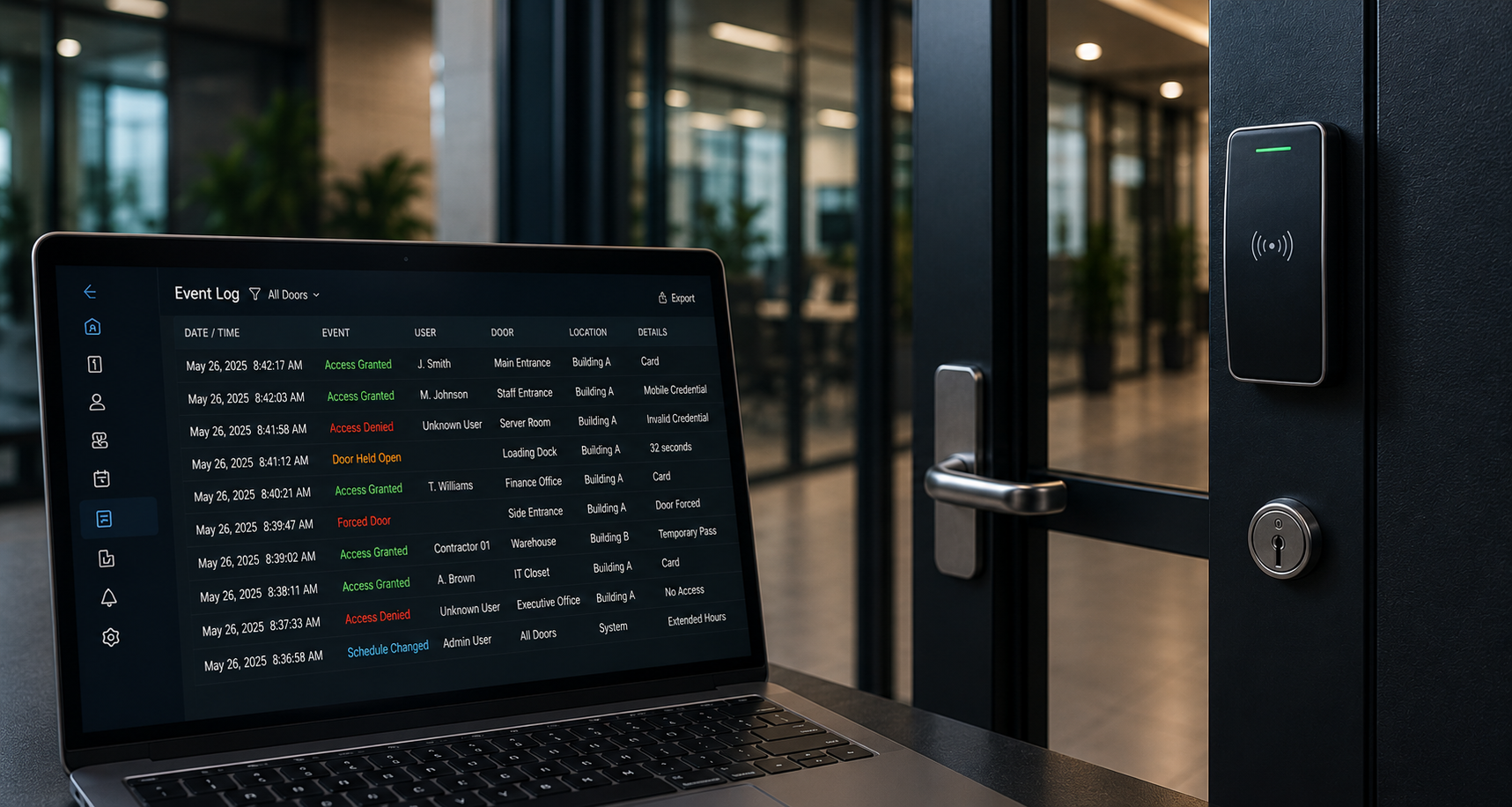
Outdated systems often lack the ability to provide meaningful insight into system activity.

This includes limitations such as:

  • Minimal or incomplete audit logs
  • No real-time monitoring or alerting
  • Limited reporting capabilities

From a security perspective, this creates a critical gap.

If an incident occurs, organizations may not be able to answer basic questions:

  • Who accessed the system?
  • What changes were made?
  • When did the activity occur?

Without proper logging and monitoring, detection and response become reactive instead of proactive.

Weak Authentication and Access Controls

Modern cybersecurity practices emphasize least privilege access and strong identity controls.

Legacy access control systems often fall short in this area.

They may rely on:

  • Shared administrator accounts
  • Default or weak passwords
  • No multi-factor authentication (MFA)
  • Limited role-based access control (RBAC)

This increases the risk of internal misuse or external compromise.

If a single administrative account is exposed, it can provide full control over the system—including unlocking doors, modifying permissions, or disabling security features.

Insecure Communication Between Devices

Older access control systems frequently use unsecured communication protocols between components such as:

  • Card readers
  • Controllers
  • Servers

Without encryption, this data can be intercepted or manipulated.

In some cases, attackers can:

  • Capture credential data in transit
  • Replay commands to unlock doors
  • Disrupt communication between devices

Modern systems address this with encrypted communication and secure protocols, but outdated infrastructure often cannot support these protections.

Integration Limitations Create Security Silos

Today’s security environments depend on integration.

Access control systems are expected to work alongside:

  • Video surveillance platforms
  • Intercom systems
  • Visitor management solutions like EVTrack

Outdated systems struggle to integrate effectively, resulting in siloed environments.

This means:

  • Events cannot be correlated across systems
  • Security teams lack full situational awareness
  • Response times are slower and less informed

For example, without integration between access control and visitor management, organizations may not have a complete record of who was on-site during an incident.

Compliance and Data Protection Risks

Access control systems increasingly handle sensitive data, including:

  • Employee identity information
  • Access permissions
  • Visitor records
  • Entry and activity logs

Outdated systems may not support modern data protection requirements such as:

  • Secure data storage
  • Controlled access to records
  • Audit-ready reporting
  • Data retention policies

This creates potential exposure under privacy regulations and internal governance requirements.

Increased Maintenance and Downtime

As systems age, they become harder to maintain.

Common challenges include:

  • Unsupported hardware
  • Limited availability of replacement parts
  • Compatibility issues with newer software or operating systems

This leads to increased downtime, higher service costs, and reduced reliability over time.

The Real Risk: A False Sense of Security

Perhaps the most significant risk is not technical—it’s psychological.

Outdated access control systems often continue to “work,” giving organizations confidence that security is in place.

But without modern protections, these systems can become:

  • Weak links in an otherwise secure environment
  • Easy targets for credential attacks
  • Blind spots in monitoring and reporting

When Should You Consider an Upgrade?

Organizations should evaluate their access control systems if they experience:

  • Lack of software or firmware updates
  • Use of legacy proximity cards
  • Limited reporting or audit capabilities
  • No support for encryption or modern protocols
  • Difficulty integrating with newer security systems

Upgrading is not just about adding features—it’s about reducing risk and aligning with current security standards.


Access control is no longer just about controlling doors.

It is part of a broader system that manages identity, data, and security operations.

An outdated system doesn’t just fall behind—it creates exposure.

And in today’s environment, that exposure can extend far beyond the physical perimeter.

What Are the Risks of Outdated Access Control Systems?

Share:

  • Share on Twitter Share on Twitter
  • Share on Facebook Share on Facebook
  • Share on LinkedIn Share on LinkedIn
  • Share via Email Share via Email

Frequently Asked Questions (FAQs)

How do I know if my access control system is outdated?

If your system no longer receives firmware updates, uses legacy proximity cards, lacks encryption, or cannot integrate with modern platforms, it is likely outdated and should be evaluated.

Can outdated access control systems be hacked?

Yes. Older systems often lack encryption, secure communication protocols, and strong authentication controls, making them vulnerable to credential cloning, interception, and unauthorized access.

What is the biggest risk of legacy access control systems?

The biggest risk is a false sense of security. Systems may appear to function normally while lacking modern protections, leaving organizations exposed to undetected threats.

Why are older access cards less secure?

Many legacy cards use low-frequency technology without encryption, making them easy to copy using inexpensive, widely available tools.

Do outdated systems affect compliance requirements?

Yes. Older systems may not support proper data handling, audit logging, or reporting capabilities required for modern privacy and security standards.

Is upgrading access control worth the investment?

Upgrading improves security, visibility, and system integration while reducing long-term maintenance costs and operational risk.

Access Control Security: Protecting Systems, Data & Buildings

Access control is no longer just about securing doors—it’s about protecting systems, data, and identities. Modern platforms manage sensitive information like credentials, permissions, and visitor data, making them part of your cybersecurity strategy. Learn why securing the access control system itself is critical, and how best practices like credential management, role-based access, and activity monitoring…
Continue Reading

Modular Access Control System Explained

A modular access control system changes how security is built. Learn how OMNIA’s controller, reader, and IO modules scale from one door to thousands.

Continue Reading
OMNIA Control Module

What Is an Access Control System? A Complete Guide

Access control systems regulate who can enter buildings and restricted areas using credentials, readers, and management software. This guide explains how modern access control technology works and how it integrates with physical security systems.

Continue Reading
Access Control with Card

OMNIA Access Control Software: Managing Security in Modern Facilities

A look at how OMNIA Access Control software helps organizations manage doors, credentials, and security workflows across modern facilities..

Continue Reading

Unlocking Transaction Insights with OMNIA Reports

Transaction reports in OMNIA provide detailed visibility into access events across your system. Learn how to create, filter, and export reports for auditing, investigations, and compliance tracking.

Continue Reading
OMNIA Software Display

Contact Us

PMT Security Inc. is here to help, contact us directly by phone,

USA +1 727-786-1900
CAD +1 647-999-4644

Monday-Friday, 8am-5pm Eastern

Knowledge Database
Technical Support
Download Center

Access Control Security: Protecting Systems, Data & Buildings

Access Control Isn’t Just for Doors — It’s for Data, Systems, and Risk

For years, access control has been viewed as a physical security tool—something that unlocks doors, restricts entry, and protects buildings.

That view is incomplete.

Modern access control systems don’t just control who enters a space. They control who accesses information, systems, and operational infrastructure.

And that changes everything.

The Shift: From Doors to Data

At its core, access control is about one thing:

Ensuring only authorized individuals can access specific resources—no more, no less.

Traditionally, that meant:

  • Doors
  • Gates
  • Secure zones

Today, it also includes:

  • Credential databases
  • Employee identity records
  • Visitor logs
  • System permissions
  • Video and audit data
  • Integrated platforms (VMS, intercom, visitor management)

Access control has quietly evolved into part of your information security architecture.

Why This Matters: The Hidden Risk Layer

Every time someone uses an access card, mobile credential, or visitor QR code, data is generated and transmitted through:

  • Readers
  • Controllers
  • Servers
  • Software platforms
  • Network infrastructure

That data includes identity, permissions, and access patterns.

If the system behind it isn’t secured, attackers don’t need to break a door—they can:

  • Modify permissions
  • Clone credentials
  • Disable alarms
  • Extract sensitive organizational data

This is where physical security becomes a cybersecurity concern.

Access Control as an Information Security System

Modern access control systems now follow the same principles used in IT security:

  • Authentication — Who are you?
  • Authorization — What can you access?
  • Audit — What did you do?

This transforms access control into an identity and data management system, not just a hardware deployment.

Where Physical and Digital Security Converge

Platforms such as:

  • Access control systems
  • Video management systems
  • Intercom systems
  • Visitor management platforms like EVTrack

…are increasingly integrated.

This creates powerful capabilities:

  • Unified identity across systems
  • Real-time event correlation (door + video + visitor)
  • Centralized audit trails
  • Automated access provisioning

But integration also introduces a larger attack surface.

More systems connected together means more data flowing—and more responsibility to secure it..

Visitor Management Is Now a Data Security Function

Visitor management is one of the clearest examples of how access control has expanded beyond doors.

A simple visitor check-in now includes:

  • Personal identity information
  • Visit purpose and host details
  • Time-based access permissions
  • Digital credentials such as QR codes

This is structured, stored, and searchable data—not just a sign-in sheet.

How EVTrack Helps Protect That Data

Platforms like EVTrack are designed to ensure visitor data is not only captured—but controlled, secured, and traceable.

Secure data handling

  • Structured data capture with defined inputs
  • Secure storage of visitor records
  • Time-bound credentials that automatically expire

Controlled access and identity validation

  • Pre-registration and host approval workflows
  • Digital credentials tied to specific visits
  • Integration with access control systems to enforce permissions

Full audit trail and accountability

  • Entry and exit timestamps
  • Visitor-to-host relationships
  • Detailed access history

This allows organizations to quickly answer critical questions during an incident:

  • Who was on-site?
  • Where did they go?
  • When did they arrive and leave?

Reduced human error

  • Eliminates handwritten logs
  • Standardizes front desk processes
  • Automates approvals and notifications

Privacy and compliance support

  • Role-based access to visitor data
  • Controlled data retention
  • Consistent, auditable workflows

Visitor management is no longer just about convenience—it’s about protecting sensitive information tied to physical presence.

The Most Overlooked Vulnerability: The Platform Itself

Many organizations secure:

  • Doors
  • Locks
  • Cameras

But overlook:

  • Default passwords
  • Administrator access
  • System permissions
  • Software vulnerabilities

This is where risk accumulates.

If an attacker gains access to the platform, they don’t need to force entry—they can simply grant it.

Best Practices: Securing Access Control as a System

To properly secure modern access control, organizations should treat it like any critical IT system.

1. Secure Identities and Credentials

  • Enforce strong passwords
  • Use multi-factor authentication
  • Avoid shared accounts

2. Apply Role-Based Access Control

  • Limit administrator privileges
  • Assign access based on job function
  • Regularly review permissions

3. Monitor and Audit Activity

  • Track system changes and user actions
  • Enable alerts for unusual behavior
  • Maintain audit logs

4. Protect the Infrastructure

  • Segment security systems from corporate networks
  • Encrypt communication between devices
  • Secure controllers and endpoints

5. Keep Systems Updated

  • Validate integrations
  • Apply firmware and software updates
  • Replace outdated components

The Bigger Picture: Access Control as a Security Backbone

Access control is no longer a standalone system.

It is:

  • A data collection platform
  • A decision engine
  • A compliance tool
  • A cybersecurity control layer

When properly secured, it enables:

  • Better visibility
  • Faster response times
  • Stronger compliance
  • Reduced operational risk

When ignored, it becomes a silent vulnerability.


The original belief still exists:

Access control protects buildings.

But today’s reality is much broader:

Access control protects identities, systems, and information.

And systems like EVTrack reinforce that shift—ensuring that every interaction, whether employee or visitor, is not only managed… but protected.

Access Control Security: Protecting Systems, Data & Buildings

Share:

  • Share on Twitter Share on Twitter
  • Share on Facebook Share on Facebook
  • Share on LinkedIn Share on LinkedIn
  • Share via Email Share via Email

Frequently Asked Questions (FAQs)

What is access control in security systems?

Access control is a system that manages who can enter physical spaces and access digital systems. It uses credentials, permissions, and policies to ensure only authorized individuals can access specific areas or information.

Does access control only protect physical buildings?

No. Modern access control systems also protect digital infrastructure, including user data, system permissions, and integrated security platforms like video and visitor management systems.

Why does access control need cybersecurity protection?

Access control platforms store sensitive data such as identities, credentials, and access logs. If not secured, attackers can manipulate permissions, clone credentials, or gain unauthorized access without physically entering a building.

What are the biggest risks in access control systems?

Common risks include default passwords, excessive administrator privileges, lack of monitoring, outdated firmware, and unsecured integrations between systems.

How can organizations secure their access control systems?

Best practices include using strong passwords, enabling multi-factor authentication, limiting admin access, monitoring system activity, encrypting communications, and keeping software up to date.

What is the difference between authentication and authorization in access control?

Authentication verifies a user’s identity (who they are), while authorization determines what they are allowed to access within the system.

What Are the Risks of Outdated Access Control Systems?

Outdated access control systems may still function—but they can introduce serious security risks. From cloned credentials to weak authentication and lack of system visibility, legacy platforms can expose both physical and digital vulnerabilities. Learn why modernizing access control is critical for protecting people, systems, and data.

Continue Reading

Modular Access Control System Explained

A modular access control system changes how security is built. Learn how OMNIA’s controller, reader, and IO modules scale from one door to thousands.

Continue Reading
OMNIA Control Module

What Is an Access Control System? A Complete Guide

Access control systems regulate who can enter buildings and restricted areas using credentials, readers, and management software. This guide explains how modern access control technology works and how it integrates with physical security systems.

Continue Reading
Access Control with Card

OMNIA Access Control Software: Managing Security in Modern Facilities

A look at how OMNIA Access Control software helps organizations manage doors, credentials, and security workflows across modern facilities..

Continue Reading

Unlocking Transaction Insights with OMNIA Reports

Transaction reports in OMNIA provide detailed visibility into access events across your system. Learn how to create, filter, and export reports for auditing, investigations, and compliance tracking.

Continue Reading
OMNIA Software Display

Contact Us

PMT Security Inc. is here to help, contact us directly by phone,

USA +1 727-786-1900
CAD +1 647-999-4644

Monday-Friday, 8am-5pm Eastern

Knowledge Database
Technical Support
Download Center

Modular Access Control System Explained

What Makes OMNIA Access Control Different? Modular Architecture Explained

Access control systems have traditionally followed a rigid design: fixed panels, fixed capacity, and limited flexibility once installed. That model worked for decades—but modern facilities demand something different.

A modular access control system like OMNIA introduces a fundamentally different approach. Instead of building security infrastructure around fixed hardware limits, it allows systems to grow, adapt, and reconfigure as needs change.

This article breaks down how OMNIA’s modular architecture works, what makes it different, and why it represents a shift away from traditional panel-based systems.

Understanding Modular Access Control

At its core, OMNIA is built on three primary hardware components:

  • Controller Module
  • Reader Module
  • Digital I/O Module

Rather than functioning as separate, fixed devices, these components are designed to physically and logically connect together, forming a flexible system that can be expanded or reconfigured at any time.

This architecture allows OMNIA to operate as:

  • A standalone door controller
  • A multi-door clustered system
  • A large enterprise deployment across multiple sites

Unlike traditional systems, the hardware is not locked into a single role. Modules can be repurposed depending on the installation requirements.

The “Snap-Together” Hardware Concept

One of the defining characteristics of OMNIA is its plug-and-play modular design.

Instead of complex wiring between separate boards and enclosures, modules are designed to:

  • Physically snap together
  • Share power and communication through the connection
  • Be recognized automatically by the system

This significantly reduces installation time and complexity. Systems can be brought online quickly with simplified configuration, often using auto-detection and one-click setup processes.

From a technical perspective, this also enables:

  • Faster commissioning
  • Reduced wiring errors
  • Easier troubleshooting and replacement

In real-world environments, this means a technician can expand or modify a system without rebuilding it from scratch.

Breaking Down the Core Modules

1. Controller Module

The Controller Module is the central processing unit of the system.

It can function as:

  • A system controller (managing multiple doors)
  • An intelligent door controller
  • A standalone access system

It stores data locally, allowing for offline operation if network connectivity is lost—an important feature for maintaining security continuity.

A single controller can also support multiple expansion modules, enabling clustering and reducing the need for additional panels.

2. Reader Module

Reader Modules handle communication between credentials and the system.

They support multiple technologies, including:

  • Wiegand and OSDP readers
  • Mobile credentials
  • Long-range and specialty readers

These modules are designed to snap into the controller, making it easy to expand door coverage without redesigning the system architecture.

3. Digital I/O Module

The Digital Input/Output Module extends system capabilities beyond doors.

It enables integration with:

  • Door contacts and request-to-exit devices
  • Alarm systems
  • Lighting controls
  • Elevators and automation systems

Technically, these modules are hot-swappable, meaning they can be added or replaced without shutting down the entire system—minimizing downtime.

Scalability: From One Door to Thousands

One of the most important advantages of a modular access control system is scalability.

OMNIA systems can start small:

  • Single door deployments
  • No server required (embedded operation)

And scale up to:

  • Multi-building environments
  • Enterprise-level deployments
  • Thousands of doors and readers

This is possible because the system grows by adding modules—not replacing infrastructure.

Additionally:

  • Controllers can manage multiple reader modules (clustering)
  • Modules can be distributed across a facility
  • Systems can integrate third-party devices as they expand

This approach reduces long-term costs and avoids the “rip-and-replace” cycle common in legacy systems.

How OMNIA Differs from Traditional Panel-Based Systems

Traditional Systems

Legacy access control systems are typically built around:

  • Fixed-capacity control panels
  • One panel per door (or limited multi-door support)
  • Hardwired configurations
  • Limited flexibility after installation

Scaling these systems often requires:

  • Installing additional panels
  • Rewiring infrastructure
  • Reconfiguring the entire system

OMNIA Modular Approach

OMNIA replaces this rigid structure with:

  • Distributed intelligence across modules
  • Flexible controller roles (system or door-level)
  • Plug-and-play expansion
  • Reusable hardware components

Instead of designing for maximum capacity upfront, systems can be built incrementally.

This shift reflects a broader trend in physical security: moving from static infrastructure to adaptable systems.

Practical Advantages of Modular Architecture

From a technical and operational standpoint, modular design introduces several key benefits:

Flexibility

Modules can be configured for different roles depending on site requirements, reducing the need for specialized hardware.

Reduced Installation Time

Snap-in modules and simplified wiring significantly shorten deployment timelines.

Easier Maintenance

Faulty components can be replaced individually without impacting the entire system.

Lower Inventory Requirements

Multi-function modules reduce the need to stock multiple device types.

Future-Proofing

New capabilities can be added without replacing existing infrastructure.m.

Where Modular Access Control Makes the Biggest Impact

This architecture is especially valuable in environments where requirements change over time:

  • Healthcare and long-term care: changing access zones
  • Education campuses: expanding buildings
  • Commercial facilities: tenant turnover
  • Industrial sites: integration with automation systems

In these settings, the ability to adapt quickly is often more important than initial system capacity.

OMNIA’s modular architecture represents a shift in how access control systems are designed and deployed.

By breaking systems down into controller, reader, and I/O modules that snap together, it removes many of the limitations associated with traditional panel-based systems.

The result is an access control platform that is:

  • Flexible in design
  • Scalable over time
  • Easier to install and maintain

As security systems continue to evolve, modular design is becoming less of an innovation—and more of an expectation.

Modular Access Control System Explained

Share:

  • Share on Twitter Share on Twitter
  • Share on Facebook Share on Facebook
  • Share on LinkedIn Share on LinkedIn
  • Share via Email Share via Email

Frequently Asked Questions (FAQs)

What is a modular access control system?

A modular access control system uses separate components like controllers, reader modules, and IO modules that can be combined and expanded as needed, instead of relying on fixed hardware panels.

How does OMNIA scale from one door to multiple buildings?

OMNIA scales by adding modular components rather than replacing infrastructure. Controllers can manage multiple reader modules, allowing systems to grow from a single door to thousands.

What are the main components of OMNIA access control?

OMNIA is built on three main components: the controller module, reader module, and digital IO module, which snap together to form a flexible system.

How is modular access control different from traditional systems?

Traditional systems use fixed panels with limited scalability, while modular systems like OMNIA allow flexible expansion, easier maintenance, and adaptable configurations.

Contact Us

PMT Security Inc. is here to help, contact us directly by phone,

USA +1 727-786-1900
CAD +1 647-999-4644

Monday-Friday, 8am-5pm Eastern

Knowledge Database
Technical Support
Download Center

What Is an Access Control System? A Complete Guide

What Is an Access Control System? A Complete Guide

Access control systems are one of the most important components of modern physical security. In simple terms, they determine who can enter a building, when they can enter, and which areas they are allowed to access.

You’ll find access control systems in many environments today—office buildings, schools, hospitals, manufacturing facilities, residential complexes, and large campuses. Anywhere that security and controlled entry matter, access control plays a role.

While traditional locks and keys still exist, most modern facilities now rely on electronic access control systems. These systems use credentials, electronic readers, controllers, and management software to verify identity and enforce security policies.

In this guide, we’ll explore what an access control system is, how it works, the technologies involved, and how these systems fit into the broader security infrastructure used by modern organizations.

What Is an Access Control System?

An access control system is a security technology that manages and restricts entry to buildings, rooms, or other secured areas. Instead of relying solely on mechanical keys, the system verifies a person’s identity electronically and determines whether they are authorized to enter.

At its core, access control answers three basic questions:

  • Who is requesting access?
  • Are they allowed to enter this location?
  • Should access be granted at this time?

If the answer to these questions is yes, the system unlocks the door or gate. If not, access is denied.

What makes modern access control systems particularly valuable is that they don’t just control entry—they also record and monitor access events, creating a digital audit trail of who entered specific areas and when.

For security teams and facility managers, this visibility can be extremely useful when investigating incidents, monitoring building activity, or enforcing security policies.

Why Access Control Systems Are Important

Security risks in modern facilities are rarely limited to theft or unauthorized entry. Organizations must also consider:

  • employee safety
  • protection of sensitive information
  • regulatory compliance
  • operational security

Access control helps organizations enforce policies that protect both people and infrastructure.

For example, a typical building might implement rules such as:

  • employees can enter the main office during working hours
  • IT staff can access server rooms
  • contractors receive temporary access credentials
  • visitors can only enter designated areas.

Without electronic access control, enforcing these rules consistently would require manual supervision or physical keys—which are difficult to manage at scale.

Electronic systems allow organizations to automate these decisions while maintaining centralized oversight.

How Access Control Systems Work

Although technologies vary, most access control systems follow the same basic process.

1. Identification

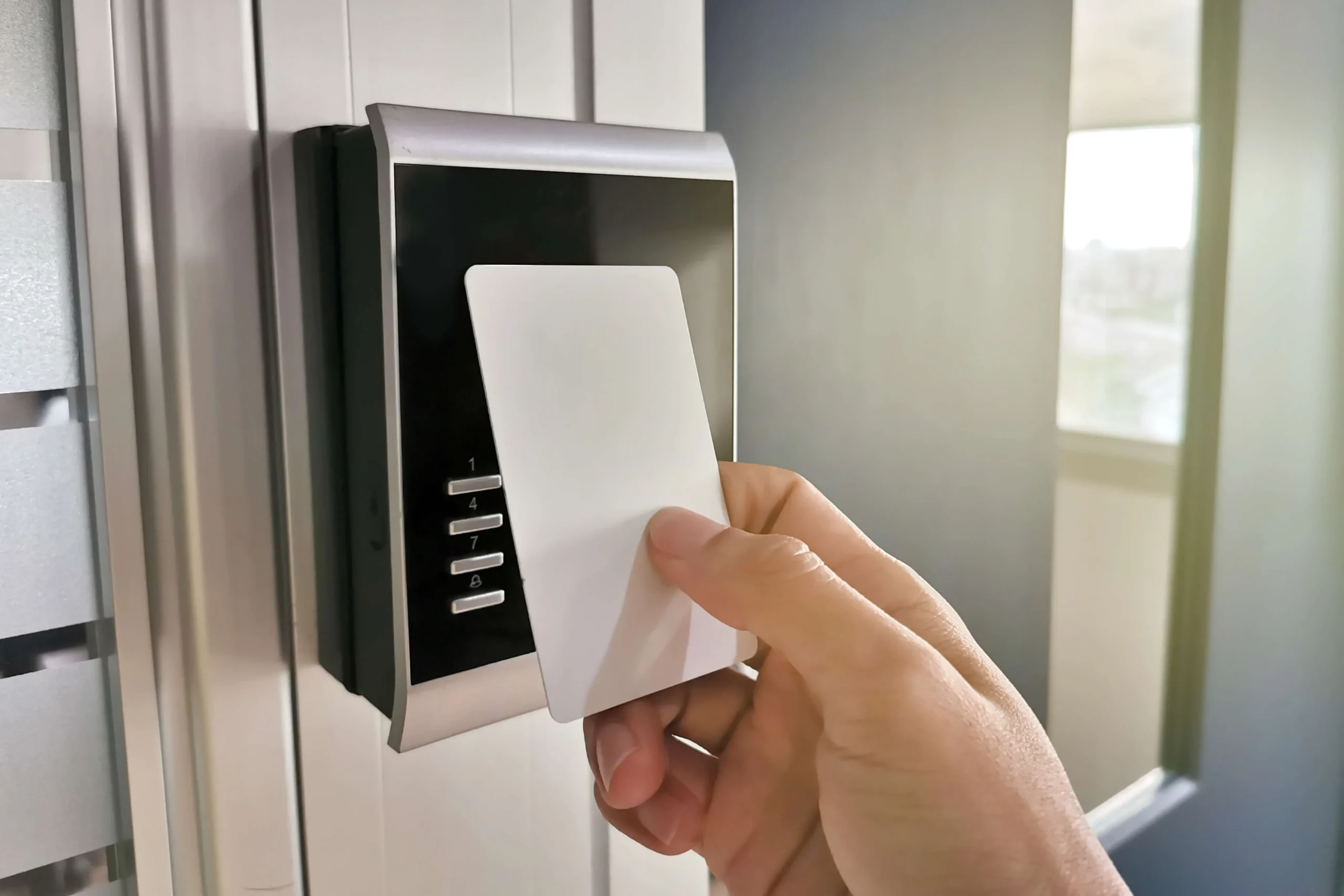
The user first presents a credential to identify themselves.

Common examples include:

  • key cards
  • RFID fobs
  • smartphone credentials
  • PIN codes
  • biometric identifiers.

The credential essentially tells the system who is requesting access.


2. Authentication

Once a credential is presented, the system verifies that it is valid.

For example, the system checks whether:

  • the card exists in the database
  • the mobile credential is legitimate
  • the biometric template matches the enrolled user.

At this stage, the system confirms the identity of the person requesting entry.


3. Authorization

After identity is confirmed, the system checks the user’s permissions.

Access permissions may depend on several factors, including:

  • the specific door or location
  • the user’s role
  • time-of-day schedules
  • security policies.

In other words, someone might be authorized to access one area but not another.


4. Access Decision

If the credential is valid and the permissions match the security rules, the controller sends a signal to unlock the door.

If the request fails any step—invalid credential, incorrect schedule, or restricted area—the system denies access.

This process happens in seconds, often without the user even noticing the underlying technology

Core Components of an Access Control System

Behind the scenes, several pieces of hardware and software work together to make access control possible.

Credentials

Credentials identify the user requesting access.

Common credential types include:

  • RFID cards or badges
  • key fobs
  • PIN codes
  • smartphone-based mobile credentials
  • biometric identifiers.

Mobile credentials have become increasingly popular because they allow a smartphone to act as a secure digital key.

Biometric systems add another layer of security by verifying who a person is, rather than just what credential they possess.


Readers

Readers are the devices installed near entry points that detect credentials.

Examples include:

  • card readers
  • mobile credential readers
  • keypad readers
  • fingerprint scanners
  • facial recognition terminals.

When a credential is presented, the reader sends the information to the system controller for verification.


Controllers

Controllers act as the decision-making engine of the system.

When the reader sends credential data, the controller checks it against the access control database.

If the system determines that the user has permission to enter, the controller signals the door hardware to unlock.

Controllers are typically connected to a network and managed through centralized software.


Door Hardware

Access control systems interact with several physical components installed at the door.

These may include:

  • electric strikes
  • magnetic locks
  • door sensors
  • request-to-exit devices.

Door sensors help detect events such as:

  • doors forced open
  • doors held open too long.

These alerts allow security teams to respond quickly when unusual activity occurs.


Management Software

Access control software serves as the central interface for managing the entire system.

Through this platform, administrators can:

  • add or remove users
  • issue credentials
  • define access schedules
  • monitor door activity
  • generate reports.

In large organizations, the management platform may control hundreds or even thousands of doors across multiple buildings.

Types of Access Control Credentials

Different facilities use different credential technologies depending on their security needs.

RFID Cards and Key Fobs

These remain the most common access credentials.

Users present a card or fob near a reader, and the system verifies the stored identifier.

They are widely used because they are:

  • inexpensive
  • easy to issue
  • quick to use.

PIN Codes

Some systems use keypad readers where users enter a numeric code.

PIN codes can be useful in situations where physical credentials are not practical, though they may be shared or forgotten.


Mobile Credentials

Mobile credentials allow a smartphone to function as an access credential.

Using technologies such as Bluetooth or NFC, users can unlock doors using a secure mobile app.

For many organizations, mobile credentials reduce the need to issue and manage physical cards.


Biometric Authentication

Biometric systems verify identity using unique physical characteristics.

Examples include:

  • fingerprints
  • facial recognition
  • iris scanning.

Because biometric identifiers cannot easily be shared or copied, these systems provide a higher level of identity assurance.

Access Control System Architectures

Access control systems can be deployed in different ways depending on the size and complexity of the facility.

Standalone Systems

Standalone systems operate independently at individual doors.

They are typically used in smaller environments where centralized management is not required.


Networked Systems

Networked access control systems connect multiple doors and controllers to a central management server.

This allows administrators to manage permissions and monitor activity across the entire facility from one interface.


Cloud-Based Access Control

Cloud-based access control systems host management software remotely.

This allows administrators to manage systems from anywhere while simplifying system updates and multi-site deployments..

Integration With Other Security Systems

Modern access control systems rarely operate in isolation. Instead, they are often integrated with other security technologies.

Video Surveillance Integration

Access events can trigger camera recordings, allowing security teams to visually confirm who entered a specific door.

For example, a badge swipe can automatically display associated camera footage.


Visitor Management Systems

Visitor management platforms can issue temporary credentials for guests, contractors, and vendors.

These systems help organizations track visitor activity while maintaining controlled access.


License Plate Recognition

Parking facilities and vehicle gates may integrate license plate recognition systems to automatically authorize registered vehicles.


Building Automation Systems

Access control can also interact with building infrastructure such as elevators, lighting, and HVAC systems.

For example, presenting a credential at the entrance may enable elevator access to authorized floors.

Access Control Policies and Security Models

Access permissions are typically managed using structured policy models.

Role-Based Access Control

Access is determined by a person’s role within an organization.

For example:

  • security staff may access all areas
  • employees access workspaces
  • visitors have limited entry.

Rule-Based Access Control

Rules such as time schedules determine when access is allowed.

For example, an employee may only access certain areas during business hours.


Attribute-Based Access Control

More advanced systems evaluate multiple factors such as user identity, location, or device type before granting access.

Benefits of Modern Access Control Systems

Organizations adopt access control systems for several practical reasons.

Improved Security

Access control prevents unauthorized individuals from entering restricted areas.

Centralized Management

Administrators can manage user permissions across many locations from one system.

Flexible Access Policies

Permissions can be adjusted quickly when employees change roles or security requirements evolve.

Event Logging and Accountability

Detailed access logs provide valuable information for audits and investigations.

System Integration

Access control systems can work alongside surveillance, visitor management, and other security technologies.

The Evolution of Access Control Technology

Access control has come a long way from mechanical locks and physical keys.

Modern systems now incorporate technologies such as:

  • encrypted credentials
  • mobile authentication
  • biometric verification
  • cloud-based management
  • integrated security platforms.

As facilities become more connected and security requirements continue to grow, access control systems remain a critical foundation for protecting physical environments.


Access control systems play a central role in modern physical security. By verifying identity, enforcing access policies, and monitoring entry events, these systems allow organizations to manage security efficiently and consistently.

Whether deployed in a small office or across a large multi-site enterprise, access control systems provide the structure needed to protect people, facilities, and sensitive assets while supporting day-to-day operations.

What Is an Access Control System? A Complete Guide
Biometric Access Control from IDEMIA

Share:

  • Share on Twitter Share on Twitter
  • Share on Facebook Share on Facebook
  • Share on LinkedIn Share on LinkedIn
  • Share via Email Share via Email

Frequently Asked Questions (FAQs)

What is the purpose of an access control system?

An access control system protects buildings and restricted areas by allowing only authorized individuals to enter. It helps organizations manage security, monitor entry events, and prevent unauthorized access.

What are the main components of an access control system?

Typical components include credentials, readers, controllers, door hardware, and management software that administers permissions and records access events.

What types of credentials are used in access control systems?

Common credentials include RFID cards, key fobs, PIN codes, mobile credentials on smartphones, and biometric identifiers such as fingerprints or facial recognition.

What types of credentials are used in access control systems?

Common credentials include RFID cards, key fobs, PIN codes, mobile credentials on smartphones, and biometric identifiers such as fingerprints or facial recognition.

How does access control integrate with other security systems?

Access control systems can integrate with video surveillance, visitor management platforms, license plate recognition systems, and building automation systems to improve situational awareness and security operations.

What is the difference between access control and traditional locks?

Traditional locks rely on physical keys, while access control systems use electronic credentials and centralized management software to regulate and monitor entry.

An access control system is a security technology that regulates who can enter a building, room, or restricted area by verifying identity and granting access only to authorized individuals. These systems typically use credentials such as key cards, mobile devices, or biometric identifiers, along with electronic readers, controllers, and management software to enforce security policies and monitor access events.

What Are the Risks of Outdated Access Control Systems?

Outdated access control systems may still function—but they can introduce serious security risks. From cloned credentials to weak authentication and lack of system visibility, legacy platforms can expose both physical and digital vulnerabilities. Learn why modernizing access control is critical for protecting people, systems, and data.

Continue Reading

Access Control Security: Protecting Systems, Data & Buildings

Access control is no longer just about securing doors—it’s about protecting systems, data, and identities. Modern platforms manage sensitive information like credentials, permissions, and visitor data, making them part of your cybersecurity strategy. Learn why securing the access control system itself is critical, and how best practices like credential management, role-based access, and activity monitoring…
Continue Reading

Modular Access Control System Explained

A modular access control system changes how security is built. Learn how OMNIA’s controller, reader, and IO modules scale from one door to thousands.

Continue Reading
OMNIA Control Module

OMNIA Access Control Software: Managing Security in Modern Facilities

A look at how OMNIA Access Control software helps organizations manage doors, credentials, and security workflows across modern facilities..

Continue Reading

Unlocking Transaction Insights with OMNIA Reports

Transaction reports in OMNIA provide detailed visibility into access events across your system. Learn how to create, filter, and export reports for auditing, investigations, and compliance tracking.

Continue Reading
OMNIA Software Display

Contact Us

PMT Security Inc. is here to help, contact us directly by phone,

USA +1 727-786-1900
CAD +1 647-999-4644

Monday-Friday, 8am-5pm Eastern

Knowledge Database
Technical Support
Download Center

OMNIA Access Control Software: Managing Security in Modern Facilities

OMNIA Access Control Software: Managing Security in Modern Facilities

Access control has evolved from simple card readers and locked doors into a sophisticated layer of operational intelligence. Today’s organizations require systems that do more than restrict entry — they must integrate with building operations, provide visibility into activity, and scale across multiple locations.

OMNIA Access Control software, developed and supported by PMT Security, reflects this shift toward modern, flexible security platforms. Built around a modular architecture and browser-based management environment, the software provides a centralized way to manage people, credentials, doors, and events across an organization’s physical spaces.

Rather than focusing solely on hardware, OMNIA places a strong emphasis on software-driven control and visibility — making it a practical platform for facilities where security and operations intersect.

A Software-First Approach to Access Control

At the core of OMNIA is a browser-based management interface designed to simplify administration and monitoring. Administrators can access the system through standard web browsers, allowing them to manage doors, credentials, and security settings without specialized client software.

The software provides a centralized dashboard where users can:

  • Configure door access rules and permissions
  • Manage credentials and tagholders
  • Monitor live access events
  • Generate activity and compliance reports
  • Customize system views for different users or departments

Because the interface is designed around configurable widgets and dashboards, organizations can tailor how information is displayed — from transaction feeds to camera views or quick enrollment tools.

This emphasis on usability is particularly valuable in environments where security teams, IT staff, and facility managers must collaborate within the same system.enerating data — you’re gaining actionable insights.

Flexible Credential Management

Modern facilities rarely rely on a single form of credential. Employees, visitors, contractors, and delivery services all interact with buildings in different ways.

OMNIA software supports multiple credential types within the same system, including:

  • Proximity cards and key fobs
  • PIN codes
  • Mobile credentials
  • Biometric authentication
  • License plate recognition credentials

Administrators can quickly assign, update, or revoke permissions for these credentials directly from the management interface.

This flexibility allows organizations to apply access policies that match operational realities — such as temporary staff access, restricted zones, or time-based permissions.

Integration with the Wider Security Ecosystem

Modern physical security environments rarely operate as standalone systems. Access control, video surveillance, alarms, and building automation are increasingly interconnected.

OMNIA is designed with open integration capabilities, allowing it to connect with other technologies such as:

  • Video management systems
  • intrusion or alarm systems
  • elevator controls
  • wireless locks and building automation tools

Through APIs and integration tools, these systems can work together to provide greater situational awareness. For example, access events can be correlated with video footage or used to trigger automated actions across connected systems.

This unified approach helps organizations monitor activity more effectively and respond quickly to security events.

Operational Features for Real-World Security Management

Beyond credential and door control, OMNIA software includes operational features designed for day-to-day facility management.

Examples include:

Threat Level Management
Administrators can quickly adjust security settings across an entire facility — for example during emergencies or heightened security conditions.

Scheduled Tours and Automated Events
Automated workflows can support patrol verification or timed access rules across buildings.

Audit Trails and Reporting
Detailed logs allow organizations to review access activity, investigate incidents, or maintain regulatory compliance.

System Diagnostics
Health monitoring tools help administrators understand system performance and ensure that controllers, readers, and connections are functioning correctly.

These capabilities turn access control from a reactive system into a proactive operational tool.

Real-World Applications Across Industries

Because the OMNIA platform can scale from a single door to thousands of doors, it can support a wide range of environments.

Examples include:

Education

Schools and campuses often require layered access policies for staff, students, and visitors. Access control software helps manage these groups while maintaining visibility into building activity.

Healthcare and Long-Term Care

Facilities may need to control sensitive areas such as pharmacies, patient records rooms, or restricted care units while maintaining easy access for authorized staff.

Financial Institutions

Banks and financial facilities rely on controlled entry to secure areas like vaults, server rooms, and administrative offices. Access logs and audit trails also support compliance requirements.

Multi-Site Organizations

Organizations with multiple locations can manage permissions and security policies across buildings from a centralized interface.

The Role of Access Control Software in Modern Security

Physical security technology continues to evolve toward software-driven platforms that unify multiple systems. Access control software like OMNIA plays a key role in this shift by acting as the operational layer that connects credentials, doors, monitoring, and automation.

Rather than simply unlocking doors, modern access control platforms provide:

  • operational insights into facility activity
  • automated security responses
  • integration with video and building systems
  • centralized oversight across multiple sites

By combining flexible credential management with integration capabilities and a browser-based management interface, OMNIA illustrates how access control software can support both security and operational efficiency.

OMNIA Access Control Software: Managing Security in Modern Facilities

Share:

  • Share on Twitter Share on Twitter
  • Share on Facebook Share on Facebook
  • Share on LinkedIn Share on LinkedIn
  • Share via Email Share via Email

Contact Us

PMT Security Inc. is here to help, contact us directly by phone,

USA +1 727-786-1900
CAD +1 647-999-4644

Monday-Friday, 8am-5pm Eastern

Knowledge Database
Technical Support
Download Center
  • Page 1
  • Page 2
  • Page 3
  • Page 4
  • Go to Next Page »
  • Facebook
  • LinkedIn
  • Twitter

PMT Security

Copyright © 2026 PMT Security, Inc. | All Rights Reserved

  • Privacy Policy
  • Terms of Use
  • Cookie Policy
  • Accessibility
  • Contact Us