
• Skip to primary navigation
  • Skip to main content
PMT Security Logo

PMT Security

Advanced Access Control

  • Home
  • About Us
    • Security and Trust
    • Our Partners
    • Our Integrators
  • Solutions
    • Education
    • Retirement & Healthcare
    • Manufacturing
    • Government Facilities
    • Residential
    • Retail Businesses
    • Campgrounds & Outdoor Resorts
  • Products
    • Access Control
      • Control Features
      • Reporting & Monitoring
      • Control Module
      • Digital IO Module
      • Reader Module
      • Readers
    • Video Management
    • Visitor Management
    • Intercom
    • Live Guard Video Monitoring
    • Housings & Pedestals
  • Support
    • Knowledgebase
    • Download Center
    • License Request
    • RMA Request Form
  • Blog
  • Contact Us

Configuring Web Session Timeouts in OMINA

Configuring Web Session Timeouts in OMINA

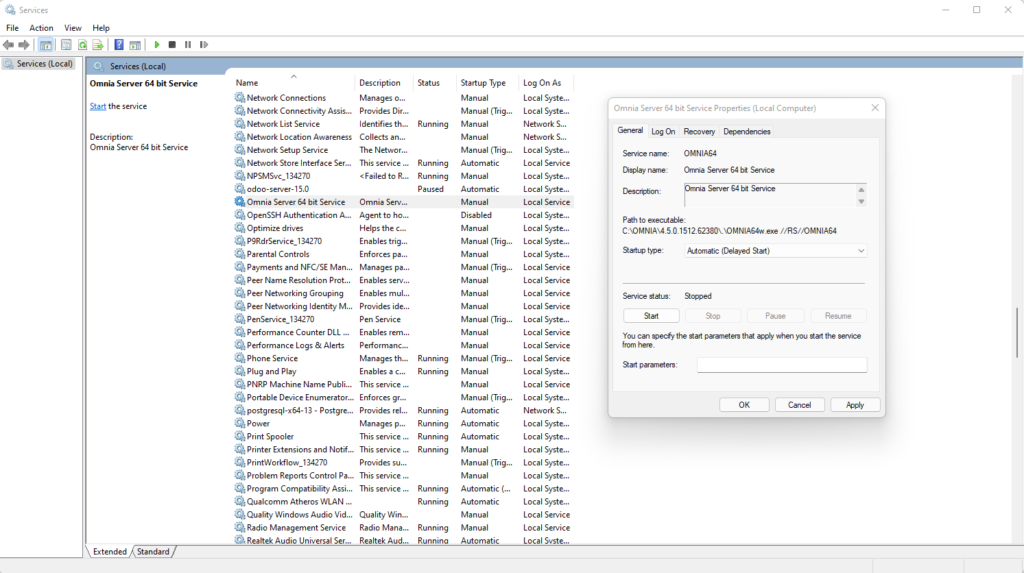
If OMNIA is running as a service, you must stop the OMNIA Server Service.

If OMNIA is not running as a Service, Skip this step

After the OMNIA Service is stopped, Launch OMINA Server App. C:\OMNIA\Bin\OMNIA.exe
Once the OMNIA Server App has been started, Find the OMNIA Icon in the Systray.

Right Click the OMNIA Icon and Select Settings

The ‘Settings’ panel will open. Set the two values to the desired no motion timeout in the fields indicated with the red arrows below. 

Please note, these times are in milliseconds. The default is 4 hours, therefore: 

4 (hours) x 60 (minutes) x 60 (seconds) x 1000 (milliseconds) = 14400000

24 (hours) x 60 (minutes) x 60 (seconds) x 1000 (milliseconds) = 86400000

Once changed, close the ‘Settings’ panel (the values are autosaved). 

If OMNIA was running as a Service, Complete the Next Steps.

Exit from the Omnia Application. 

In Services, restart the Omnia Service.

Need further assistance?

Submit a Support Ticket

Submit a Support Ticket

FAQ

General

Technical Bulletins

Access Control

AmanoNet

Nexxus220

Omnia

Omnia Lite

PM Tronics Hardware

Amano Readers and Credentials

Legacy Hardware

Partner Products

Partner Products

Video Management Systems

Cathexis Video (Amano Vision)

AmanoDVMS

Vision

Security Best Practices & Support

  • Facebook
  • LinkedIn
  • Twitter

PMT Security

Copyright © 2026 PMT Security, Inc. | All Rights Reserved

  • Privacy Policy
  • Terms of Use
  • Cookie Policy
  • Accessibility
  • Contact Us