
• Skip to primary navigation
  • Skip to main content
PMT Security Logo

PMT Security

Advanced Access Control

  • Home
  • About Us
    • Security and Trust
    • Our Partners
    • Our Integrators
  • Solutions
    • Education
    • Retirement & Healthcare
    • Manufacturing
    • Government Facilities
    • Residential
    • Retail Businesses
    • Campgrounds & Outdoor Resorts
  • Products
    • Access Control
      • Control Features
      • Reporting & Monitoring
      • Control Module
      • Digital IO Module
      • Reader Module
      • Readers
    • Video Management
    • Visitor Management
    • Intercom
    • Live Guard Video Monitoring
    • Housings & Pedestals
  • Support
    • Knowledgebase
    • Download Center
    • License Request
    • RMA Request Form
  • Blog
  • Contact Us

Create a Site Lockdown Input for OMNIA

Create a Site Lockdown Input for OMNIA

Print Site wants a lockdown button  installed To Create an input that will lockdown the Site proceed as follows; 

You will need to create an Action in the Controller Profiles, this action will affect all Terminals  Go to Setup/Controller Profiles
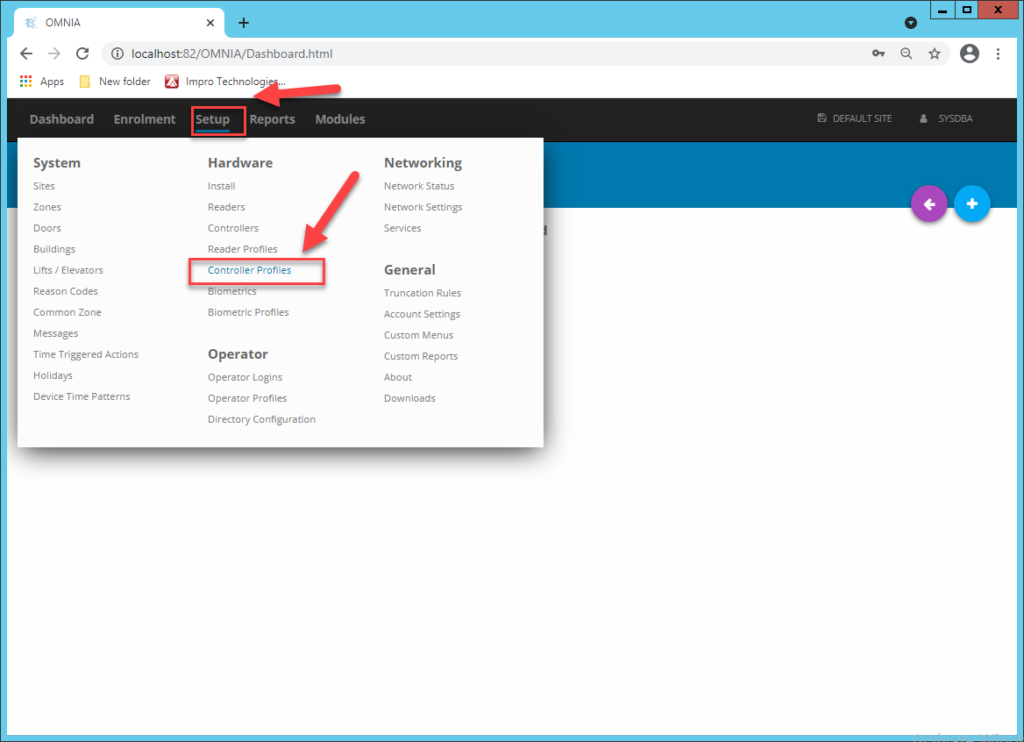
 Go to Actions, then Add Action
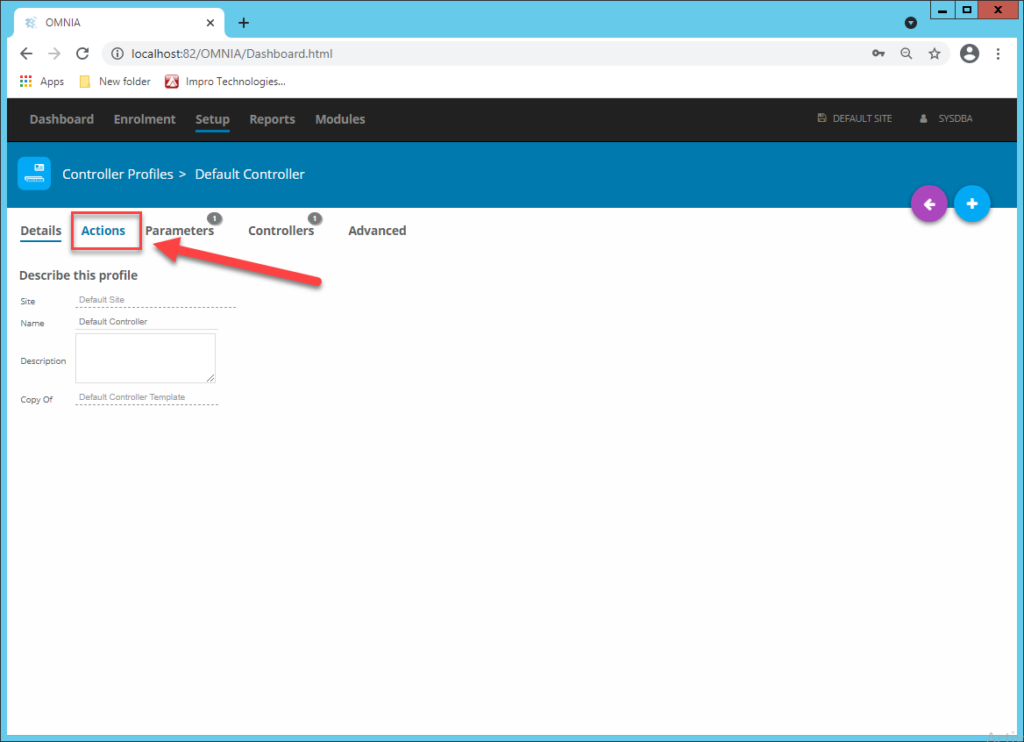
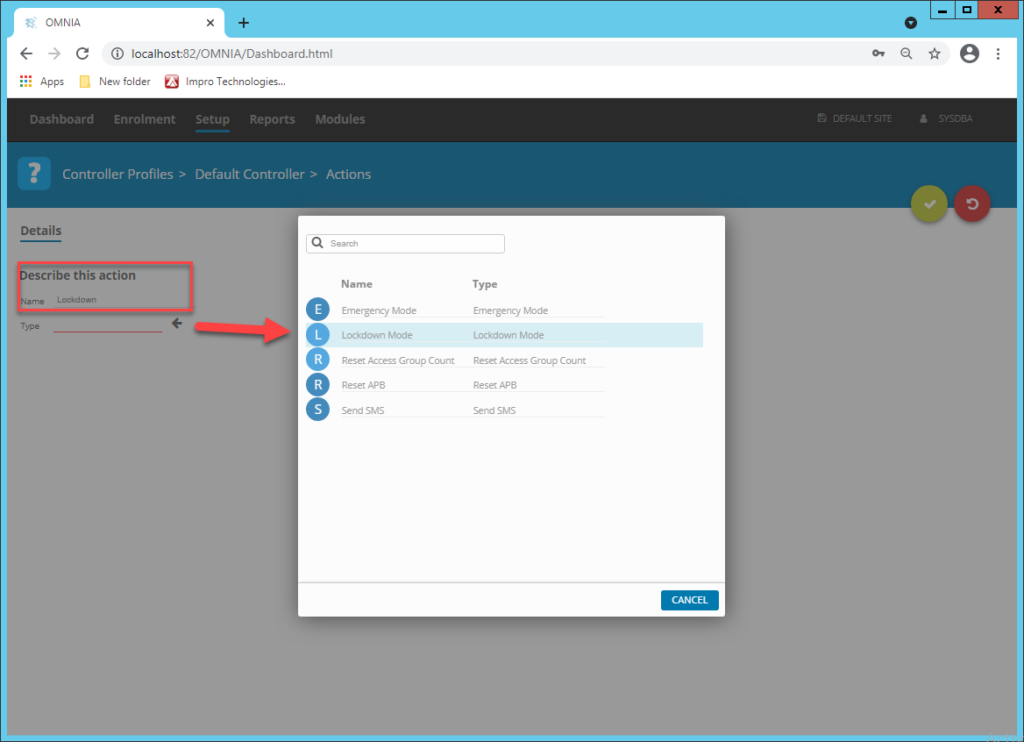
Describe the Action and Choose Lockdown Mode for the Type.  Click the Enabled Radio Button, Do Not Choose a Time Pattern.
Now Create an Input in the Reader Profile where the Lockdown Input is wired to.  Either Input 1 or Input 2 depending on where the wires land Go to Setup/Reader Profiles/ Once in the Reader Profile, select the Inputs tab, create new input.
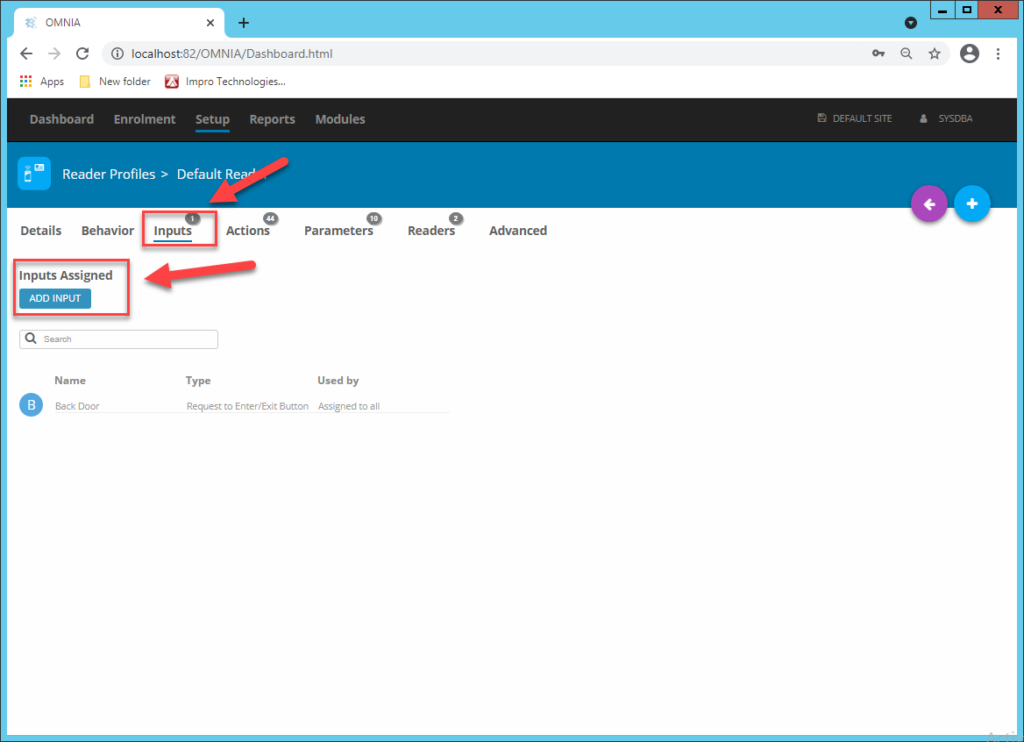
Name the Input Accordingly,  choose Lockdown as the Type.
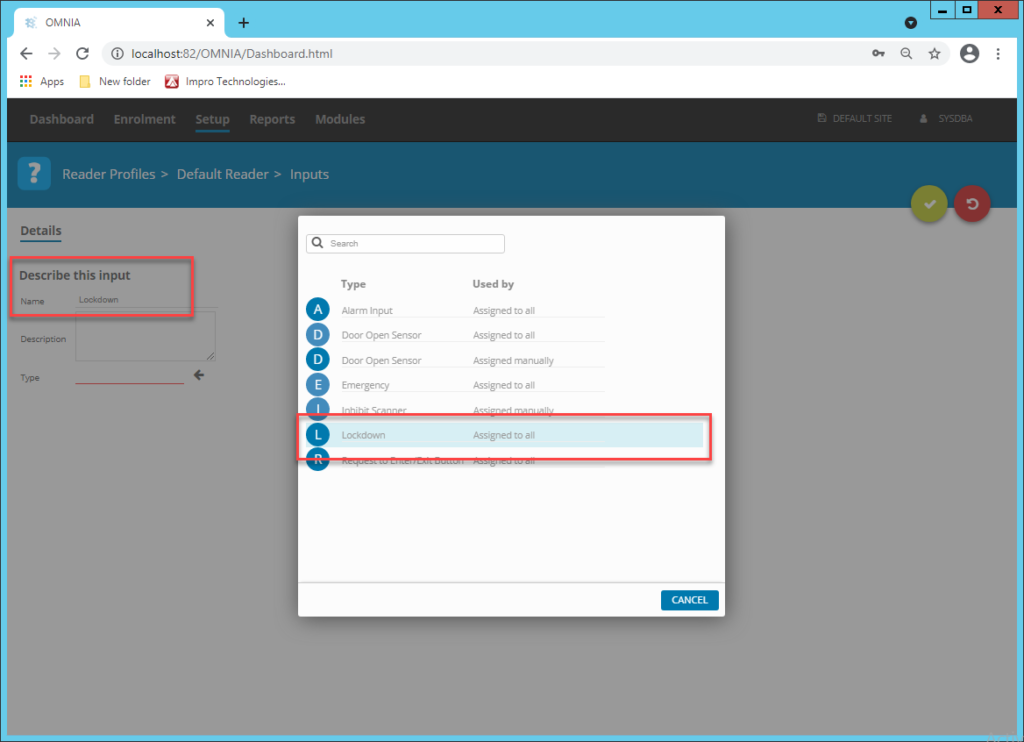
Make sure you are choosing the correct input, then save.
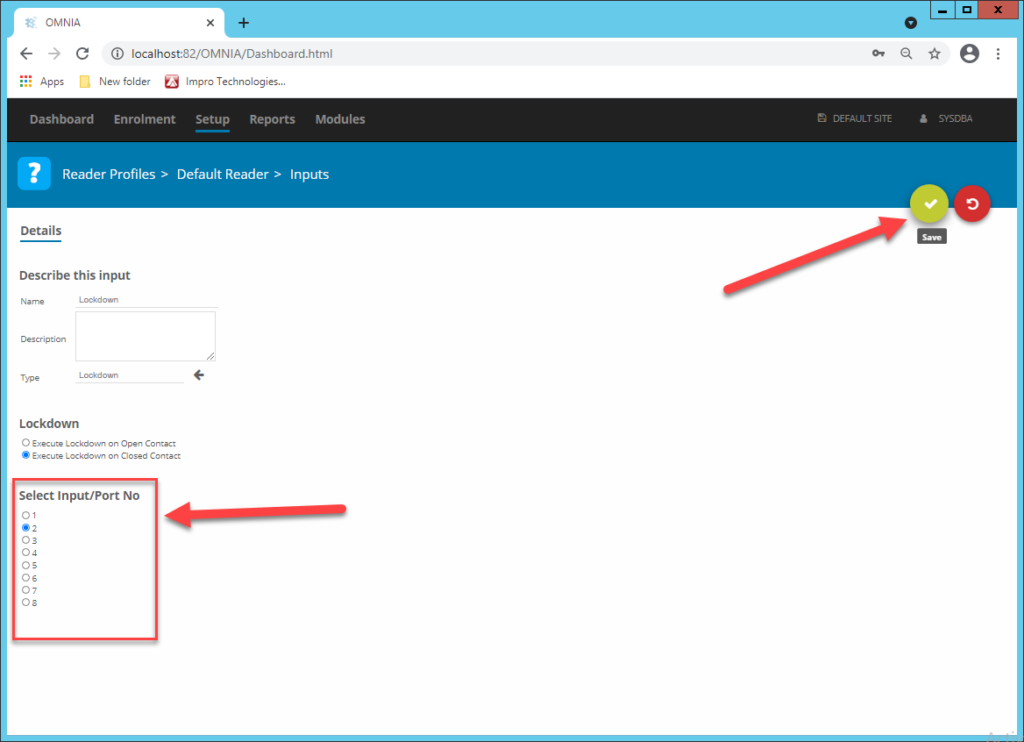
Your input button will now Trigger a Lockdown when pressed.

Need further assistance?

Submit a Support Ticket

Submit a Support Ticket

FAQ

General

Technical Bulletins

Access Control

AmanoNet

Nexxus220

Omnia

Omnia Lite

PM Tronics Hardware

Amano Readers and Credentials

Legacy Hardware

Partner Products

Partner Products

Video Management Systems

Cathexis Video (Amano Vision)

AmanoDVMS

Vision

Security Best Practices & Support OMNIA

  • Facebook
  • LinkedIn
  • Twitter

PMT Security

Copyright © 2026 PMT Security, Inc. | All Rights Reserved

  • Privacy Policy
  • Terms of Use
  • Cookie Policy
  • Accessibility
  • Contact Us